Results for "how to install eufy security camera"
Installing a Eufy security camera involves a few straightforward steps to ensure proper functionality and security.


eufyOfficial

4.5
12.9K sold
-33%$99.99$149.99


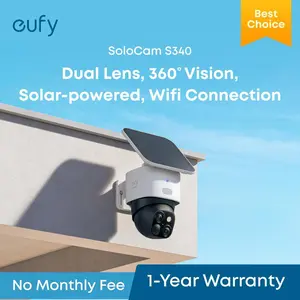
eufyOfficial
4.7
758 sold
-40%$119.99$199.99


eufyOfficial
4.5
11.9K sold
-46%$69.99$129.99


Related Searches
Related Categories
Introduction
Installing a Eufy security camera can enhance your home security significantly. Eufy cameras are designed for easy setup and user-friendly operation, making them a popular choice among homeowners. To get started with your installation, follow these essential steps:
- Choose the Right Location: Select a spot that provides a clear view of the area you want to monitor. Avoid placing the camera in direct sunlight or facing reflective surfaces.
- Prepare Your Tools: You will need a drill, screws, and possibly a screwdriver. Ensure you have everything ready before you begin.
- Mount the Camera: Use the provided mounting bracket to secure the camera to the wall. Make sure it is firmly attached and at the right angle.
- Connect to Wi-Fi: Follow the instructions in the Eufy app to connect your camera to your home Wi-Fi network. This step is crucial for remote access and notifications.
- Test the Camera: After installation, test the camera to ensure it captures the desired area and functions correctly.