- TikTok Shop
- Computers & Office Equipment
- Network Components
- KVM Switches
- AV Access iDock D23 8K KVM Switch Docking Station for 2 Desktop PCs & 3 Monitors, DisplayPort 2.0, 1G Ethernet, 4K@165/144Hz for Gaming & Home Office (Desktop Only)


4.3
3 global reviews
5
2
4
0
3
1
2
0
1
0
Sort by
Recommended
Filter by
All
Displaying 3 of 3 reviews
Reset filters

G**o
·
Verified purchase
US
It works very well. My setup: 2 x Samsung 32” Odessey G9 2560x1440, MacMini, PC(9800X3D/RTX3090TI) I used to have a usb KM switch and then manually change my monitors to Mac or PC now it’s just a button press. Gaming PC gets 240HZ through the switch! No stutters or blanking.
Item:
Default2025-12-04

**
·
Verified purchase
US
Works great. 2 laptops and 3 monitors. Switches flawlessly and had enough usb ports to share wireless devices.
Item:
Default2024-11-18

C**
·
Verified purchase
US
Item:
Default2025-04-22
About this product



Product description
📱 Perfect for 2 PCs & 3 Monitors
·Built with 6x DisplayPort input ports (MST, 3 in 1 group) and 3x DisplayPort output ports. Switch between workstations and gaming desktops. View 3 monitor screens simultaneously. 📺
📱 12-in-1 Docking Station
·Share abundant peripheral ports: 3x USB 3.0, 1x USB 2.0, 1x USB 1.1, 1x USB-C, 1x 1G Ethernet, 1x 3.5mm headset, 1x SD card, and 3x DP out. Build a powerful workstation effortlessly. 📱
📱 8K Ultra HD
·DisplayPort 2.0 & HDCP 2.3 compliant. Supports up to 8K@60Hz and all HDR formats: HDR10, HLG, HDR10+, and Dolby Vision. 📺
📱 Ultra-High Refresh Rate
·Supports 4K@165/144Hz, 3440×1440@165/144/120Hz, 2560×1440@240/165/144Hz, and 1080P@240/165Hz. Ideal for sports, action movies, and high-speed racing games. 📺
📱 Super Fast Switching
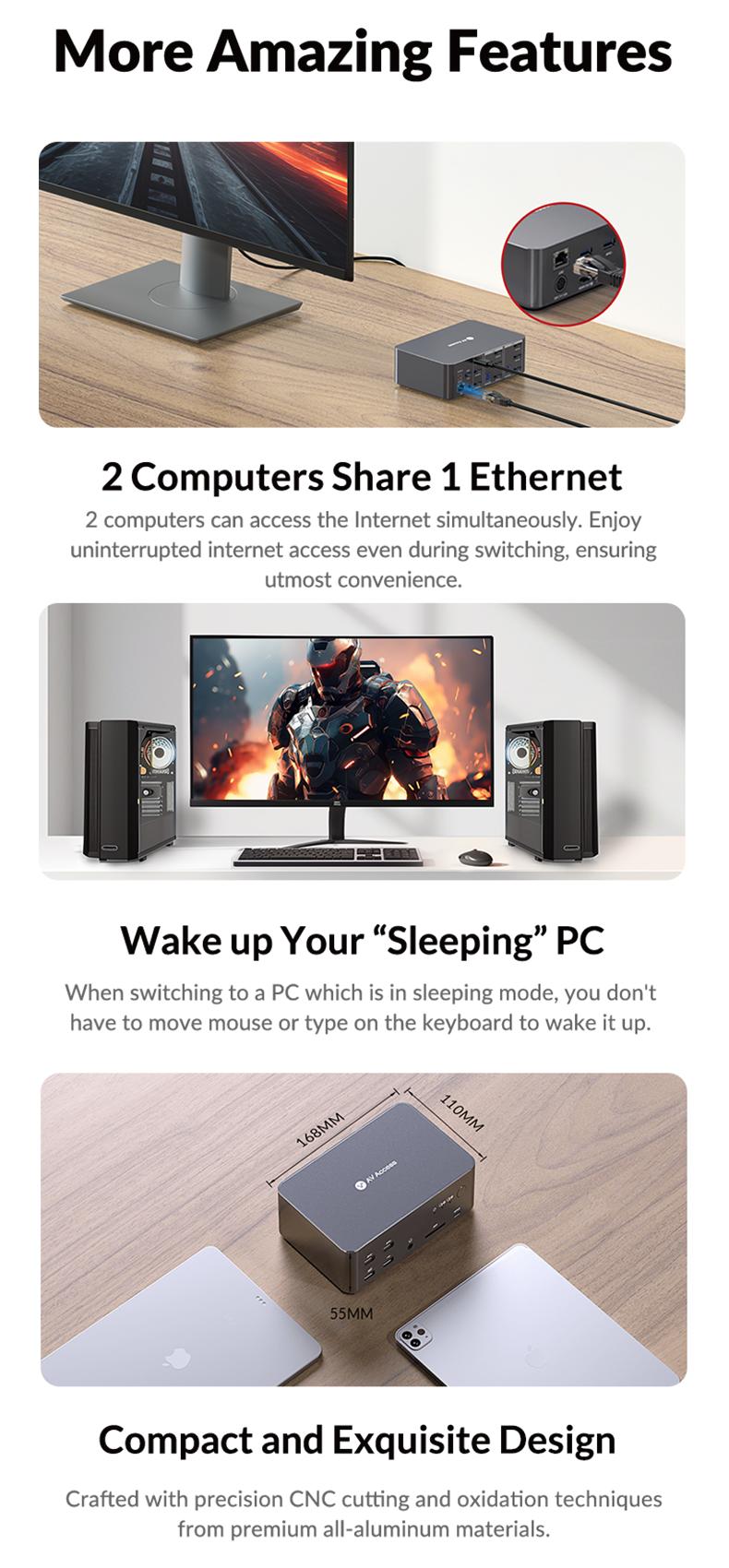
·Automatic PC wake-up function. Switch between PC sources in 2-3 seconds. Use the front control button, wired remote controller, or keyboard hotkey. 📺
📱 Important Notes
·For stable video input/output, use the included 6x DP 1.4a cables. For flickering issues with 8K@60Hz or 4K@165/144Hz video output, try certified DP 2.0 cables.
·For triple-screen output, connect all “DP in” ports of group 1 or 2 and the USB host to your PC; then connect all “DP out” ports to the monitors.
·The product doesn’t support EDID emulation at present.
·The product doesn’t support HDMI connections.
View more
$239.99
Free shipping
AV Access iDock D23 8K KVM Switch Docking Station for 2 Desktop PCs & 3 Monitors, DisplayPort 2.0, 1G Ethernet, 4K@165/144Hz for Gaming & Home Office (Desktop Only)
4.3(3)
90 sold
Specification:Default
Default
Quantity:
Buy now
Coupon center
Log in to check your coupons
View and claim any available offers once you're logged in.
Shipping & returns
Shipping & delivery
Many items qualify for free shipping or become eligible once the order threshold is met.
Returns made easy
Most items are eligible for free returns within 30 days of delivery for a refund. Some items, including ingestibles, hygiene products, and pre-owned goods, are non-returnable. Final sale items cannot be returned or replaced.
About this shop

AV Access
4.4
334 Sold
3.9K+ Followers
63%24h response rate
57%Ships within 2 days
79%Positive feedback
Visit
Shop review


Videos for this product
Creator earns commission

EdTheOldTechGuy
92

AV Access
18
AV Access
9
AV Access
7
Creator earns commission

E FStarr
2
Explore more from AV Access


You may also like


![BENFEI USB C to HDMI Adapter 4K@60Hz, USB Type-C to HDMI Adapter [Thunderbolt 3/4/5 Compatible] with iPhone 15 Pro/Max, MacBook Pro/Air 2023, iPad Pro, iMac, S23, XPS 17, Surface Book](https://p19-oec-general-useast5.ttcdn-us.com/tos-useast5-i-omjb5zjo8w-tx/70baeb56edae4acf92f07f024ab9eade~tplv-fhlh96nyum-crop-webp:300:293.webp?dr=12190&t=555f072d&ps=933b5bde&shp=8dbd94bf&shcp=607f11de&idc=useast5&from=2378011839 "BENFEI USB C to HDMI Adapter 4K@60Hz, USB Type-C to HDMI Adapter [Thunderbolt 3/4/5 Compatible] with iPhone 15 Pro/Max, MacBook Pro/Air 2023, iPad Pro, iMac, S23, XPS 17, Surface Book")

