Results for "monitor internal"
Internal monitors are devices used to display information from a computer or other electronic systems, typically used within an organization to enhance productivity and communication.


ARZOPA

4.5
18.7K sold
-47%$113.99$216.62


Pixio
4.8
1.0K sold
-29%$114.01$159.62


Newegg, Inc.

-30%$245.23$349.34


Newegg, Inc.
-35%$89.64$138.22


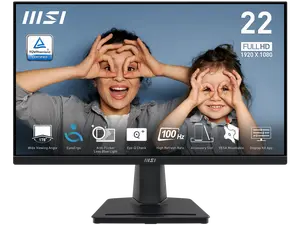
Newegg, Inc.
4.5
267 sold
$86.17


4.7
788 sold
-48%$190.74$370.16


Newegg, Inc.
4.9
341 sold
-36%$146.32$228.45


Related Searches
Related Categories
Introduction
Internal monitors play a crucial role in modern workplaces by providing real-time data visualization and enhancing communication among team members. Whether used in conference rooms, control centers, or individual workspaces, these monitors help display important information clearly and effectively.
When considering internal monitors, it's essential to understand their various features and functionalities. Here are some key aspects to keep in mind:
Investing in quality internal monitors can lead to improved efficiency and collaboration within teams. Proven quality and customer-approved brands are essential for ensuring durability and performance. Regularly updating your equipment can keep your workspace competitive and aligned with technological advancements.
When considering internal monitors, it's essential to understand their various features and functionalities. Here are some key aspects to keep in mind:
- Screen Size: Choose a size that fits your space and viewing needs, ensuring everyone can see the display without strain.
- Resolution: Higher resolutions provide clearer images and text, which is vital for detailed data presentations.
- Connectivity: Ensure the monitor has multiple input options, such as HDMI, DisplayPort, or USB-C, to connect with various devices.
- Mounting Options: Consider whether you need a wall-mounted, table-top, or portable monitor based on your workspace layout.
- Smart Features: Some internal monitors come with smart capabilities, allowing for wireless connectivity and integration with other devices.
Investing in quality internal monitors can lead to improved efficiency and collaboration within teams. Proven quality and customer-approved brands are essential for ensuring durability and performance. Regularly updating your equipment can keep your workspace competitive and aligned with technological advancements.