Results for "bootable pendrive mac"
A bootable pendrive for Mac is a USB flash drive that has been configured to start up a Mac computer, allowing users to install macOS or run diagnostic tools directly from the drive.


![PQI iConnect Mini [Apple MFi] 16GB Mobile Flash Drive w/ Lightning Connector for iPhones / iPads / iPod / Mac & PC USB 3.0 (Gold) Model 6I04-016GR2001](https://p16-oec-general-useast5.ttcdn-us.com/tos-useast5-i-omjb5zjo8w-tx/d4f8f472fd7f4df79f9aae15ab8e9b28~tplv-fhlh96nyum-crop-webp:300:225.webp?dr=12190&t=555f072d&ps=933b5bde&shp=8dbd94bf&shcp=a6e80448&idc=useast5&from=2378011839 "PQI iConnect Mini [Apple MFi] 16GB Mobile Flash Drive w/ Lightning Connector for iPhones / iPads / iPod / Mac & PC USB 3.0 (Gold) Model 6I04-016GR2001")


Newegg, Inc.

4.5
247 sold
-37%$18.95$30.10

Newegg, Inc.
3.9
537 sold
-27%$12.26$16.72

Newegg, Inc.
5.0
6 sold
-35%$20.62$31.77


Newegg, Inc.
4.8
40 sold
-23%$22.85$29.54

Newegg, Inc.
5.0
10 sold
-17%$39.02$46.83

Newegg, Inc.
4.7
38 sold
-12%$17.78$20.15

Newegg, Inc.
4.1
372 sold
-29%$14.22$20.15
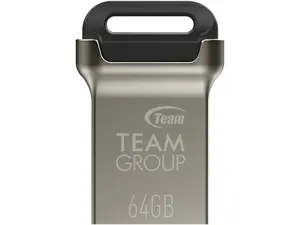

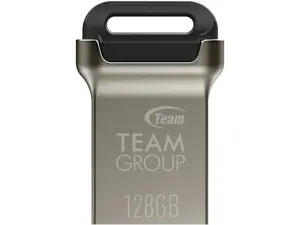
Newegg, Inc.
5.0
35 sold
-24%$26.68$34.98

Newegg, Inc.
4.0
4 sold
-24%$15.41$20.15

Newegg, Inc.
-25%$27.86$37.35


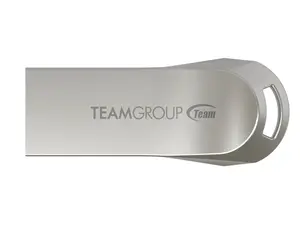
Newegg, Inc.
5.0
6 sold
-28%$15.41$21.34

Newegg, Inc.
-37%$18.97$30.00


Related Searches
Related Categories
Introduction
Creating a bootable pendrive for Mac is an essential skill for any Mac user, especially when it comes to reinstalling macOS or troubleshooting issues. A bootable pendrive allows you to have a portable version of the operating system that can be used on multiple devices. This process involves formatting the USB drive and using terminal commands or specific software to make it bootable.
Here are some key points to keep in mind when creating a bootable pendrive for Mac:
By following these steps, you can create a bootable pendrive for Mac that is reliable and effective. This tool is invaluable for both everyday users and tech-savvy individuals looking to maintain their systems efficiently.
Here are some key points to keep in mind when creating a bootable pendrive for Mac:
- Compatibility: Ensure that the USB drive is compatible with your Mac. Most flash drives should work, but it's advisable to use one that is at least 16GB in size.
- Backup: Always back up your data before formatting the drive, as this process will erase all existing data on the pendrive.
- macOS Version: Download the correct version of macOS from the App Store or Apple's website, as this will be used to create your bootable drive.
- Follow Instructions: Use reliable guides or Apple's official instructions to ensure that you correctly create the bootable drive.
- Test the Drive: Once created, it’s advisable to test the bootable pendrive to ensure it works properly before relying on it for installations or repairs.
By following these steps, you can create a bootable pendrive for Mac that is reliable and effective. This tool is invaluable for both everyday users and tech-savvy individuals looking to maintain their systems efficiently.