- TikTok Shop
- Tools & Hardware
- Hardware
- Door Hardware
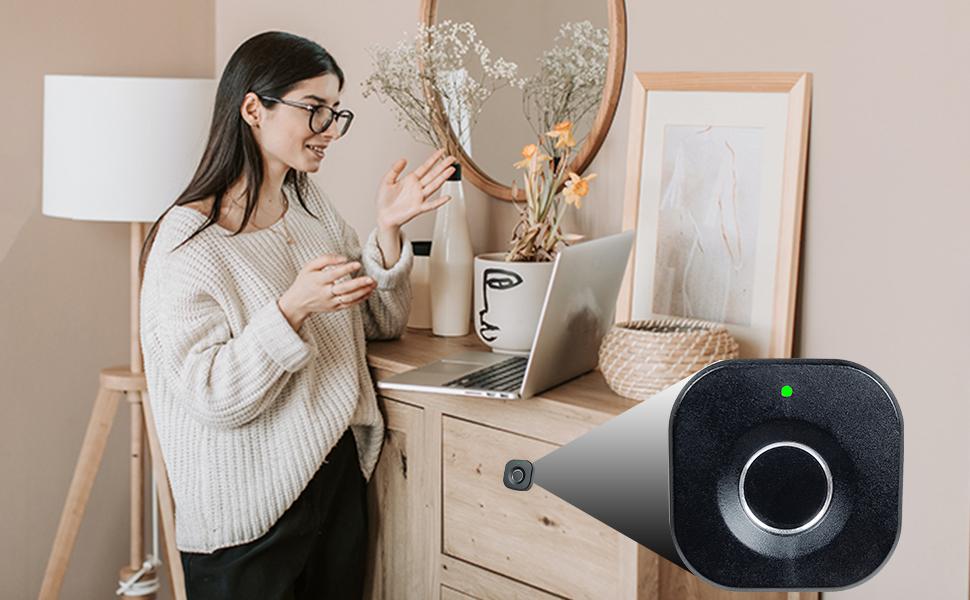
- SUMNEW Fingerprint Cabinet Lock, Smart Biometric, Fit for Keyless Hidden File Drawer Wardrobe, Child Safety Electric Fingerprint Lock, DIY Wooden Furniture Privacy for Home Office


About this product





Product description
Product Description
How to Install (Pls record the fingerprint before installing):
1. Fixed the Part A in proper place with two large silver screws (cabinet side / upper edge, upper edge of drawer)
2. Drill a 15 mm diameter round hole in the proper position on the outside board of the drawer/cabinet and then put the fingerprint panel in the hole. Note: Put the prompt lamp on the up side.
3. At the other end of the board, pass the wire through the metal gasket and use two small yellow screws to fix the gasket and the fingerprint panel. Then connect the line to the lock box correctly.
4. Use two big silver screws to secure the lock box in place (screw length is freely chosen according to board thickness)
5. Here we done! Check whether the distance is appropriate and whether it can lock normally.
Why Choose SUMNEW Lock!!!
0.5s Quick Unlock & Auto Pop-up
Leading fingerprint tech, unlock only needs 0.5 S reaction time.
And the latch will pops up automatically after unlocking to prevent you from forgetting to lock.
Smart AI
Record up to 40 fingerprints.
The fingerprints recorded are the only keys! No need any extra cards, keys, APP or bluetooth connection.
Support Emergency Charge
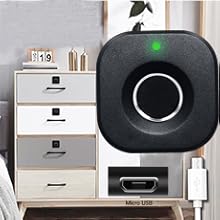
Humanized design! Support USB cable emergency charge, do not need to worry about low power can not unlock.
SUMNEW Fingerprint Cabinet Lock= Reliable Factory + Fastest Transportation + Perfect Quality + Considerate Service
Fingerprints Enroll Instruction:
Step 1
Long press the sensor for about 10 seconds until the blue light on;
Now it is in enroll mode, let’s begin: Use same finger enrolls 5 times at different angles. Then the green light on, it indicates that the first fingerprint was successfully recorded.
Step 2
Then the blue light on again. It’s still in enrolling mode. If you need to record more fingerprints, just repeat the second step. 5 seconds no operation it will automatically quit enroll status)
Note:
When you receive the lock,it is brand new and any fingerprint can open it! Remember to enroll your fingerprints before use!
To ensure the lock works well, it's better to enroll no less than 3 different fingerprints.
Humanized Electricity Tips
When the battery power is low, the lock will flicker red light. Then you can replace the AAA batteries in time. (Attention: our lock do not include Batteries and Charging Cable)
Delete Fingerprints and Restore Factory Settings: Long press set switch, blue light on, red light after three seconds, release switch. All fingerprints were removed successfully.
Fingerprint Cabinet Lock for home
FAQs and Solutions
Question 1: why could all fingerprints unlock it?
--Answer: 'Cause the lock is still in original state and you haven't enroll any fingerprint in it. So anyone any fingerprints can open it.
--Solution: Enroll your personal fingerprints correctly by following the instructions/videos .
Question 2: why is fingerprint identification slow?
--Answer: 'Cause the fingerprint haven't been recorded clearly and completely, it may cause slow identification.
--Solution: Re-enroll with the same finger at different angles.
Question 3: How to unlock when it is out of battery?
--Answer: Don't worry, there's still plan B. And The lock will have a red light flicker prompt to remind you that it's time to change new battery.
--Solution: Use your power bank to power it and unlock!
Question 4: How to enroll multiple fingerprints?
--Answer: Same thing, enroll one fingerprint successfully and repeat the steps. Up to 20 fingerprints can be enrolled.
Question 5: How do delete fingerprints?
--Answer: Hold down setting switch continuously untill red light on 3 seconds (you will see blue lights first and the red lights). There we done!
View more
$9.90
From $6.80 shipping on this order
SUMNEW Fingerprint Cabinet Lock, Smart Biometric, Fit for Keyless Hidden File Drawer Wardrobe, Child Safety Electric Fingerprint Lock, DIY Wooden Furniture Privacy for Home Office
20 sold
Color:black - Standard
black - StandardQuantity:
Buy now
Coupon center
Log in to check your coupons
View and claim any available offers once you're logged in.
Shipping & returns
Shipping & delivery
Many items qualify for free shipping or become eligible once the order threshold is met.
Returns made easy
Most items are eligible for free returns within 30 days of delivery for a refund. Some items, including ingestibles, hygiene products, and pre-owned goods, are non-returnable. Final sale items cannot be returned or replaced.
About this shop

SUMNEW
4.2
37.4K Sold
80+ Followers
98%24h response rate
72%Ships within 2 days
79%Positive feedback
Visit
Shop review


Videos for this product

Sumnew
24

SUMNEW
14
SUMNEW
7
Sumnew
6
SUMNEW
6
Sumnew
5
SUMNEW
5
SUMNEW
5
SUMNEW
4
SUMNEW
3
Sumnew
1
SUMNEW
1
SUMNEW
1
SUMNEW
1
SUMNEW
1
SUMNEW
1
Sumnew
1
SUMNEW
1
Sumnew
0
Sumnew
0
Explore more from SUMNEW


You may also like
![[SUMNEW] Fingerprint Cabinet Lock, Smart Biometric, Fit for Keyless Hidden File Drawer Wardrobe, Child Safety Electric Fingerprint Lock, DIY Wooden Furniture Privacy for Home Office](https://p16-oec-general-useast5.ttcdn-us.com/tos-useast5-i-omjb5zjo8w-tx/63ca192495d147a08459f2eb01b8a1b5~tplv-fhlh96nyum-crop-webp:300:300.webp?dr=12190&t=555f072d&ps=933b5bde&shp=8dbd94bf&shcp=607f11de&idc=useast5&from=2378011839 "[SUMNEW] Fingerprint Cabinet Lock, Smart Biometric, Fit for Keyless Hidden File Drawer Wardrobe, Child Safety Electric Fingerprint Lock, DIY Wooden Furniture Privacy for Home Office")