Results for "triple computer monitor"

A triple computer monitor setup involves using three monitors simultaneously to enhance productivity and provide a broader workspace for multitasking.

Featured brands
Authenticated productsVerified shops

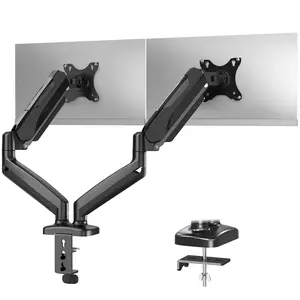
MOUNTUP 17"-27" Triple Monitor Stand Mount MU0006
Free shipping

Introduction

A triple computer monitor setup is increasingly popular among professionals and gaming enthusiasts alike. By utilizing three monitors, users can expand their visual workspace, making it easier to manage multiple applications and tasks at once. This configuration is particularly beneficial for those who engage in graphic design, video editing, programming, or stock trading, as it allows for a more immersive experience and improved workflow.

Here are some key benefits of a triple monitor setup:
  • Increased Productivity: With three screens, you can have different applications open on each monitor, reducing the need to switch between tabs and enhancing your efficiency.
  • Enhanced Gaming Experience: Gamers can enjoy a wider field of view, making gameplay more immersive and engaging.
  • Better Multitasking: Easily compare documents, analyze data, or conduct research with multiple windows visible at once.
  • Improved Collaboration: In a team setting, a triple monitor setup can facilitate better sharing of information and presentations.
When considering a triple monitor setup, it’s essential to ensure your computer's graphics card can support multiple displays and that you have adequate desk space to accommodate the monitors. Many users opt for adjustable monitor stands or mounts to optimize their workspace. A triple monitor setup is a worthwhile investment for anyone looking to enhance their computing experience, providing proven quality and customer-approved benefits.

FAQs

How can I choose the best triple monitor setup for my needs?

Consider your primary use case, such as gaming, design, or office work. Look for monitors with similar resolutions and sizes for a seamless experience, and ensure your graphics card supports multiple displays.

What are the key features to look for when selecting monitors for a triple setup?

Key features include resolution, refresh rate, panel type (IPS, TN, VA), connectivity options (HDMI, DisplayPort), and ergonomics like height adjustment and tilt.

Are there any common mistakes people make when purchasing a triple monitor setup?

Common mistakes include not checking graphics card compatibility, mismatched monitor sizes or resolutions, and overlooking desk space requirements.

What is the ideal distance to sit from a triple monitor setup?

A good rule of thumb is to sit about an arm's length away from the monitors, allowing for comfortable viewing without straining your eyes.

Can I use different brands of monitors in a triple setup?

Yes, you can mix brands, but it's advisable to use monitors with similar specifications for the best visual consistency and user experience.