Results for "interface sata"
Interface SATA refers to the Serial ATA interface, a standard for connecting storage devices like hard drives and SSDs to a computer's motherboard.


Newegg, Inc.

-27%$47.31$64.52
![SABRENT USB 3.2 Type A to SATA/U2 SSD Adapter Cable [EC-U2SA]](https://p19-oec-general-useast8.ttcdn-us.com/tos-useast8-i-rt0ujvrtvp-tx2/df02fb272e244a98b63befa7993ff404~tplv-fhlh96nyum-crop-webp:300:225.webp?dr=12190&t=555f072d&ps=933b5bde&shp=8dbd94bf&shcp=a6e80448&idc=useast5&from=2378011839 "SABRENT USB 3.2 Type A to SATA/U2 SSD Adapter Cable [EC-U2SA]")


Newegg, Inc.
-17%$1,430.95$1,721.19


Newegg, Inc.
-27%$1,337.39$1,821.32

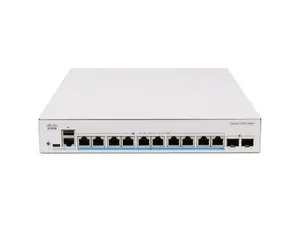
Newegg, Inc.
-5%$904.76$953.48


Newegg, Inc.
-12%$1,555.34$1,774.82


Related Searches
Related Categories
Introduction
When it comes to connecting storage devices, understanding the Interface SATA is crucial for both performance and compatibility. SATA, or Serial ATA, is a widely used interface that enables the connection of hard drives, solid-state drives (SSDs), and optical drives to a computer system. With its proven quality and customer approval, SATA has become a standard choice for many users looking to upgrade or replace their storage solutions.
Here are some key points to consider when exploring Interface SATA:
Here are some key points to consider when exploring Interface SATA:
- Speed: SATA interfaces come in different versions, such as SATA I, II, and III, each offering varying speeds. SATA III, for instance, can transfer data at speeds up to 6 Gbps, making it ideal for high-performance applications.
- Compatibility: Ensure that your motherboard supports the SATA version of your chosen storage device to avoid compatibility issues.
- Ease of Installation: SATA connectors are designed for easy installation, allowing users to connect and disconnect drives without hassle.
- Common Usage: SATA is commonly used in desktops, laptops, and servers, making it a versatile choice for many computing environments.