Results for "heat sink motherboard"
A heat sink for a motherboard is a critical component designed to dissipate heat generated by the CPU and other components, ensuring optimal performance and longevity of the motherboard.


-26%$297.00$401.00


Newegg, Inc.

5.0
10 sold
-9%$121.09$132.51


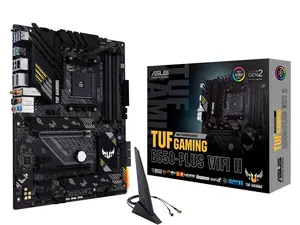
Newegg, Inc.
5.0
8 sold
-19%$137.15$169.43


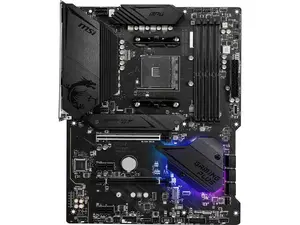


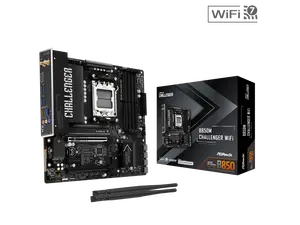

Newegg, Inc.
1.0
2 sold
-23%$194.21$251.33


Newegg, Inc.
5.0
3 sold
-25%$169.64$226.77
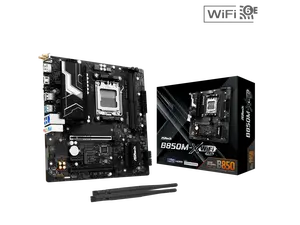



Newegg, Inc.
5.0
2 sold
-22%$501.85$640.61


Newegg, Inc.
5.0
28 sold
-14%$205.47$237.74


Related Searches
Related Categories
Introduction
When it comes to maintaining the performance and reliability of your computer, understanding the role of a heat sink motherboard is essential. A heat sink is a passive cooling device that helps dissipate heat away from the CPU and other critical components, preventing overheating and ensuring your system runs smoothly. Typically made of materials with high thermal conductivity, such as aluminum or copper, these devices absorb heat and release it into the surrounding air.
Here are some key points to consider about heat sinks for motherboards:
By investing in a quality heat sink for your motherboard, you are taking a proactive step towards prolonging the life of your computer components. Regularly monitor your system's temperatures and consider upgrading your cooling solutions if you notice any overheating issues. Remember, a cooler system is a more reliable system, trusted by thousands of users worldwide.
Here are some key points to consider about heat sinks for motherboards:
- Functionality: Heat sinks work by increasing the surface area available for heat dissipation, allowing for more efficient cooling.
- Compatibility: It’s crucial to choose a heat sink that is compatible with your specific motherboard model to ensure optimal performance.
- Size Matters: Larger heat sinks can offer better cooling but may also require more space in your case.
- Active vs. Passive: While passive heat sinks rely solely on natural convection, active heat sinks come with fans that provide additional airflow, enhancing cooling efficiency.
- Installation: Proper installation is vital; ensure that thermal paste is applied correctly for maximum heat transfer.
By investing in a quality heat sink for your motherboard, you are taking a proactive step towards prolonging the life of your computer components. Regularly monitor your system's temperatures and consider upgrading your cooling solutions if you notice any overheating issues. Remember, a cooler system is a more reliable system, trusted by thousands of users worldwide.