Results for "desk posture ergonomics"
Desk posture ergonomics refers to the study and application of optimal body positioning while working at a desk to prevent discomfort and injuries. It focuses on aligning the body in a way that minimizes strain and maximizes comfort during prolonged periods of sitting.


Sweetcrispy Official

4.4
4.7K sold
-51%$86.38$175.12


Sweetcrispy Official
4.8
252 sold
-32%$71.20$105.07


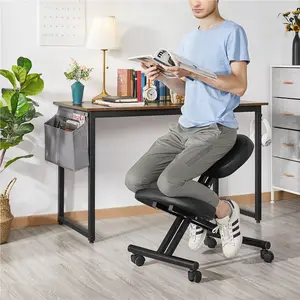
Yaheetech Shop
4.0
16 sold
-48%$73.54$140.09


![[SpringStatements] EBELLO Ergonomic Cross Legged Swivel Chair - Adjustable Height, Teddy Fabric, Back Support, Versatile for Home & Office Use](https://p16-oec-general-useast8.ttcdn-us.com/tos-useast8-i-rt0ujvrtvp-tx2/736bc0028483435d8d902b378172eaa9~tplv-fhlh96nyum-crop-webp:300:300.webp?dr=12190&t=555f072d&ps=933b5bde&shp=8dbd94bf&shcp=a6e80448&idc=useast5&from=2378011839 "[SpringStatements] EBELLO Ergonomic Cross Legged Swivel Chair - Adjustable Height, Teddy Fabric, Back Support, Versatile for Home & Office Use")


4.4
374 sold
-53%$198.43$420.29


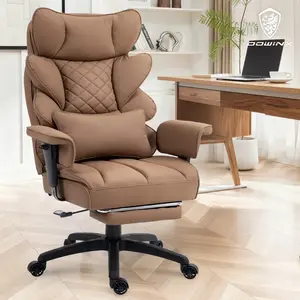
Dowinx.Furniture
4.5
2.5K sold
-22%$213.88$273.29

Related Searches
Related Categories
Introduction
Maintaining proper desk posture ergonomics is essential for anyone who spends long hours working at a desk. Poor posture can lead to a variety of health issues, including back pain, neck strain, and repetitive stress injuries. By understanding the principles of desk posture ergonomics, you can create a workspace that promotes comfort and productivity.
Here are some key elements to consider for effective desk posture ergonomics:
Here are some key elements to consider for effective desk posture ergonomics:
- Chair Height: Your chair should allow your feet to rest flat on the floor, with your knees at a 90-degree angle.
- Monitor Position: The top of your monitor should be at or just below eye level, approximately an arm's length away.
- Keyboard and Mouse Placement: Keep these tools close enough so that your elbows remain at a 90-degree angle and your wrists are straight.
- Foot Position: Use a footrest if necessary to maintain proper foot positioning.