- TikTok Shop
- Computers & Office Equipment
- Data Storage & Software
- Flash Drives & OTG Cables
- EATOP USB Flash Drive Intended for iPhone iPad, Memory Stick Storage for Photos and Videos Backup, Compatible with iPhone iPad Android PC, Plug and Play, No Application Required


4.3
7654 global reviews
5
5610
4
705
3
293
2
194
1
852
Photos from reviews


c**0

c**0

c**0

c**0

c**0


M**i R**o ** L**e C**r

M**i R**o ** L**e C**r

M**i R**o ** L**e C**r

M**i R**o ** L**e C**r


V**l b**z s**p

V**l b**z s**p

V**l b**z s**p
Sort by
Recommended
Filter by
All
Displaying 7654 of 7654 reviews
Reset filters
c**0
·
Verified purchase
US
The Eatop 3.0 USB 2TB flash drive is a tiny little storage beast. It’s plug‑n‑play, super lightweight, easy to use, and great for keeping photos, videos, and files in one spot. Solid everyday speeds and a crazy amount of space for the price.
Item:
Purple, 2TB (Only 1.95TB)2026-02-11
M**i R**o ** L**e C**r
·
Verified purchase
US
Great product I never need to pay for icloud storage, I’m literally going to recommend this to everyone I know.
Item:
Purple, 256GB2025-12-05
V**l b**z s**p
·
Verified purchase
US
High quality phone memory stick. Very easy to use! No software to download it’s just copy and paste to the memory drive. My phone was full and I could take anymore pictures and videos. I was able to save the 250 gb of media to the easy to use drive and keep it close by if needed. 5 stars. I love it!


Item:
Red, 1TB2025-10-09
T**n
·
Verified purchase
US
HIGHLY RECOMMEND FOR DJs—MUSIC PRODUCERS—SOUND ENGINEERS!!!
Great Product—Quick Delivery—Tons of Storage—Incredible Price Point!!!
What more does one need to say???


Item:
Red, 1TB2025-11-28

R**r A** ❌**
·
Verified purchase
US
Unfortunately this doesn't work.
I've tried several times to plug it in every time it it tells me that moisture has been detected in my charger/USB port. Make sure it's dry before charging your phone.
Even if I just finished charging the phone???
It then connects and disconnects a few times


Item:
Red, 2TB (Only 1.95TB)2026-01-16

K**n B**
·
Verified purchase
US
Why has it taken so long for somebody to create this product? I highly recommended in the company that made it. It arrived fast. I paid no shipping. I got the one terabyte and glad I did. Everyone needs one grab yours. Tell him Kevin B. sent you😎


Item:
Red, 1TB2026-01-09

R**o F**m
·
Verified purchase
US
I really like that it feels like a good quality item compared to the cheap look and feel to others I have purchased. Also love that it comes with the attachment for android with it. Plugged it in and seems to be really easy to transfer everything over.


Item:
Blue, 512GB2026-01-02

L**)
·
Verified purchase
US
Very useful product for the price!! To be honest I really thought I needed to delete all of my stuff since I have an iPhone 12 to keep it going but once I got this it honestly helped me out a lot so my phone can last me a couple more years! I definitely recommend bc it’s super easy to use.


Item:
Pink, 256GB2025-12-30

T**p c**y
·
Verified purchase
US
Pretty cool. Smaller than I expected. But it works fine. Trying to figure out how to download multiple files at a time from Google Drive on my MacBook Pro


Item:
Purple, 1TB2025-12-18

Z**♡
·
Verified purchase
US
Me encantó esta memoria es muy fácil de usar trae todas sus instrucciones, ya la había pedido antes y la volví a encargar porque me encanto la volvería a pedir.
La recomiendo mucho.


Item:
Purple, 256GB2025-12-14

🫶**🏽
·
Verified purchase
US
Good quality and seems like it will keep my photos safe and secure


Item:
Blue, 1TB2025-12-06

k**s
·
Verified purchase
US
Excelente producto me encantó, es algo muy útil que me ayudara para guardar mis fotos y videos en donde me encuentre. Estoy muy satisfecho por esta compra que hice, es un buen producto. Se los recomiendo y también quedarán satisfechos cuando lo compren.


Item:
Red, 512GB2025-12-03

Z** Q**z
·
Verified purchase
US
La verdad . Esta super padre se ve
Muy. Bien y muy funcional
Espero que. Deverdad. Sea una muy buena comora


Item:
Pink, 256GB2025-11-27

D**y
·
Verified purchase
US
I love ❤️ this just got this can’t wait to use


Item:
Purple, 1TB2025-10-28

T**a
·
Verified purchase
US
Got in the mail today. Fast shipping. Exactly as described. Will order again


Item:
Red, 1TB2025-10-01

J**n
·
Verified purchase
US
Delivery time was excellent. Great product for media file transfers between my apple devices. Good alternative to iCloud.


Item:
Red, 1TB2025-09-12

I**s
·
Verified purchase
US
This product is super useful, and has helped me save so much storage in my phones. From downloading old videos, photos, and even files I’ve needed to download like books and presentations, the storage capacity is insane and I love it! I got 1TB and I’m sure it’ll do me good for a while!


Item:
Blue, 1TB2025-09-07

I**g E**r
·
Verified purchase
US
Got to follow the instructions for these! However, they’re pretty easy to use once you get used to them. No apps, but that means no instant plug and play. It’s exactly like using a USB on a computer. Analog all the way!


Item:
Blue, 256GB2025-08-02

𝓚**7
·
Verified purchase
US
👑 Aloha from Hawaii! 🌴🌺 I received my order! I love it! Shipping was fast, no issues or any damages! It’s my first time buying and using a flash drive! I wanted to try this because I currently pay $29.99 for my iCloud storage! I also share my storage with my kids!
I will update my review after I get to use my flash drive and get the hang of it. But all in all, I am satisfied and happy with my order and I hope that I will get used to using my new flash drive! I will update review after use! So thank you so much! Took some pictures! 🥰


Item:
Purple, 1TB2025-07-22
About this product



Product description
Do you want to make your Phone more convenient?
Are you tired of your Phone running out of memory?
Do you want to keep enough Phone memory during your trip?
Plug and Play, No Application Required!
Never lose important documents, videos, photos again thanks to large and reliable Phone flash drives.
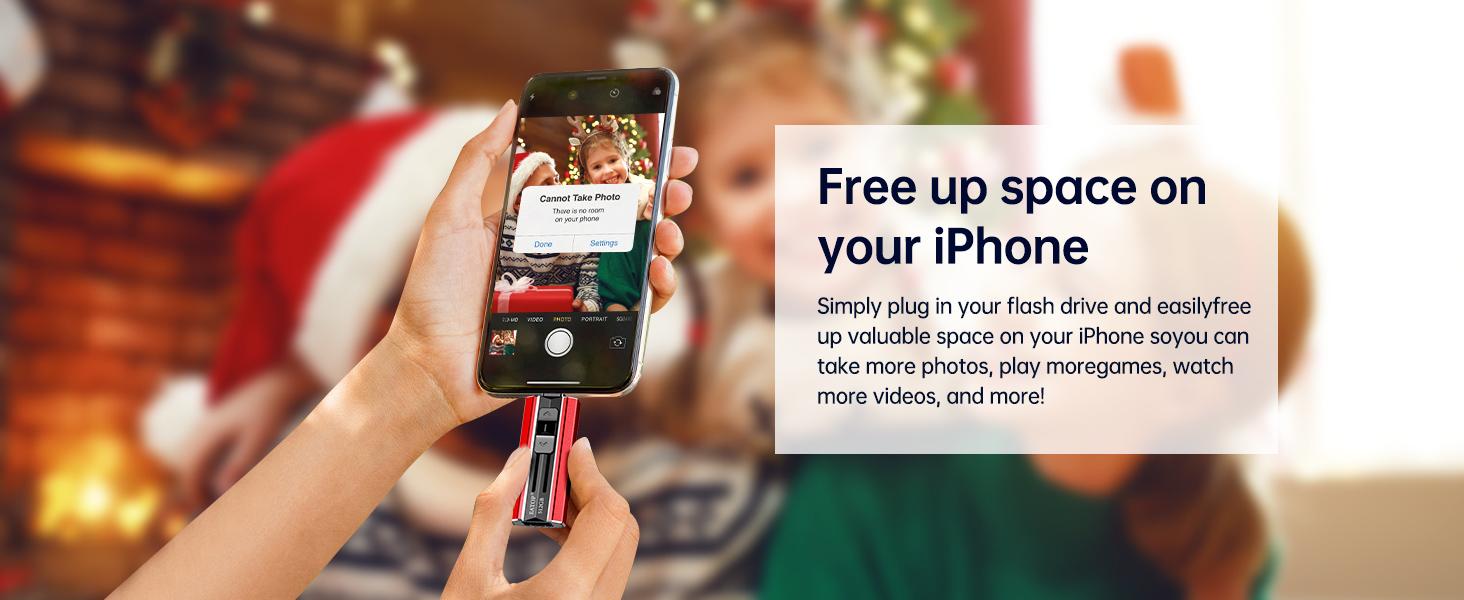
Free up iPhone and iPad Memory Space Immediately
If your iPhone or iPad has almost used up all the memory space, this iPhone USB storage flash drive can help alleviate 512GB of storage space. Whether you like to shoot short videos or take selfies, our iPhone memory stick are perfect for you.
One-Click Backup
You can easily backup with one click and manage files at any time. No need of iTunes, manage files, pictures and videos through the mobile app to quickly backup to iPhone flash drive, save the storage space of the mobile phone, and at the same time, operations such as forwarding files on the USB drive can be performed.
Plug and Play
Share your photos, videos, songs and other files between iPhone picture stick easily. You don't have to pay extra for additional storage, just insert iPhone external storage and enjoy the extra space of your flash drive.
High Transfer Speed
Smart and upgraded chip with high efficiency and stability. read speed up to 30MB/s and write speed up to 20MB/s. The upgraded chip provides you with more efficient storage experience.
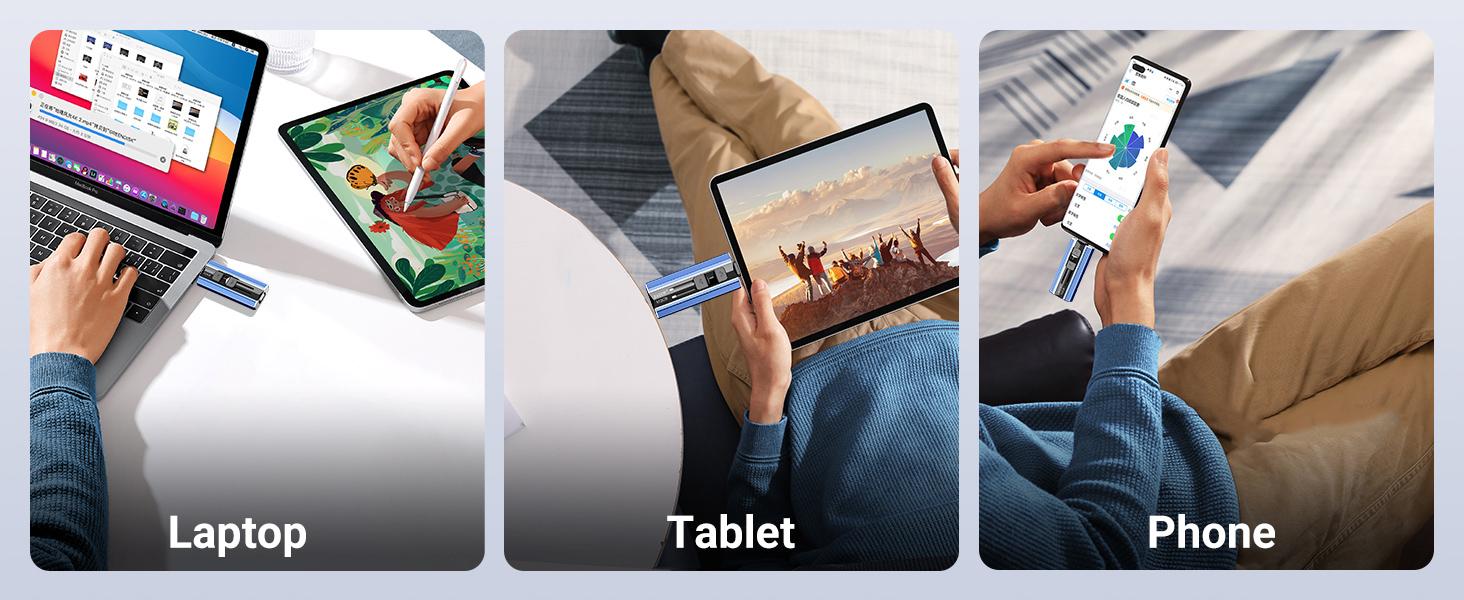
Universal Compatibility
1) Compatibility iPhone 16 Series/ iPhone 15 Series/ iPhone 14 Series/ iPhone 13 Series/ iPhone 12 Series/ iPhone 11 Series/ iPhone SE Series/ iPhone X Series/ iPhone 8 Series/ iPhone 7 Series/ iPhone 6 Series. (Tip: Please upgrade your phone version to iOS 13 or higher if necessary)
2) Compatibility iPad Pro 12.9-inch (1st to 6th generation series)/ iPad Pro 11-inch (1st to 4th generation series)/ iPad Pro 10. 5-inch/ iPad Pro 9. 7-inch/ iPad Air (5th gen)/ iPad Air (4th gen)/ iPad Air (1st gen/2nd gen)/ iPad (5th to 10th generation series)/ iPad mini (6th gen) (5th gen)/ iPad mini 4/ iPad mini 3/ iPad mini 2. (Tip: Please upgrade your phone version to iOS 13 or higher if necessary)
3) Compatibility Android smartphones (Need to open OTG function). Also support computers and other devices with USB-C Ports. Example: Samsung Galaxy/ Huawei/ Xiaomi/ OPPO etc. (Tip: Micro USB port phone devices are not supported)
How to use on iPhone & iPad?
Requires iOS 13 and Higher: Simply insert the flash drive into your iPhone iPad, then go to the "Files" app to find "NoName" and move files to your iPad or iPhone as needed.
How to use on Android Phones?
Android phones need to support OTG, and flash drives can be found in the “File Manager” of most Android devices.
Kindly Note
1. You cannot transfer or view media files downloaded from iTunes or other third-party applications. Because these files are protected by digital rights management.
2. If you used iCloud before, you need to download files to your iPhone/iPad and then copy them to the iphone external storage.
3. The phone case may prevent the proper connection between a phone and a USB flash drive, which could result in the phone being unable to recognize the USB flash drive. In this situation, please do not conclude that the usb flash drive cannot be used, remove the phone case and try again.
4. The way your phone supplies power to external devices is that if your phone's screen is turned off, no power is supplied. Therefore, the flash drive cannot be recognized without power. (* Solution: For better use, we recommend that you set your phone to "never" turn off the screen when transferring large files)
5. For Flash Media Devices, 1 megabyte = 1 million bytes; 1 gigabyte = 1 billion bytes. Actual useable capacity may vary. Some of the listed capacity is used for formatting and other functions, and thus is not available for data storage.
6. Up to 30MB/s read speed, write speed is lower. Based on internal testing; performance may be lower depending on the host devices and user’s settings and configurations.
View more
-38%$24.79$39.99
Free shipping
EATOP USB Flash Drive Intended for iPhone iPad, Memory Stick Storage for Photos and Videos Backup, Compatible with iPhone iPad Android PC, Plug and Play, No Application Required
4.3(7.7K)
89.5K sold
Color:Red
Red Purple
 Blue
Blue Pink
PinkCapacity:128GB
512GB
1TB
256GB
128GB
2TB (Only 1.95TB)
Quantity:
Buy now
Coupon center
Log in to check your coupons
View and claim any available offers once you're logged in.
Shipping & returns
Shipping & delivery
Many items qualify for free shipping or become eligible once the order threshold is met.
Returns made easy
Most items are eligible for free returns within 30 days of delivery for a refund. Some items, including ingestibles, hygiene products, and pre-owned goods, are non-returnable. Final sale items cannot be returned or replaced.
About this shop

EATOP INC
4.3
126.0K Sold
6.6K+ Followers
93%24h response rate
77%Ships within 2 days
83%Positive feedback
Visit
Shop review


Videos for this product
Creator earns commission

The Jas Show 💕
187.1K
Creator earns commission
The Jas Show 💕
159.0K
Creator earns commission
The Jas Show 💕
153.9K
Creator earns commission

MajorLeeg | Dad | Big Dawg
89.6K
Creator earns commission
The Jas Show 💕
79.2K
Creator earns commission

Dang Deals
69.4K
Creator earns commission

Cam
65.0K
Creator earns commission

TheSigmaGrey
63.9K
Creator earns commission
TheSigmaGrey
58.6K
Creator earns commission

Janay🩷
56.3K
Creator earns commission
The Jas Show 💕
54.8K
Creator earns commission

goldengirlgifts
48.6K
Creator earns commission
Cam
47.6K
Creator earns commission
TheSigmaGrey
35.2K
Creator earns commission
TheSigmaGrey
28.7K
Creator earns commission
TheSigmaGrey
26.3K

EATOPINC
24.0K
Creator earns commission
The Jas Show 💕
22.2K
Creator earns commission

L
21.9K
Creator earns commission

noahstellar1
21.3K
Explore more from EATOP INC


You may also like

