- TikTok Shop
- Phones & Electronics
- Gaming & Consoles
- Console Accessories
- Wireless Controller for PS5 with LED RGB Light, Compatible with Playstation 5 /Playstation 4 /Playstation 3 /Switch/ PC


About this product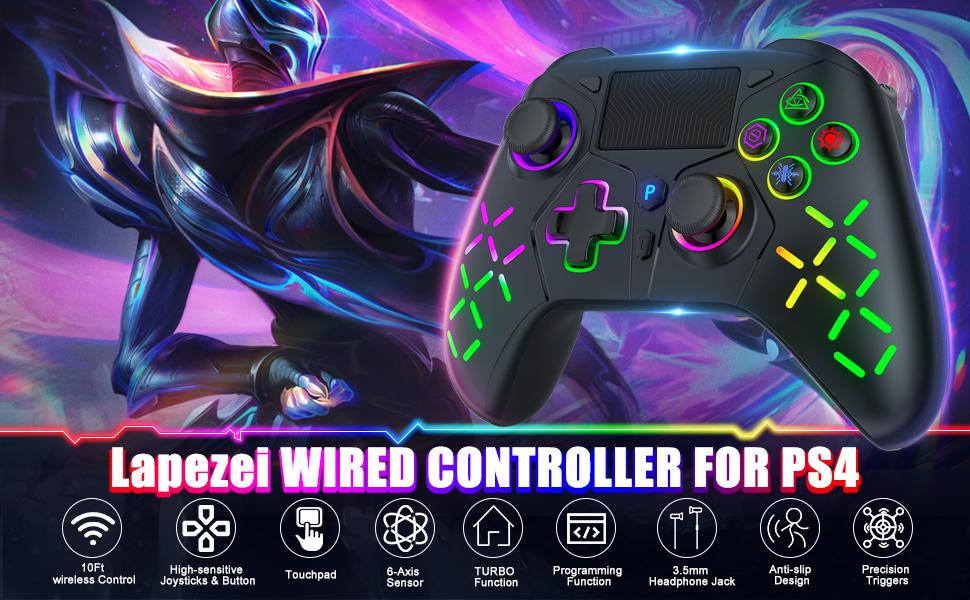
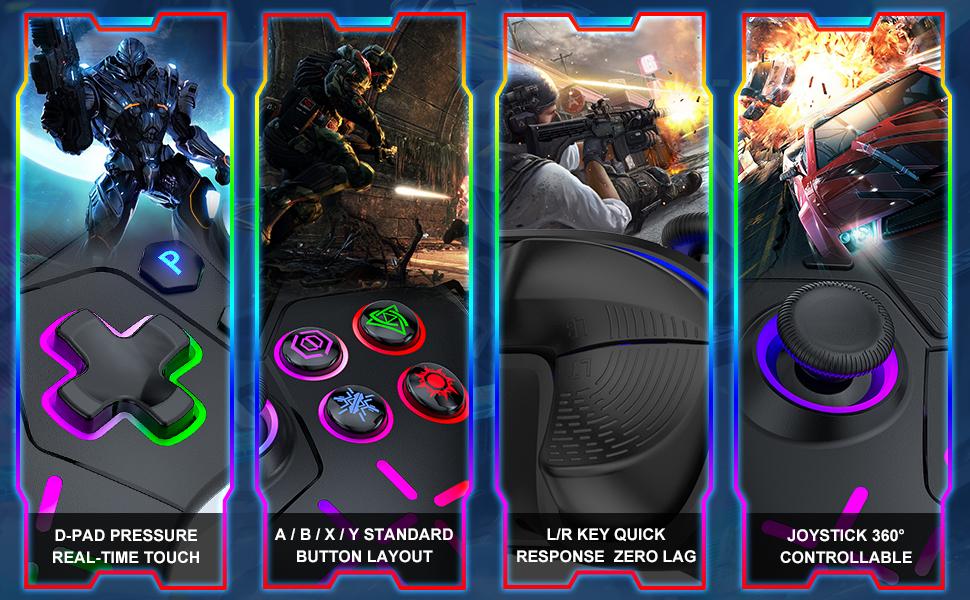


Product description
Wireless Controller for PS5 with LED RGB Light
Compatibility & Connection
·Compatible with: PS5, PS4, PS3, Switch, PC
·Bluetooth Versions: 5.3 and 2.4G
·USB Adapter: Ensures stable connection and 0 delay
Design & Features
·New Appearance Design: Modern and sleek
·Button Layout: Ergonomic and sensitive
·3D Rockers: Moderate resistance, quick rebound
·Custom Mapped Buttons: Two buttons for custom mapping
·Turbo Function: Automatic button triggering
RGB Lighting
·Modes: Dazzle color, seven color change, single color breathing, single color RGB
·Colors: Blue, yellow, green, cyan, purple, pink, red
·Intensity Adjustment: Press and hold SET + cross button
Additional Features
·Six-axis Gyroscope: For sensitive motion control
·Dual Vibration Motors: Immersive gaming feedback
·Battery: 1000mAh rechargeable lithium battery
·Headphone Jack: 3.5mm stereo headphone jack
·Touchpad: Pressable dual-point capacitive touchpad
Connection Tutorial
·PS5 Connection: Enter PS5 settings, change connection method to USB. Insert USB adapter, press and hold button for 2 seconds. Long press "SHARE" + "PS" buttons for 5 seconds. After vibration, press "P" button again to connect.
·PS4 Connection: Connect to USB cable for pairing. Press "P" button to open Bluetooth connection.
·Windows Computer Connection: Open computer Bluetooth. Press and hold "SHARE" button. Press "HOME" + "P" buttons for 3 seconds. Add Bluetooth device and select "Wireless Controller."
Package Contents
·Controller: 1
·USB Wireless Adapter: 1
·Type C Data Cable: 1
·User Manual: 1
RGB Lighting Mode Switching
·Switching: SET + R3 keys (right stick)
·On/Off: Press and hold L3 + R3 for 3 seconds
·Intensity Adjustment: Press and hold SET button and use cross button
Lighting Modes
·**Dazzle color
·**Single color RGB
·**Seven color change
·Single color breathing
Important Note
·Connection Tutorial: Watch the connection tutorial video.
View more
$37.51
Free shipping
Wireless Controller for PS5 with LED RGB Light, Compatible with Playstation 5 /Playstation 4 /Playstation 3 /Switch/ PC
0 sold
Color:Black
Black White
WhiteQuantity:
Coupon center
Log in to check your coupons
View and claim any available offers once you're logged in.
Shipping & returns
Shipping & delivery
Many items qualify for free shipping or become eligible once the order threshold is met.
Returns made easy
Most items are eligible for free returns within 30 days of delivery for a refund. Some items, including ingestibles, hygiene products, and pre-owned goods, are non-returnable. Final sale items cannot be returned or replaced. Please log in to view this item's specific return policy.
About this shop

Gamrombo
4.2
728 Sold
600+ Followers
96%24h response rate
0%Ships within 2 days
76%Positive feedback
Visit
Shop review


Explore more from Gamrombo


You may also like




Bell and Howell
4.1
203 sold
-25%$32.04$42.73

GameSir
4.6
26.0K sold
$85.46


GameSir
4.8
5.3K sold
$138.88
GameSir
4.8
4.1K sold
$106.83


MySmile
3.5
1.5K sold
-19%$16.49$20.48


Turtle Beach Gaming
4.1
187 sold
$237.21


