- TikTok Shop
- Womenswear & Underwear
- Women's Special Clothing
- Costumes & Accessories
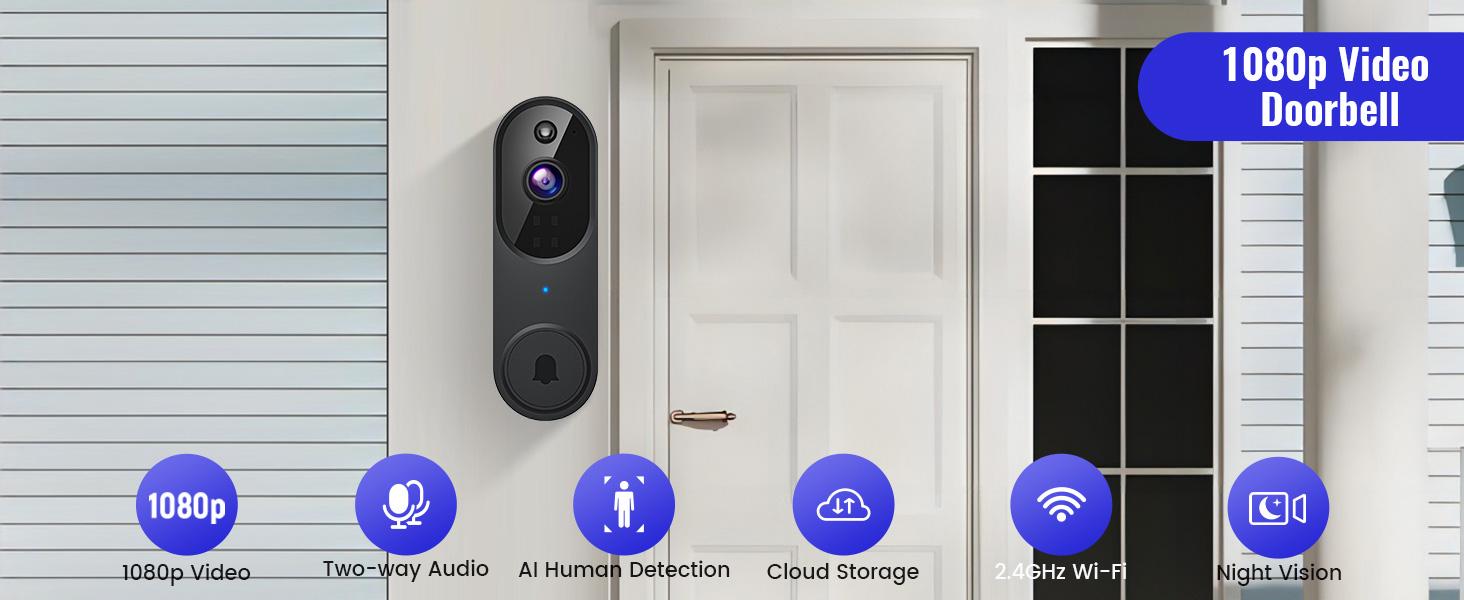
- M52 Wireless Doorbell Camera – 1080P HD Security Camera for Indoor/Outdoor, Night Vision with 4 Infrared Lights, 120° Wide View, Motion Detection Alerts.Works with Smartphone, No Drilling Required – Perfect for Home Security & Front Door Monitoring


About this product
Product description
Smart Wireless Security Camera with Indoor Receiver
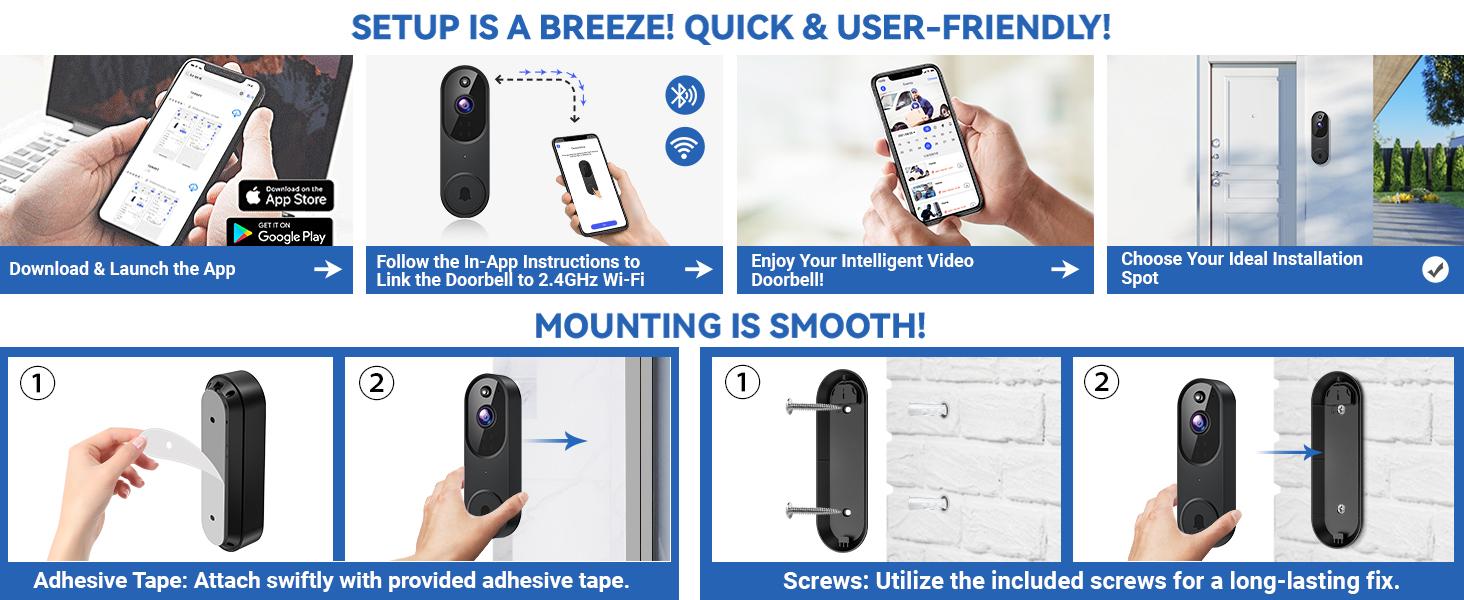
Installation Methods:
Method 1: Stick the Security camera to a smooth wall or door through the adhesive tape included in the box;
Method 2: After drilling holes at suitable locations, mount the security camera to the wall or door through the screws included in the box.
·Is cloud storage an option for the security camera's video recordings?Video storage requires a separate subscription to the cloud service.You can save or share videos at any time after subscription.
·How can I fine-tune human detection to extend the security camera's battery life?If there's a lot of movement, especially kids playing, it can result in many alerts and fast battery drain.Set human detection to high accuracy to reduce alerts and save battery.
·Why does my Wi-Fi not work with this product?1.Device supports 2.4G Wi-Fi only.2.Ensure you enter the correct Wi-Fi name and password.3.Check distance between device and Wi-Fi router, the device should be within 33ft (10 meters) of the router.
·Cloud Storage & Live View (Optional Subscription)With a cloud subscription, you can live view, save, and replay recorded videos.Without a cloud subscription, core features such as two-way audio, human detection, and real-time notifications remain available.
Troubleshooting network connection issues:
(1) The security camera only works with 2.4GHz Wi-Fi.Please connect it to a 2.4GHz network.
(2) Double-check that you are entering the correct Wi-Fi name and password.
(3) Verify the distance between the security camera and the Wi-Fi router; the security camera should be within 33 feet (10 meters) of the router.
(4) Please enable Bluetooth on your phone, but you don't need to connect Bluetooth with the device, just ensure the Bluetooth is on.
(5) If you changed your Wi-Fi password, or your camera got disconnected, please reset the Wi-Fi connection with the camera:
Press and hold the security camera button until the camera was reset, and then add the camera again back to the same App account.
View more
$12.70
$13.22 shipping on this order
M52 Wireless Doorbell Camera – 1080P HD Security Camera for Indoor/Outdoor, Night Vision with 4 Infrared Lights, 120° Wide View, Motion Detection Alerts.Works with Smartphone, No Drilling Required – Perfect for Home Security & Front Door Monitoring
0 sold
Color:Black
BlackQuantity:
Coupon center
Log in to check your coupons
View and claim any available offers once you're logged in.
Shipping & returns
Shipping & delivery
Many items qualify for free shipping or become eligible once the order threshold is met.
Returns made easy
Most items are eligible for free returns within 30 days of delivery for a refund. Some items, including ingestibles, hygiene products, and pre-owned goods, are non-returnable. Final sale items cannot be returned or replaced. Please log in to view this item's specific return policy.
About this shop

Bloom Fabric
Visit
Explore more from Bloom Fabric


You may also like


Xtra Direct
4.9
12.7K sold
-46%$423.00$780.00


