- TikTok Shop
- Fashion Accessories
- Clothes Accessories
- Fashion Accessory Sets
- Mini Camera, WiFi Wireless Smart Home Network Camera, Indoor Security Monitoring Night Camera, Audio Recorder for Home


About this product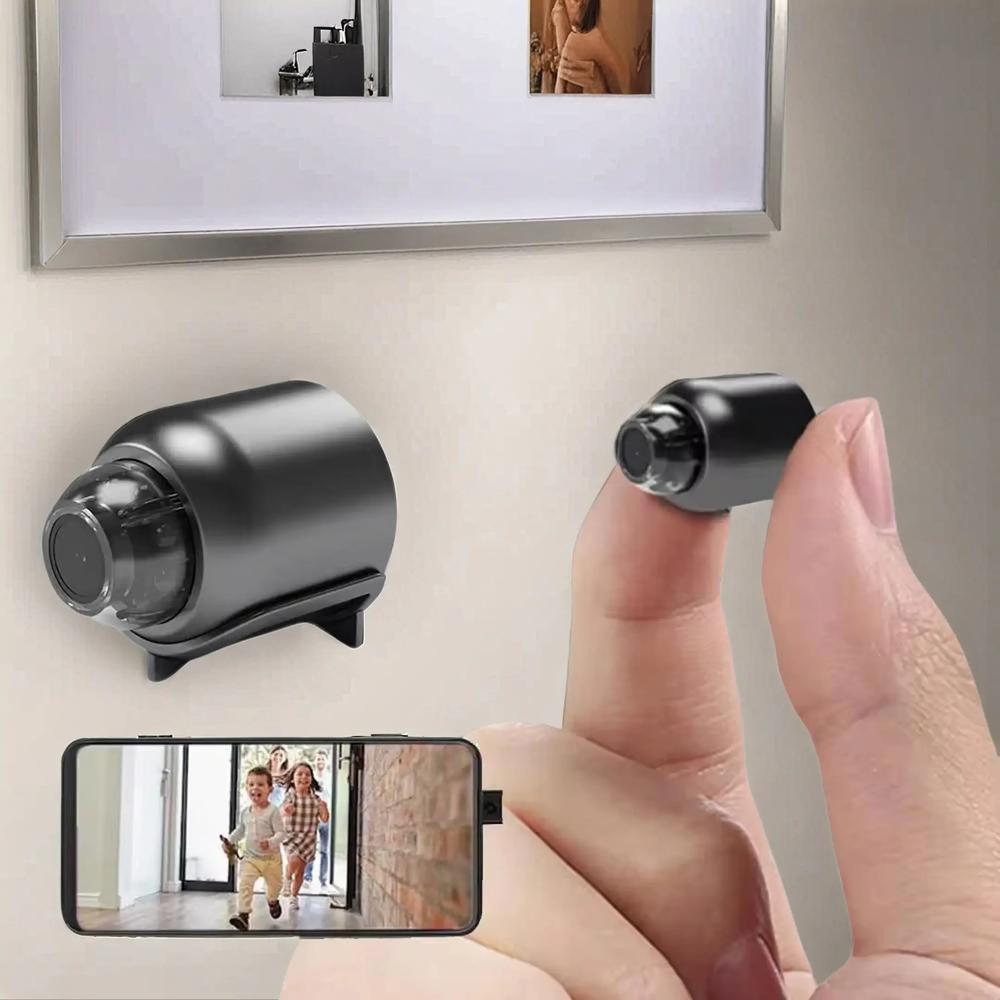
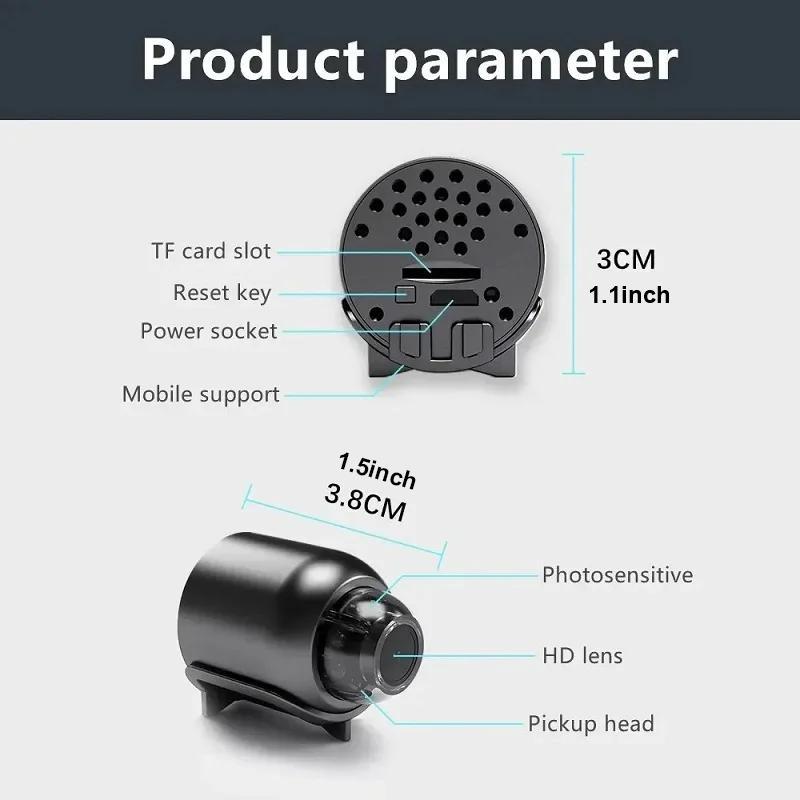



Product description
The camera offers two video storage options:
1.Scan the OR code in the manual to download the camera's dedicated app
2.Power up the camera and ensure it's in the startup state.
3.Open the downloaded app on your phone.
4.Tap the plus sign (+) in the top right corner of the app to start adding a device.
5.Look for an open Wi-Fi network with a strong signal-this is the camera's wireless configuration network.
Connect your phone to this network.
6.After successful connection, return to the app's homepage.The camera will now be linked.
7.Next, configure the camera to connect to your home's 2.4G Wi-Fi network through the app.
8.Once the 2.4G Wi-fi confiquration is complete, the camera will be ready for normal use.[High Definition]: This mini camera offers 1080P resolution, ensuring crisp and clear video quality for surveillance needs.
[WiFi Enabled]: Stay connected with real-time monitoring through your smartphone, providing remote access anytime, anywhere.
[Night Vision]: Equipped with night vision capabilities, this camera allows you to monitor your home even in low-light conditions.
[Audio Recording]: The built-in audio recorder enhances monitoring by capturing sounds, providing a complete picture of your surroundings.
[Compact and Portable]: Easily transportable, this mini camera is ideal for discreet home surveillance and monitoring baby activities.
View more
$20.60
$23.99 shipping on this order
Mini Camera, WiFi Wireless Smart Home Network Camera, Indoor Security Monitoring Night Camera, Audio Recorder for Home
0 sold
Color:Black
BlackSpecification:WiFi Camera+64G
WiFi Camera+64G
WiFi Camera
Quantity:
Coupon center
Log in to check your coupons
View and claim any available offers once you're logged in.
Shipping & returns
Shipping & delivery
Many items qualify for free shipping or become eligible once the order threshold is met.
Returns made easy
Most items are eligible for free returns within 30 days of delivery for a refund. Some items, including ingestibles, hygiene products, and pre-owned goods, are non-returnable. Final sale items cannot be returned or replaced. Please log in to view this item's specific return policy.
About this shop

Wrist Theory
Visit
Explore more from Wrist Theory


You may also like



Xtra Direct
4.9
12.7K sold
-46%$413.00$762.00


![Furbo Mini Camera [Nanny Edition - Unlock with Paid Subscription] Home Security & Cat, Dog Safety Alerts, Pet Camera with Speaker, Smart Home Indoor Cam w Phone App & Night Vision - 3mo Minimum Subscription Required](https://p16-oec-general-useast5.ttcdn-us.com/tos-useast5-i-omjb5zjo8w-tx/a9f6463a6fab4c4eb37f0ad455b64919~tplv-fhlh96nyum-crop-webp:300:300.webp?dr=12190&t=555f072d&ps=933b5bde&shp=8dbd94bf&shcp=607f11de&idc=useast5&from=2378011839 "Furbo Mini Camera [Nanny Edition - Unlock with Paid Subscription] Home Security & Cat, Dog Safety Alerts, Pet Camera with Speaker, Smart Home Indoor Cam w Phone App & Night Vision - 3mo Minimum Subscription Required")


