- TikTok Shop
- Tools & Hardware
- Measuring Tools
- Temperature Measuring Instruments
- /Zigbee Climate Sensor W100,Temperature and Humidity Monitoring,Remote HVAC, 3 Customizable Buttons,Works with HomeKit, Alexa, & More


About this product


Product description
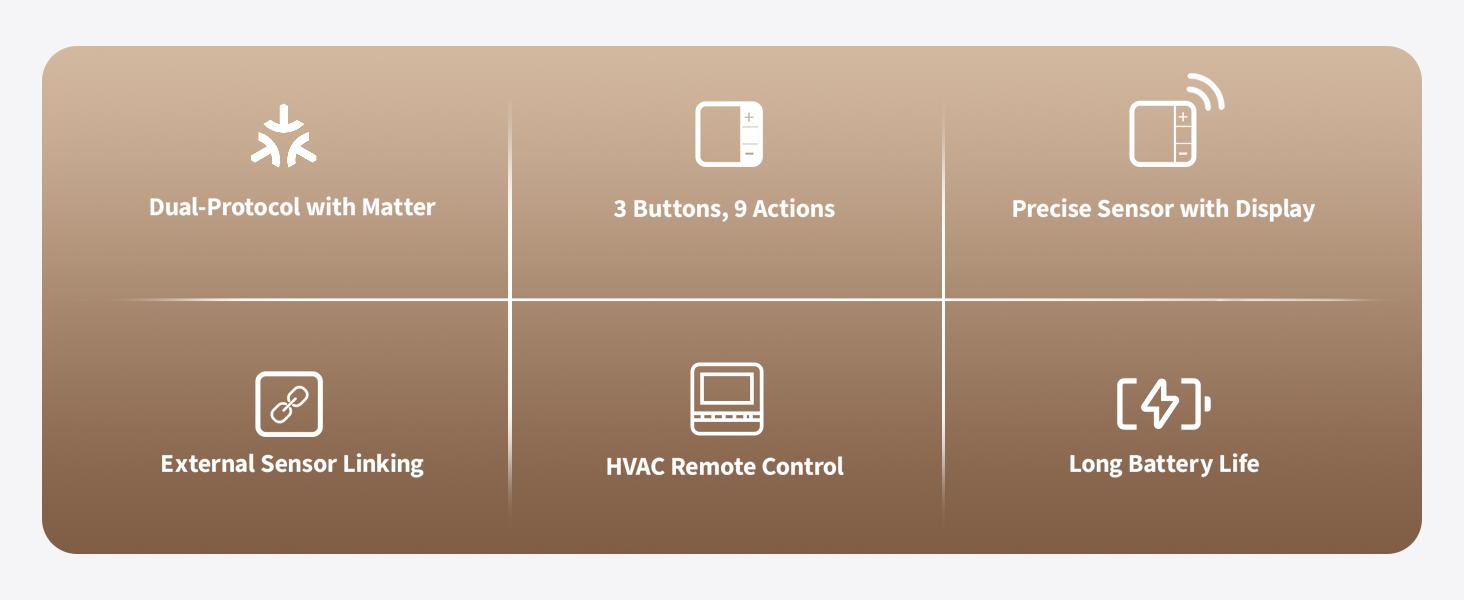
[Matter Compatibility with Zigbee & Thread] The W100 supports both Zigbee and Thread protocols, ensuring seamless integration with major smart home ecosystems like Apple Home, Alexa, Google Home, Samsung SmartThings, Home Assistant and Homey.Future-proof your home automation setup with broad compatibility and enhanced flexibility (*Thread mode:a Matter Controller of this ecosystem and a Thread Border Router are requiredZigbee mode: Aqara Zigbee hub required*)[Customizable Smart Buttons for Automation] The W100 features 3 programmable buttons that support single, double, and long presses for a total of 9 customizable actions.Control multiple devices such as smart lights and curtains, trigger scenes, and create personalized smart home routines with ease[Precision Sensor with LCD Display] Equipped with a highly accurate temperature sensor (±0.2℃) and humidity sensor (±2%RH), the W100 provides real-time environmental data on its 3.4-inch LCD display.Ideal for maintaining comfort, monitoring storage conditions, or supporting indoor gardening and greenhouse environments[External Sensor Integration & Secondary Area Display] The W100 can connect to an Aqara temperature and humidity sensor to display additional data in the Secondary screen area.If no external sensor is connected, the Secondary screen defaults to the local weather report for temperature and humidity info.(Please note: Linking with an Aqara temperature and humidity sensor and enabling the Secondary screen display are only available through the Aqara Home app on Zigbee mode when connected to an Aqara hub[Remote HVAC Control Integration] The W100 supports pairing with a third-party IR air-conditioner via Aqara Hub M3, allowing wireless remote control of the HVAC system.(Only zigbee mode) You can adjust temperature, mode, and other settings directly on the device, optimizing comfort and energy efficiency without needing to access the HVAC device physically.This feature adds convenience and ensures a comfortable living environment[Long Battery Life & Configurable Performance] Powered by 2 CR2450 batteries, the W100 delivers up to 2.4 years of battery life on Zigbee mode and 2.3 years on Thread mode.Customize reporting frequency to optimize the device’s performance and power consumption, ensuring long-lasting and hassle-free operation
· How to switch the temperature unit on the aqara W100? Press the "+" and "-" buttons simultaneously to switch the temperature display unit between°C and°F. Alternatively, press and hold both buttons for 2 seconds to enable/disable the child lock function, as indicated by the on-screen icon
· What situations require the use of Aqara Hub? 1:W100 defaults to Thread protocol.Zigbee connection requires an Aqara Hub 2:To use secondary area display and HVAC remote control functions,the W100 must be connected to an Aqara Hub via Zigbee mode
· Can the Aqara W100 be used with thermostats from other brands? NO, the W100 can only be connected to the Aqara Radiator Thermostat E1, through Aqara Home app settings on Zigbee mode
View more
$60.11
$9.99 shipping on this order
/Zigbee Climate Sensor W100,Temperature and Humidity Monitoring,Remote HVAC, 3 Customizable Buttons,Works with HomeKit, Alexa, & More
0 sold
Specification:Default
Default
Quantity:
Coupon center
Log in to check your coupons
View and claim any available offers once you're logged in.
Shipping & returns
Shipping & delivery
Many items qualify for free shipping or become eligible once the order threshold is met.
Returns made easy
Most items are eligible for free returns within 30 days of delivery for a refund. Some items, including ingestibles, hygiene products, and pre-owned goods, are non-returnable. Final sale items cannot be returned or replaced. Please log in to view this item's specific return policy.
About this shop

WrenchItUp Shop
3.9
531 Sold
10+ Followers
100%24h response rate
0%Ships within 2 days
72%Positive feedback
Visit
Shop review


Explore more from WrenchItUp Shop


You may also like


