- TikTok Shop
- Home Supplies
- Home Decor
- Clocks
- Projection Clock for Bedroom Ceiling, Alarm Clocks with 180° Rotatable Projector, Date Temperature and Weekday, Manual DST, 5 Brightness Levels, 10 Ringtones, 4 Volume Levels and Snooze (Black)


About this product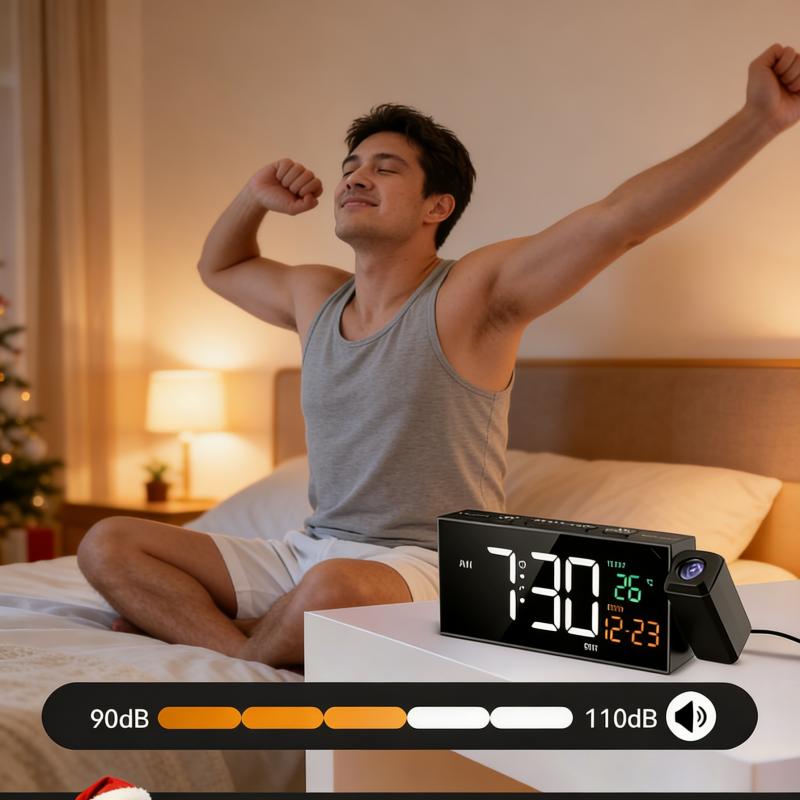




Product description
Projection Alarm Clock - Projects the time onto your wall or ceiling, so you can conveniently check the time anytime in your bedroom. With a sharp projection range of 1.6–11.4 feet and a 350° rotating arm for ideal placement, the time remains clearly visible at all times.
The projected display includes 4 brightness settings and can be rotated 180° to fit different sleeping positions.
4-in-1 Multifunctional Plug-in Clock - This clock combines four practical functions: temperature, date, weekday, and time, all visible at a glance. Its stylish color design makes the screen not only sharp and easy to read but also visually attractive. Ideal for both living rooms and bedrooms, it brings a refined and stylish feel to any interior.
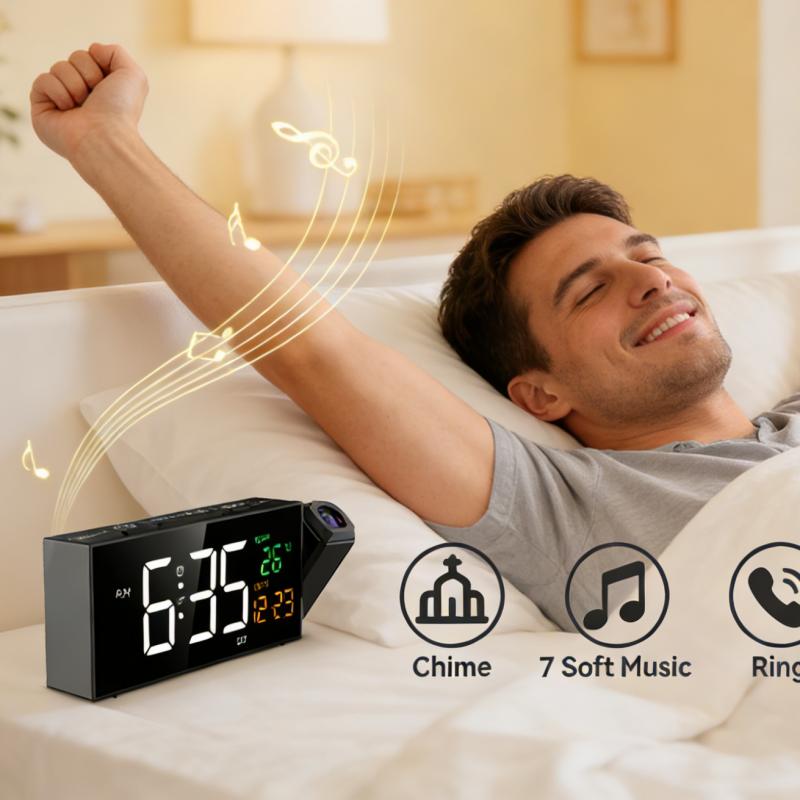
Adjustable Volume & Alarm Sounds - This alarm clock comes with 10 pleasant alarm melodies to choose from, giving you a calm and enjoyable start to each morning. It also supports four adjustable volume levels, letting you set the ideal volume for a soft or more noticeable wake-up alert.
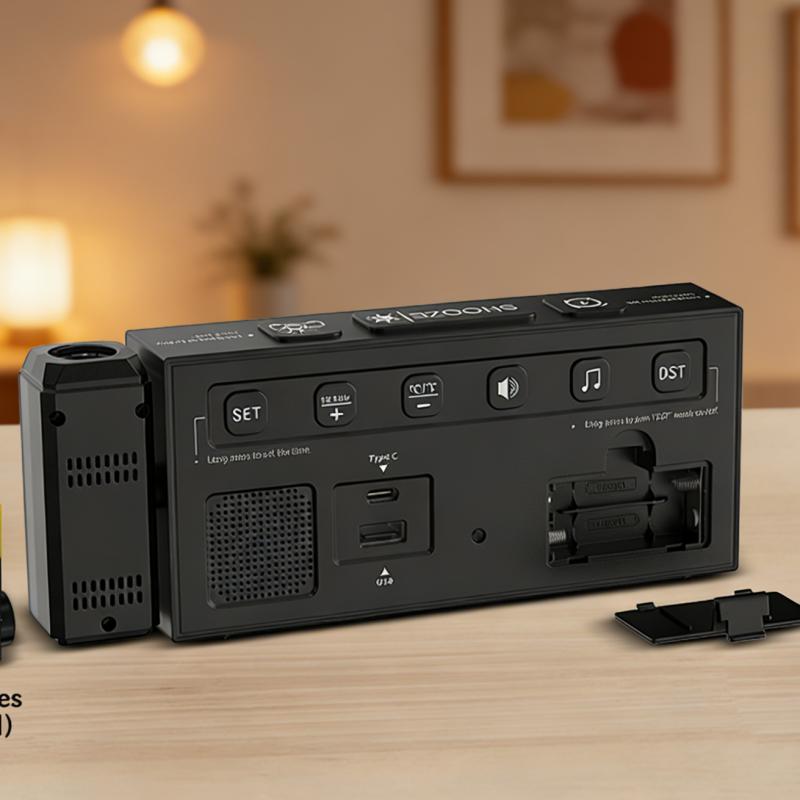
Manual DST Function - Press and hold the DST button to advance the time by one hour when daylight saving time begins, or set it back by one hour when it ends. This handy function keeps your clock accurately adjusted with seasonal time changes.
5 Brightness Modes - This plug-in alarm clock provides 5 adjustable brightness levels, letting you personalize the screen brightness for any lighting environment. Whether you prefer a bright display in the daytime or a soft glow at night, it delivers just the right amount of light for your comfort.
How to set the day of the week?
Once you set the correct year and date, the weekday display will be precise. Tip: After adjusting the hours and minutes, the year will appear on the screen.
How to set the date and time? (Upper section)
Long press the [set] button; the "Hour" will flash.
Press the [+] or [-] button to adjust the hour, then press the [Set] button to confirm.
The "Minute" will flash. Press the [+] or [-] button to adjust the minute, then press the [Set] button to confirm.
How to set the date and time? (Lower section)
3. The screen will show "Year". Press the [+] or [-] button to adjust the year, then press the [Set] button to confirm.
4. The "Date" will flash. Press the [+] or [-] button to adjust the date, then press the [Set] button to confirm.
Time setup is complete.
Time setup is complete.
How to set the alarm? (Upper section)
Long press the [Alarm] button; the "Hour" will flash.
Press the [+] or [-] button to adjust the hour, then press the [Alarm] button to confirm.
The "Minute" will flash. Press the [+] or [-] button to adjust the minute, then press the [Alarm] button to confirm.
How to set the alarm? (Lower section)
Next, the Alarm Modes will flash. Press the [+] or [-] button to select:
1-5: the alarm will sound Monday through Friday
1-7: the alarm will sound Monday through Sunday
6-7: the alarm will sound Saturday through Sunday
Press the [Alarm] button to save the settings.
View more
$5.50
$59.00 shipping on this order
Projection Clock for Bedroom Ceiling, Alarm Clocks with 180° Rotatable Projector, Date Temperature and Weekday, Manual DST, 5 Brightness Levels, 10 Ringtones, 4 Volume Levels and Snooze (Black)
0 sold
Color:Black
Black Black and Red
 Rgb
Rgb White and Rgb
Quantity:
Coupon center
Log in to check your coupons
View and claim any available offers once you're logged in.
Shipping & returns
Shipping & delivery
Many items qualify for free shipping or become eligible once the order threshold is met.
Returns made easy
Most items are eligible for free returns within 30 days of delivery for a refund. Some items, including ingestibles, hygiene products, and pre-owned goods, are non-returnable. Final sale items cannot be returned or replaced. Please log in to view this item's specific return policy.
About this shop

sole hot shop
Visit
Explore more from sole hot shop


You may also like


Loop Earplugs US
4.4
3.5K sold
$53.34


SONGMICS HOME
4.2
21.3K sold
-28%$194.28$268.21


![[NOT AC] R.W.FLAME Tower Fan, Oscillation fan with Remote Control, Standing fan for office, 3 Wind Modes, Time Settings, Portable Bladeless Floor Fans for Home with Children/Pets/Elders(36")](https://p16-oec-general-useast5.ttcdn-us.com/tos-useast5-i-omjb5zjo8w-tx/04ac86372dc64098a343217709209822~tplv-fhlh96nyum-crop-webp:300:300.webp?dr=12190&t=555f072d&ps=933b5bde&shp=8dbd94bf&shcp=607f11de&idc=useast5&from=2378011839 "[NOT AC] R.W.FLAME Tower Fan, Oscillation fan with Remote Control, Standing fan for office, 3 Wind Modes, Time Settings, Portable Bladeless Floor Fans for Home with Children/Pets/Elders(36\")")


