Results for "vizio tv remote not working properly"
A Vizio TV remote not working properly can be frustrating for users. This issue may stem from various factors such as low batteries, interference, or settings that need adjustment.

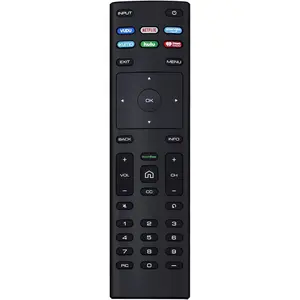


5.0
2 sold
-15%$24.87$29.24

1.0
6 sold
-43%$17.30$30.41


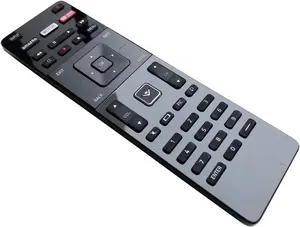


4.4
125 sold
-47%$10.93$20.77
![[2 Packs] Universal Vizio Remote XRT260 Replaced IR Fit for All VIZIO Smart TV Smartcast 4K P-Series V-Series D-Series M-Series XRT136 XRT140 with Hbomax,Netflix,PrimeVideo,Plutotv,iHeartRadio,Crackle](https://p16-oec-general-useast5.ttcdn-us.com/tos-useast5-i-omjb5zjo8w-tx/9cb60524bbde49338133f79f7e5be782~tplv-fhlh96nyum-crop-webp:225:300.webp?dr=12190&t=555f072d&ps=933b5bde&shp=8dbd94bf&shcp=a6e80448&idc=useast5&from=2378011839 "[2 Packs] Universal Vizio Remote XRT260 Replaced IR Fit for All VIZIO Smart TV Smartcast 4K P-Series V-Series D-Series M-Series XRT136 XRT140 with Hbomax,Netflix,PrimeVideo,Plutotv,iHeartRadio,Crackle")

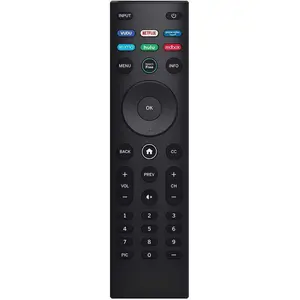
5.0
30 sold
-50%$14.25$28.30


Related Searches
Related Categories
Introduction
If you're experiencing issues with your Vizio TV remote not working properly, you're not alone. Many users face similar challenges, and understanding the potential causes can help you resolve them quickly. Firstly, check the batteries in your remote. Low or dead batteries are often the primary reason for malfunctioning remotes. Replace them with fresh batteries to see if that resolves the issue.
Another common factor is interference from other electronic devices. Ensure that there are no obstructions between the remote and the TV, as this can disrupt the signal. Additionally, check if your TV is set to the correct input source, as this can affect remote functionality.
Here are some tips to troubleshoot your Vizio TV remote:
Another common factor is interference from other electronic devices. Ensure that there are no obstructions between the remote and the TV, as this can disrupt the signal. Additionally, check if your TV is set to the correct input source, as this can affect remote functionality.
Here are some tips to troubleshoot your Vizio TV remote:
- Replace the batteries with new ones.
- Ensure there are no obstructions between the remote and the TV.
- Check for interference from other devices.
- Reset the remote by removing the batteries and pressing any button for 15 seconds.
- Re-pair the remote with the TV if applicable.