Results for "upgrading ssd on pc"
Upgrading an SSD on a PC involves replacing or adding a solid-state drive to enhance storage capacity and improve system performance.



Newegg, Inc.

5.0
31 sold
$239.99

-26%$445.31$601.17




SanDisk Technologies, Inc.
4.8
16 sold
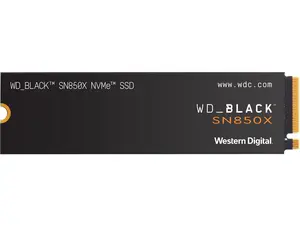
-5%$237.48$249.99

Newegg, Inc.
4.9
407 sold
$269.99


Newegg, Inc.
-11%$159.99$179.99


Related Searches
Related Categories
Introduction
Upgrading your SSD on a PC can significantly boost your computer's performance and storage capabilities. Solid-state drives (SSDs) are known for their speed and reliability, making them a popular choice among users looking to enhance their computing experience. If you're considering an upgrade, it's essential to understand the benefits and steps involved in the process.
Here are some key reasons to upgrade your SSD:
Here are some key reasons to upgrade your SSD:
- Faster Boot Times: SSDs can reduce boot times to mere seconds, allowing you to start your computer and get to work quickly.
- Improved Application Load Times: Programs load faster, enhancing productivity and overall user experience.
- Increased Storage Capacity: Upgrading allows you to store more files, applications, and games without worrying about running out of space.
- Enhanced Durability: SSDs have no moving parts, making them more resistant to physical shock and wear over time.
- Check Compatibility: Ensure the new SSD is compatible with your motherboard and system.
- Backup Data: Always back up your data before proceeding with the upgrade.
- Clone Your Drive: Use cloning software to transfer your existing data to the new SSD seamlessly.