Results for "screenly raspberry pi"
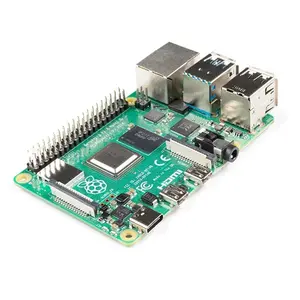
Screenly is a digital signage solution designed for use with Raspberry Pi, enabling users to display images, videos, and web content on screens efficiently. It provides a user-friendly interface and is perfect for businesses looking to enhance their visual communication.


$303.45


$43.34
$93.15






$27.66

$47.59


Related Searches
Related Categories
Introduction
If you're looking for an effective way to manage digital signage, Screenly for Raspberry Pi is an excellent choice. This powerful combination allows you to easily display multimedia content on any screen while leveraging the affordability and versatility of the Raspberry Pi. With Screenly, you can showcase stunning visuals, promotional videos, or even real-time information, making it a valuable tool for businesses, schools, and organizations.
Here are some key benefits of using Screenly with Raspberry Pi:
Here are some key benefits of using Screenly with Raspberry Pi:
- Cost-Effective: Utilizing Raspberry Pi as a platform means lower hardware costs while still delivering high-quality displays.
- User-Friendly: Screenly's interface is designed for ease of use, allowing anyone to manage content without technical expertise.
- Remote Management: You can control multiple displays from anywhere, simplifying updates and content management.
- Versatile Content Options: Display images, videos, and even web pages, making it suitable for various applications.
- Proven Quality: Trusted by thousands, Screenly is a reliable solution for digital signage.