Results for "reimaged laptop"
A reimaged laptop is a computer that has had its operating system and software restored to a previous state or configuration, often to improve performance or resolve issues.





4.8
420 sold
-25%$460.00$613.35
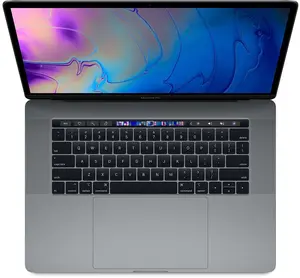
4.7
347 sold
-19%$392.99$485.00


4.8
154 sold
-20%$508.00$636.50


4.6
677 sold
-19%$325.00$402.00


$28.50

4.8
65 sold
-20%$398.90$499.00


4.8
173 sold
-31%$380.00$547.40

$58.00


4.8
986 sold
-29%$321.00$450.50


4.5
87 sold
-86%$74.16$536.31


4.8
74 sold
-17%$374.00$449.00

$224.00

$224.00

Related Searches
Related Categories
Introduction
Reimaged laptops are an excellent solution for users looking to optimize their computing experience. When a laptop is reimaged, it means that the operating system has been reset to its factory settings or a specific configuration. This process can significantly enhance performance, eliminate software conflicts, and ensure that the laptop runs smoothly.
Users often choose to reimage their laptops when they experience slow performance, frequent crashes, or when they want to prepare a device for resale. Here are some key benefits of reimaging a laptop:
In conclusion, reimaging a laptop is a trusted method to restore performance and reliability. It's a proven quality solution that many users have found beneficial. Whether you're preparing a device for a new user or simply want to refresh your own, consider the advantages of a reimaged laptop.
Users often choose to reimage their laptops when they experience slow performance, frequent crashes, or when they want to prepare a device for resale. Here are some key benefits of reimaging a laptop:
- Improved Performance: By removing unnecessary files and applications, a reimaged laptop can operate faster and more efficiently.
- Enhanced Security: Reimaging can eliminate malware and viruses that may have infected the system, providing a clean slate for secure computing.
- Restored Functionality: Users can regain lost features and functionality that may have been hindered by software issues.
- Custom Configurations: Reimaging allows users to set up their laptops with preferred applications and settings, tailored to their specific needs.
In conclusion, reimaging a laptop is a trusted method to restore performance and reliability. It's a proven quality solution that many users have found beneficial. Whether you're preparing a device for a new user or simply want to refresh your own, consider the advantages of a reimaged laptop.