Results for "psu wattage"
PSU wattage refers to the total power output that a power supply unit can deliver to a computer's components. It is a crucial factor in ensuring that all parts receive adequate power for optimal performance.


Newegg, Inc.

5.0
12 sold
-15%$82.08$96.03
Newegg, Inc.
4.9
58 sold
-29%$51.50$72.96

-22%$58.00$74.00

$53.00


$74.00


Newegg, Inc.
5.0
5 sold
-24%$68.67$90.13


$106.00


Newegg, Inc.
5.0
31 sold
-7%$136.00$146.67


Newegg, Inc.
3.7
47 sold
-19%$68.26$84.26

Newegg, Inc.
-7%$147.20$157.87


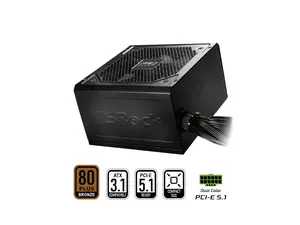
Newegg, Inc.
-25%$62.40$83.73


Related Searches
Related Categories
Introduction
When building or upgrading a computer, understanding PSU wattage is essential. The wattage rating of a power supply unit (PSU) indicates how much power it can provide to your system's components. Choosing the right wattage is crucial for maintaining stability and performance. A power supply that is too weak may not support all the components, leading to crashes or failures, while an excessively powerful PSU can be more expensive without providing any additional benefits.
Here are some key points to consider when evaluating PSU wattage:
In conclusion, understanding PSU wattage is vital for building a reliable and efficient computer system. By ensuring that your power supply unit meets the wattage requirements of your components, you can enjoy a stable and high-performing setup that meets your needs. Trusted by thousands of builders, selecting the right PSU wattage is a proven strategy for a successful computer build.
Here are some key points to consider when evaluating PSU wattage:
- Component Requirements: Each component in your system, including the CPU, GPU, and peripherals, has specific power requirements. Make sure to calculate the total wattage needed.
- Future Upgrades: If you plan on upgrading your components in the future, consider a PSU with higher wattage to accommodate additional power needs.
- Efficiency Ratings: Look for power supplies with high efficiency ratings (such as 80 PLUS certified) to minimize energy waste and reduce electricity costs.
- Modular vs. Non-Modular: Modular PSUs allow you to connect only the cables you need, which can help with cable management and airflow.
In conclusion, understanding PSU wattage is vital for building a reliable and efficient computer system. By ensuring that your power supply unit meets the wattage requirements of your components, you can enjoy a stable and high-performing setup that meets your needs. Trusted by thousands of builders, selecting the right PSU wattage is a proven strategy for a successful computer build.