Results for "pc form factors"
PC form factors refer to the physical specifications and dimensions of computer components, particularly motherboards, which dictate the size and layout of a computer system.


![[Mother's Day] GEEKOM A5 2026 Edition Mini PC AMD Ryzen 5 7430U Cpu 16GB RAM 512GB & 1TB SSD Win11 Pro 3-Year Warranty WiFi 6 Bluetooth HDMI 2 USB-C HDD Slot Manual Upgrade Required 4K Display Home Office Computer Cpu Made For Gaming chrismas gift](https://p16-oec-general-useast5.ttcdn-us.com/tos-useast5-i-omjb5zjo8w-tx/fe746fca94f24da2a623c37c874d2313~tplv-fhlh96nyum-crop-webp:300:300.webp?dr=12190&t=555f072d&ps=933b5bde&shp=8dbd94bf&shcp=a6e80448&idc=useast5&from=2378011839 "[Mother's Day] GEEKOM A5 2026 Edition Mini PC AMD Ryzen 5 7430U Cpu 16GB RAM 512GB & 1TB SSD Win11 Pro 3-Year Warranty WiFi 6 Bluetooth HDMI 2 USB-C HDD Slot Manual Upgrade Required 4K Display Home Office Computer Cpu Made For Gaming chrismas gift")


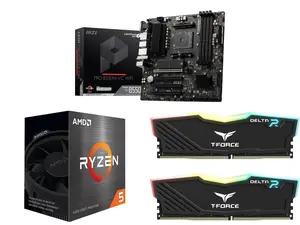
Newegg, Inc.

5.0
9 sold
-31%$243.99$352.98


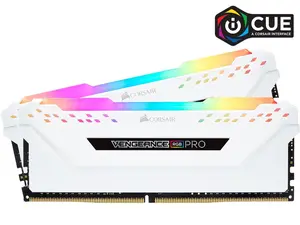
Newegg, Inc.
1.0
14 sold
-5%$175.49$185.50


Newegg, Inc.
5.0
19 sold
-30%$58.49$83.49

Newegg, Inc.
5.0
101 sold
$143.48
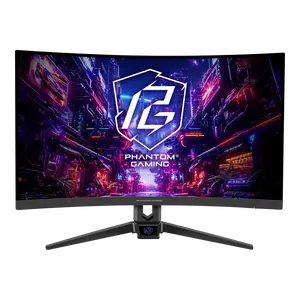
Newegg, Inc.
4.9
356 sold
-36%$126.49$197.49


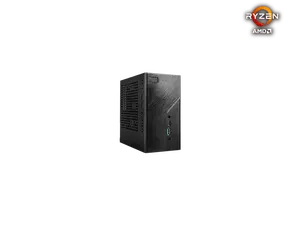
Newegg, Inc.
1.0
8 sold
-16%$149.99$178.99
Related Searches
Related Categories
Introduction
Understanding PC form factors is essential for anyone looking to build or upgrade their computer. The term 'PC form factors' encompasses various specifications that define the dimensions and layout of components, especially motherboards. Common form factors include ATX, MicroATX, and Mini-ITX, each catering to different needs and preferences in terms of size, expandability, and compatibility with cases.
When selecting components for your build, it’s crucial to consider the form factor to ensure compatibility. For instance, a Mini-ITX motherboard is perfect for compact builds, while an ATX motherboard offers more expansion slots for additional hardware.
Here are some key points to consider about PC form factors:
When selecting components for your build, it’s crucial to consider the form factor to ensure compatibility. For instance, a Mini-ITX motherboard is perfect for compact builds, while an ATX motherboard offers more expansion slots for additional hardware.
Here are some key points to consider about PC form factors:
- Size: The size of the motherboard influences the overall size of the computer case.
- Expandability: Larger form factors typically allow for more RAM slots and PCIe slots, making them ideal for gamers and professionals.
- Cooling: Different sizes can affect airflow and cooling solutions.
- Compatibility: Ensure your chosen components are compatible with the selected form factor.