Results for "Multiscreen arm"
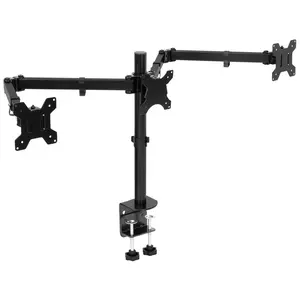
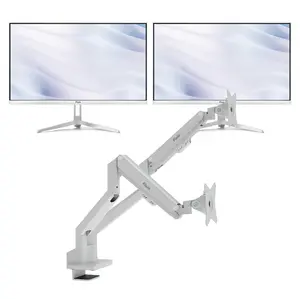
A multiscreen arm is a device designed to hold multiple screens or monitors simultaneously, providing an ergonomic and organized workspace.


5.0
40 sold
-20%$105.65$132.87


4.4
119 sold
-18%$61.00$74.21

HUANUO Global

4.2
1.9K sold
-53%$39.49$83.79


Pixio
4.6
204 sold
-10%$107.73$119.70

-28%$155.50$215.40


-28%$155.50$215.40






MOUNT-IT!
5.0
7 sold
-10%$46.10$51.23
Related Searches
Related Categories
Introduction
In today's digital world, a multiscreen arm is an essential tool for anyone looking to enhance their productivity and workspace efficiency. These innovative devices allow you to mount multiple screens, providing a seamless viewing experience that can significantly improve your workflow. By using a multiscreen arm, you can easily adjust the height, angle, and distance of each monitor, ensuring optimal comfort and reducing strain on your neck and eyes.
Here are some key benefits of using a multiscreen arm:
Investing in a multiscreen arm not only boosts productivity but also contributes to a more organized and visually appealing workspace. Whether you are a gamer, a designer, or someone working from home, a multiscreen arm can be a game changer.
As you explore the options available, look for proven quality products that are customer-approved and trusted by thousands of users. Regularly updating your setup and ensuring you have the latest features can keep your workspace competitive and efficient.
Here are some key benefits of using a multiscreen arm:
- Enhanced Ergonomics: Position your monitors at eye level to promote better posture.
- Space-Saving Design: Free up desk space by elevating your screens off the surface.
- Improved Multitasking: Easily switch between tasks and applications across multiple displays.
- Customizable Setup: Adjust the arrangement of your monitors to suit your personal workflow.
Investing in a multiscreen arm not only boosts productivity but also contributes to a more organized and visually appealing workspace. Whether you are a gamer, a designer, or someone working from home, a multiscreen arm can be a game changer.
As you explore the options available, look for proven quality products that are customer-approved and trusted by thousands of users. Regularly updating your setup and ensuring you have the latest features can keep your workspace competitive and efficient.