Results for "motherboard back"
A motherboard back refers to the rear side of a computer motherboard, which houses various ports and connectors for peripherals and components.





$35.00



plug - shop tech

3.5
11 sold
-18%$898.84$1,094.74

plug - shop tech
5.0
7 sold
-21%$864.27$1,094.74

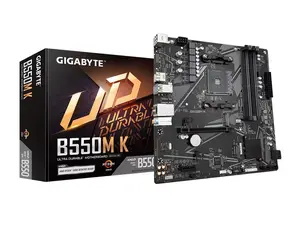
Newegg, Inc.
5.0
46 sold
-29%$85.84$120.41

plug - shop tech
4.5
360 sold
-33%$454.09$681.13

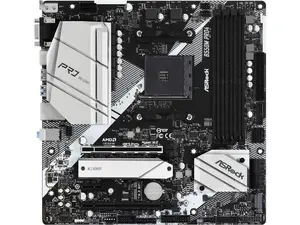



4.8
126 sold
-10%$56.18$62.43


Related Searches
Related Categories
Introduction
The motherboard back is an essential part of any computer system, serving as the interface for connecting external devices. It typically includes ports such as USB, HDMI, Ethernet, and audio jacks, allowing users to connect their monitors, keyboards, mice, and other peripherals easily. Understanding the layout and functionality of the motherboard back is crucial for both builders and users looking to upgrade their systems.
When selecting a motherboard, consider the number and types of ports available on the back to ensure compatibility with your devices. A well-equipped motherboard back can greatly enhance your computing experience by providing ample connectivity options.
In conclusion, the motherboard back is not just a passive component; it plays a pivotal role in ensuring your computer can interact with the outside world. Choosing the right motherboard with an optimized back panel can greatly influence your overall computing experience. Always check the specifications and ensure it meets your needs before making a purchase.
When selecting a motherboard, consider the number and types of ports available on the back to ensure compatibility with your devices. A well-equipped motherboard back can greatly enhance your computing experience by providing ample connectivity options.
- **USB Ports**: Essential for connecting various devices such as flash drives and printers.
- **HDMI/Display Ports**: Vital for connecting monitors and TVs to your computer.
- **Ethernet Port**: Necessary for wired internet connections, providing stable and fast connectivity.
- **Audio Jacks**: Important for connecting speakers, headphones, and microphones.
In conclusion, the motherboard back is not just a passive component; it plays a pivotal role in ensuring your computer can interact with the outside world. Choosing the right motherboard with an optimized back panel can greatly influence your overall computing experience. Always check the specifications and ensure it meets your needs before making a purchase.