Results for "how to wear jlab mini earbuds"
JLab Mini Earbuds are compact and wireless earphones designed for convenience and sound quality. They offer a comfortable fit and are ideal for both casual listening and active use.


JLab

4.5
143.0K sold
-33%$22.99$34.51

![[LIVE Exclusive] JLab GO POP ANC Earbuds, IP55, Bluetooth 5.3, 24+ Hr Playtime, Noise Cancelling, Android/iOS, Customizable Sound, IP55 Sweat & Splashproof, 10mm Driver, 3 Sets Gel Tips Included, Wireless Headset with Mics](https://p16-oec-general-useast5.ttcdn-us.com/tos-useast5-i-omjb5zjo8w-tx/3054612c4ad548af8a9e8691bd31ae5f~tplv-fhlh96nyum-crop-webp:300:300.webp?dr=12190&t=555f072d&ps=933b5bde&shp=8dbd94bf&shcp=a6e80448&idc=useast5&from=2378011839 "[LIVE Exclusive] JLab GO POP ANC Earbuds, IP55, Bluetooth 5.3, 24+ Hr Playtime, Noise Cancelling, Android/iOS, Customizable Sound, IP55 Sweat & Splashproof, 10mm Driver, 3 Sets Gel Tips Included, Wireless Headset with Mics")

JLab
4.6
10.4K sold
-39%$97.78$159.91
![[LIVE Exclusive] JBuds Mini True Wireless Earbuds](https://p16-oec-general-useast5.ttcdn-us.com/tos-useast5-i-omjb5zjo8w-tx/f6eab8f0cde74f2a8f710ec4411007f3~tplv-fhlh96nyum-crop-webp:300:300.webp?dr=12190&t=555f072d&ps=933b5bde&shp=8dbd94bf&shcp=a6e80448&idc=useast5&from=2378011839 "[LIVE Exclusive] JBuds Mini True Wireless Earbuds")


![[LIVE Exclusive] Go Tones+ True Wireless Earbud](https://p16-oec-general-useast5.ttcdn-us.com/tos-useast5-i-omjb5zjo8w-tx/0594b36a24a94b02a7ff71b80323fa1d~tplv-fhlh96nyum-crop-webp:300:300.webp?dr=12190&t=555f072d&ps=933b5bde&shp=8dbd94bf&shcp=a6e80448&idc=useast5&from=2378011839 "[LIVE Exclusive] Go Tones+ True Wireless Earbud")
![[LIVE Exclusive] JLab Go Pop+ True Wireless Earbuds](https://p16-oec-general-useast5.ttcdn-us.com/tos-useast5-i-omjb5zjo8w-tx/dfc35e4f20714d2d80893676d3e0412b~tplv-fhlh96nyum-crop-webp:300:300.webp?dr=12190&t=555f072d&ps=933b5bde&shp=8dbd94bf&shcp=a6e80448&idc=useast5&from=2378011839 "[LIVE Exclusive] JLab Go Pop+ True Wireless Earbuds")

JLab
4.5
503 sold
-20%$64.42$80.53

JLab
3.9
126 sold
-35%$126.55$194.42


![[Live Exclusive] JLab Go Sport+ True Wireless Earbuds](https://p16-oec-general-useast5.ttcdn-us.com/tos-useast5-i-omjb5zjo8w-tx/7d59ff9a91ad46adb06ca8a9d0de9c64~tplv-fhlh96nyum-crop-webp:300:300.webp?dr=12190&t=555f072d&ps=933b5bde&shp=8dbd94bf&shcp=a6e80448&idc=useast5&from=2378011839 "[Live Exclusive] JLab Go Sport+ True Wireless Earbuds")


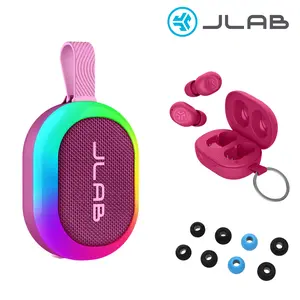

JLab
3.0
13 sold
-33%$124.36$186.01

JLab
3.0
24 sold
-29%$124.36$175.19

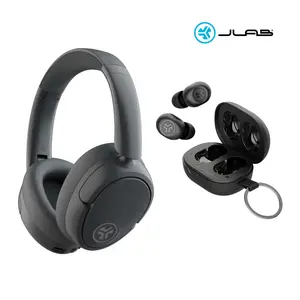
JLab
4.7
2.0K sold
-46%$81.10$150.32

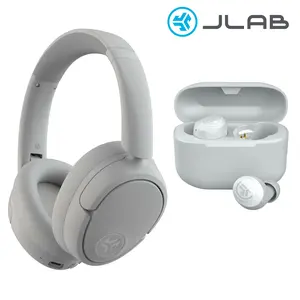
JLab
4.7
6.7K sold
-39%$81.10$131.93
Related Searches
Related Categories
Introduction
Wearing JLab Mini Earbuds correctly can enhance your listening experience and ensure they stay secure during use. These earbuds are designed for comfort and ease of use, making them a popular choice for music lovers and active individuals alike. To wear your JLab Mini Earbuds, follow these simple steps:
- **Choose the Right Size**: JLab Mini Earbuds come with multiple ear tip sizes. Select the one that fits snugly in your ear canal to ensure the best sound quality and comfort.
- **Insert the Earbuds**: Gently insert the earbuds into your ears, ensuring they sit comfortably without causing any discomfort. The earbuds should create a seal to help block outside noise.
- **Adjust for Comfort**: If the earbuds feel loose or uncomfortable, try adjusting the angle or swapping out the ear tips for a better fit.
- **Connect to Your Device**: Turn on Bluetooth on your smartphone or device, and select the JLab Mini Earbuds from your available devices. Once connected, you can enjoy your favorite music or podcasts.
- **Control Playback**: Use the built-in controls on the earbuds to play, pause, or skip tracks without needing to reach for your device.