Results for "how to pair airtag"
Pairing an AirTag allows you to easily track and locate your belongings using Apple's Find My network.


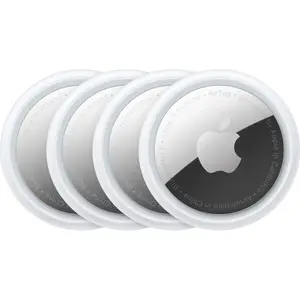


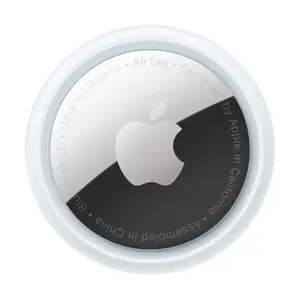
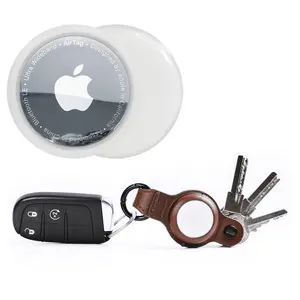


![[Spring Deals] Tukio 2026 Mini GPS Tracker for Car with Weatherproof Magnetic Case No Monthly Fee Best Hidden GPS Trackers Anti Lost Device Works with Apple Find My iOS Only IP68 Waterproof](https://p16-oec-general-useast5.ttcdn-us.com/tos-useast5-i-omjb5zjo8w-tx/535e041978904354827275f115b8067c~tplv-fhlh96nyum-crop-webp:300:300.webp?dr=12190&t=555f072d&ps=933b5bde&shp=8dbd94bf&shcp=a6e80448&idc=useast5&from=2378011839 "[Spring Deals] Tukio 2026 Mini GPS Tracker for Car with Weatherproof Magnetic Case No Monthly Fee Best Hidden GPS Trackers Anti Lost Device Works with Apple Find My iOS Only IP68 Waterproof")


![[Spring Deals] Tukio Tx02 GPS Tracker (iOS Only) for Cars & Pets - Mini Clear Design, Weatherproof Case, Anti-Lost Device, Works with Apple Find My (iOS Only), No Monthly Fees, IP67 Waterproof, Replaceable Battery Remote](https://p16-oec-general-useast5.ttcdn-us.com/tos-useast5-i-omjb5zjo8w-tx/f61c8eb1cca14b59bfad066e02a7f4e8~tplv-fhlh96nyum-crop-webp:300:300.webp?dr=12190&t=555f072d&ps=933b5bde&shp=8dbd94bf&shcp=a6e80448&idc=useast5&from=2378011839 "[Spring Deals] Tukio Tx02 GPS Tracker (iOS Only) for Cars & Pets - Mini Clear Design, Weatherproof Case, Anti-Lost Device, Works with Apple Find My (iOS Only), No Monthly Fees, IP67 Waterproof, Replaceable Battery Remote")


![[Spring Deals] Tukio Tx02 GPS Tracker (iOS Only) for Cars & Pets- Mini Clear Design, Weatherproof Case, Anti-Lost Device, Works with Apple Find My (iOS Only), IP67 Waterproof, Replaceable Battery Protection](https://p16-oec-general-useast5.ttcdn-us.com/tos-useast5-i-omjb5zjo8w-tx/c401312249ff446797a4223bf516d3b7~tplv-fhlh96nyum-crop-webp:300:300.webp?dr=12190&t=555f072d&ps=933b5bde&shp=8dbd94bf&shcp=a6e80448&idc=useast5&from=2378011839 "[Spring Deals] Tukio Tx02 GPS Tracker (iOS Only) for Cars & Pets- Mini Clear Design, Weatherproof Case, Anti-Lost Device, Works with Apple Find My (iOS Only), IP67 Waterproof, Replaceable Battery Protection")
![[Spring Deals] Tukio GPS Tracker(iOS Only) for Cars & Pets - Mini Clear Design, Weatherproof Case, Anti-Lost Device, Works with Apple Find My(iOS Only), IP67 Waterproof, Replaceable Battery Protection](https://p16-oec-general-useast5.ttcdn-us.com/tos-useast5-i-omjb5zjo8w-tx/ba09e5356fa247c4971aa6c2b85db7df~tplv-fhlh96nyum-crop-webp:300:300.webp?dr=12190&t=555f072d&ps=933b5bde&shp=8dbd94bf&shcp=a6e80448&idc=useast5&from=2378011839 "[Spring Deals] Tukio GPS Tracker(iOS Only) for Cars & Pets - Mini Clear Design, Weatherproof Case, Anti-Lost Device, Works with Apple Find My(iOS Only), IP67 Waterproof, Replaceable Battery Protection")


Related Searches
Related Categories
Introduction
Pairing your AirTag with your Apple device is a simple and efficient way to keep track of your important items. Whether it’s your keys, backpack, or luggage, an AirTag can help you find them quickly using the Find My app. Here’s how to pair your AirTag in just a few easy steps:
- Ensure that your iPhone or iPad is updated to the latest iOS version.
- Remove the plastic tab from your AirTag to activate it.
- Hold the AirTag near your iPhone or iPad. A prompt should appear on your device’s screen.
- Tap 'Connect' and follow the on-screen instructions to name your AirTag according to what you’ll be tracking.
- Once paired, you can view the AirTag’s location in the Find My app.