Results for "elgato control center"
Elgato Control Center is a software application designed for managing and controlling Elgato devices, particularly for streamers and content creators.


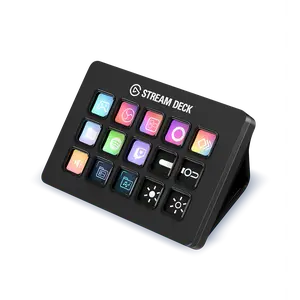
$176.97

3.7
107 sold
-25%$67.97$90.63


4.6
159 sold
-25%$39.82$53.00


4.7
133 sold
-26%$37.20$50.00


4.8
467 sold
-20%$23.80$29.71


Related Searches
Related Categories
Introduction
The Elgato Control Center is an essential tool for anyone using Elgato products, especially for streamers and content creators who want to optimize their workflow. This software allows users to manage various Elgato devices efficiently, ensuring that every aspect of their streaming setup is under control. With the Elgato Control Center, you can easily configure your devices, customize settings, and monitor performance in real-time. Whether you're using the Elgato Stream Deck, Capture Card, or any other Elgato device, this software enhances your productivity and streaming experience.
Here are some key features of the Elgato Control Center:
Stay ahead in the streaming game with the Elgato Control Center, your go-to solution for managing your streaming devices efficiently.
Here are some key features of the Elgato Control Center:
- Device Management: Seamlessly manage multiple Elgato devices from a single interface.
- Customizable Settings: Tailor settings according to your preferences for an optimized streaming experience.
- Real-Time Monitoring: Keep track of device performance and make adjustments as needed.
- User-Friendly Interface: Intuitive design makes it easy for anyone to navigate and utilize the software.
Stay ahead in the streaming game with the Elgato Control Center, your go-to solution for managing your streaming devices efficiently.