Results for "davinci resolve insta360"
Davinci Resolve is a professional video editing software known for its advanced color correction and editing capabilities, while Insta360 refers to a brand that produces 360-degree cameras and accessories. Together, they can be used for editing immersive video content captured by Insta360 cameras.


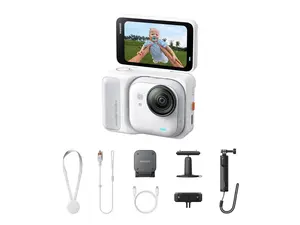

-26%$189.17$255.38
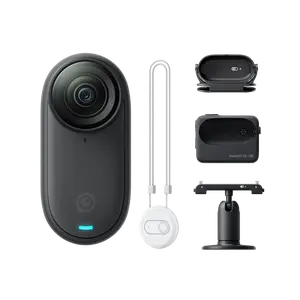
insta360 official

5.0
61 sold
-26%$345.75$464.60
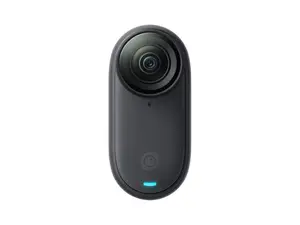


insta360 official
5.0
131 sold
-12%$399.77$453.79


-26%$296.64$400.47


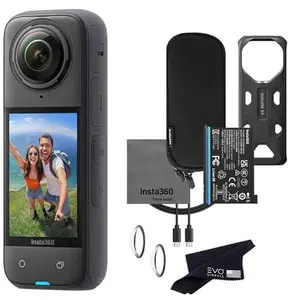
-26%$425.81$574.84


Related Searches
Related Categories
Introduction
Davinci Resolve is an industry-leading video editing software that offers powerful tools for editing and color grading videos, making it a favorite among filmmakers and content creators. When paired with Insta360 cameras, which capture stunning 360-degree footage, users can create immersive experiences that engage viewers in unique ways.
Whether you're a professional videographer or a hobbyist, understanding how to utilize Davinci Resolve with Insta360 can elevate your projects significantly. Here are some key aspects to consider:
By mastering the integration of Davinci Resolve and Insta360, you can create visually stunning videos that captivate your audience. Regularly updating your skills and exploring new features in both tools will keep your content fresh and engaging. Trust in the proven quality of Davinci Resolve and the innovative technology of Insta360 to take your video projects to the next level.
Whether you're a professional videographer or a hobbyist, understanding how to utilize Davinci Resolve with Insta360 can elevate your projects significantly. Here are some key aspects to consider:
- Seamless Integration: Davinci Resolve supports a wide range of video formats, including those produced by Insta360 cameras, allowing for smooth editing workflows.
- Advanced Color Grading: One of the standout features of Davinci Resolve is its color grading capabilities, enabling users to enhance the visual quality of their 360-degree videos.
- User-Friendly Interface: Despite its professional-grade features, Davinci Resolve offers an intuitive interface that makes it accessible for beginners.
- Rich Resources: There are numerous tutorials and community forums available to help users learn how to effectively edit Insta360 footage in Davinci Resolve.
By mastering the integration of Davinci Resolve and Insta360, you can create visually stunning videos that captivate your audience. Regularly updating your skills and exploring new features in both tools will keep your content fresh and engaging. Trust in the proven quality of Davinci Resolve and the innovative technology of Insta360 to take your video projects to the next level.