Results for "conferencing tools"
Conferencing tools are software or applications that facilitate virtual meetings, webinars, and online collaboration, often incorporating features like video and audio conferencing, screen sharing, and chat functionalities.


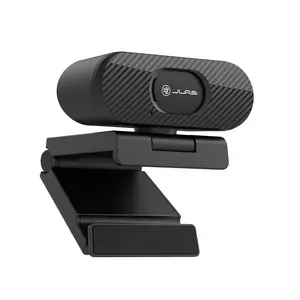
JLab

4.4
9.3K sold
-17%$28.25$33.91


![[LED | Video Light] Uegogo 10-inch LED Video Light | USB Powered, Multi-Angle Rotating Pan Head | With 62-inch Tripod, Indoor Photography Studio/Makeup/Live Streaming Fill Light, No Battery Required Lighting](https://p16-oec-general-useast5.ttcdn-us.com/tos-useast5-i-omjb5zjo8w-tx/632d140a0df341e08210608a628cb9ad~tplv-fhlh96nyum-crop-webp:300:300.webp?dr=12190&t=555f072d&ps=933b5bde&shp=8dbd94bf&shcp=a6e80448&idc=useast5&from=2378011839 "[LED | Video Light] Uegogo 10-inch LED Video Light | USB Powered, Multi-Angle Rotating Pan Head | With 62-inch Tripod, Indoor Photography Studio/Makeup/Live Streaming Fill Light, No Battery Required Lighting")


Related Searches
Related Categories
Introduction
In today's digital age, conferencing tools have become essential for remote communication and collaboration. These tools allow individuals and teams to connect seamlessly, regardless of their physical location. Whether you're holding a business meeting, a virtual class, or a social gathering, conferencing tools provide the necessary features to enhance your experience.
With the rise of remote work and online learning, the demand for effective conferencing tools has surged. They typically include functionalities such as video conferencing, screen sharing, and chat options, making them versatile for various use cases. Some popular conferencing tools include Zoom, Microsoft Teams, and Google Meet, each offering unique features tailored to different needs.
When choosing a conferencing tool, consider the following factors:
With the rise of remote work and online learning, the demand for effective conferencing tools has surged. They typically include functionalities such as video conferencing, screen sharing, and chat options, making them versatile for various use cases. Some popular conferencing tools include Zoom, Microsoft Teams, and Google Meet, each offering unique features tailored to different needs.
When choosing a conferencing tool, consider the following factors:
- Ease of Use: Look for a user-friendly interface that minimizes the learning curve.
- Features: Ensure the tool offers essential features like video quality, recording options, and screen sharing.
- Integration: Check if it integrates well with other applications you use.
- Security: Opt for tools that prioritize user privacy and data protection.
- Cost: Evaluate pricing plans to find a solution that fits your budget.