Results for "computer output parts"
Computer output parts refer to the components that facilitate the output of data from a computer system, allowing users to interact with the processed information. These parts include monitors, printers, and speakers, among others.


4.1
1.1K sold
-50%$11.28$22.56


Newegg, Inc.

5.0
12 sold
-15%$96.28$112.92


$8.00


Related Searches
Related Categories
Introduction
When it comes to computer output parts, understanding their significance is crucial for enhancing your computing experience. Computer output parts are essential components that allow users to receive and interpret data processed by a computer. Some of the most common output devices include monitors, which display visual information, printers that produce hard copies of documents, and speakers that output sound. As technology evolves, the variety of output devices has expanded, providing users with more options to suit their needs.
Here are some key points to consider about computer output parts:
Here are some key points to consider about computer output parts:
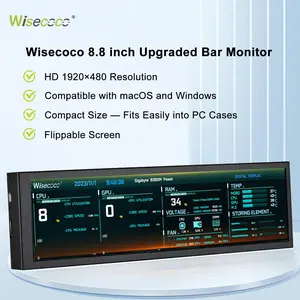
- Monitors: Monitors come in various sizes and resolutions, with options like LED and OLED displays offering vibrant colors and sharp images.
- Printers: Printers vary from compact inkjet models for home use to large-format printers for professional settings, catering to different printing needs.
- Speakers: Quality speakers can significantly enhance audio output, making them vital for gaming, music, and multimedia applications.