computer chair ergonomic
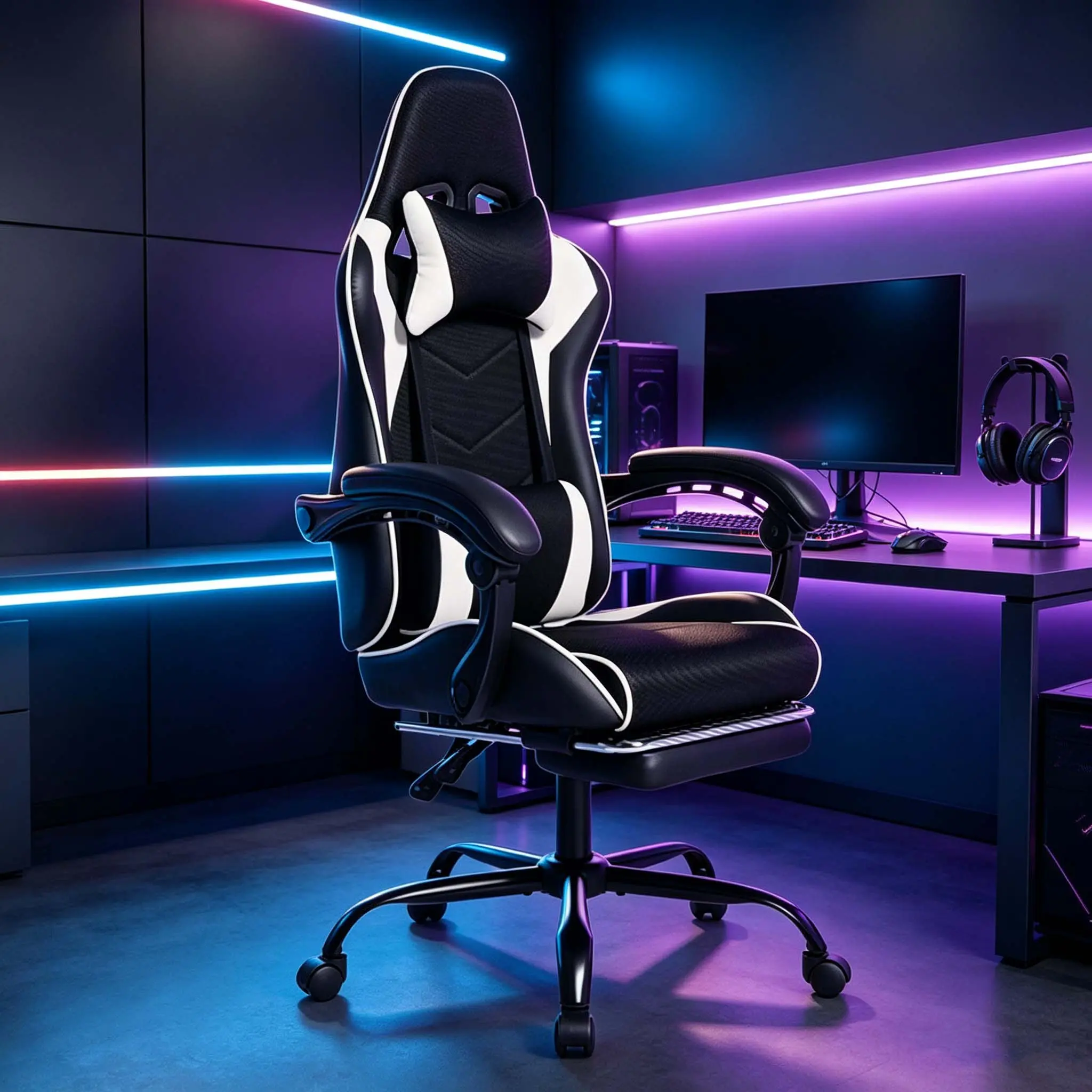
An ergonomic computer chair is designed to support the body, enhance comfort, and promote good posture while sitting for extended periods. These chairs often feature adjustable components to accommodate different body types and preferences.
Featured brands
Authenticated productsVerified shops


![[Bellemave]TV Stand for 50-59 inches/ 60-69 inches TV LED Gaming Entertainment Center Media Storage Console Table with Large Side Cabinet for Living Room White](https://p16-oec-general-useast5.ttcdn-us.com/tos-useast5-i-omjb5zjo8w-tx/c3c298495a70474eb49419b8500c9834~tplv-fhlh96nyum-crop-webp:600:600.webp?dr=12190&t=555f072d&ps=933b5bde&shp=8dbd94bf&shcp=a6e80448&idc=useast5&from=2378011839)
![[Bellemave]6-7 Tier Rotating Shoe Rack Tower, 3 choices-Spinning Shoe Display, 360 Shoe Rack Storage Round Carousel, Vertical Handbag Rotate Shoes Closet Organization, Christmas Gift (WHITE)](https://p16-oec-general-useast5.ttcdn-us.com/tos-useast5-i-omjb5zjo8w-tx/ae30f4dd2b2d4c4a9f52307c63af2bb2~tplv-fhlh96nyum-crop-webp:600:600.webp?dr=12190&t=555f072d&ps=933b5bde&shp=8dbd94bf&shcp=a6e80448&idc=useast5&from=2378011839)
![[Bellemave]Nightstand LED Bedside Table Cabinet Lights Modern End Side with 2 Drawers for Bedroom (White Stone)](https://p16-oec-general-useast5.ttcdn-us.com/tos-useast5-i-omjb5zjo8w-tx/5d7af8cec01d4cd3a9ebba423c350b4e~tplv-fhlh96nyum-crop-webp:600:600.webp?dr=12190&t=555f072d&ps=933b5bde&shp=8dbd94bf&shcp=a6e80448&idc=useast5&from=2378011839)


![[DealsForYouDays] Cross-legged office chair with 180° rotating armrests, 90°-135° reclining computer chair with footrest, cat scratch resistant & pet-friendly, perfect for home office, gaming, relaxation and meditation](https://p16-oec-general-useast5.ttcdn-us.com/tos-useast5-i-omjb5zjo8w-tx/876c466a65cc4ef5b1b2acafe4d55945~tplv-fhlh96nyum-resize-webp:600:600.webp?dr=12190&t=555f072d&ps=933b5bde&shp=8dbd94bf&shcp=a6e80448&idc=useast5&from=2378011839 "[DealsForYouDays] Cross-legged office chair with 180° rotating armrests, 90°-135° reclining computer chair with footrest, cat scratch resistant & pet-friendly, perfect for home office, gaming, relaxation and meditation")
![[DealsForYouDays] Cross-legged office chair with 180° rotating armrests, 90°-135° reclining computer chair with footrest, cat scratch resistant & pet-friendly, perfect for home office, gaming, relaxation and meditation](https://p16-oec-general-useast5.ttcdn-us.com/tos-useast5-i-omjb5zjo8w-tx/81253b23dc4f48368d31e797f102fe90~tplv-fhlh96nyum-resize-webp:600:600.webp?dr=12190&t=555f072d&ps=933b5bde&shp=8dbd94bf&shcp=a6e80448&idc=useast5&from=2378011839 "[DealsForYouDays] Cross-legged office chair with 180° rotating armrests, 90°-135° reclining computer chair with footrest, cat scratch resistant & pet-friendly, perfect for home office, gaming, relaxation and meditation")
![[DealsForYouDays] Cross-legged office chair with 180° rotating armrests, 90°-135° reclining computer chair with footrest, cat scratch resistant & pet-friendly, perfect for home office, gaming, relaxation and meditation,dorm essentials,home decor](https://p19-oec-general-useast5.ttcdn-us.com/tos-useast5-i-omjb5zjo8w-tx/1807f235519c4182b8e2b8fcaa87aa98~tplv-fhlh96nyum-resize-webp:600:600.webp?dr=12190&t=555f072d&ps=933b5bde&shp=8dbd94bf&shcp=a6e80448&idc=useast5&from=2378011839 "[DealsForYouDays] Cross-legged office chair with 180° rotating armrests, 90°-135° reclining computer chair with footrest, cat scratch resistant & pet-friendly, perfect for home office, gaming, relaxation and meditation,dorm essentials,home decor")

![[DealsForYouDays] Cross-legged office chair with 180° rotating armrests, 90°-135° reclining computer chair with footrest, cat scratch resistant & pet-friendly, perfect for home office, gaming, relaxation and meditation](https://p16-oec-general-useast5.ttcdn-us.com/tos-useast5-i-omjb5zjo8w-tx/0bacaac4be89445a9a8d6044b1396bf6~tplv-fhlh96nyum-resize-webp:600:600.webp?dr=12190&t=555f072d&ps=933b5bde&shp=8dbd94bf&shcp=a6e80448&idc=useast5&from=2378011839 "[DealsForYouDays] Cross-legged office chair with 180° rotating armrests, 90°-135° reclining computer chair with footrest, cat scratch resistant & pet-friendly, perfect for home office, gaming, relaxation and meditation")


Related Searches
Related Categories
Introduction
When it comes to spending long hours at your desk, investing in an ergonomic computer chair is essential. These chairs are specifically designed to provide maximum support and comfort, helping to prevent strain and injury. An ergonomic computer chair typically includes features such as adjustable seat height, lumbar support, and armrests, ensuring that you can customize your seating position to suit your needs.
Here are some key benefits of using an ergonomic computer chair:
Choosing the right ergonomic computer chair involves considering factors like your body type, the height of your desk, and any specific comfort needs you may have. Look for chairs that have received positive reviews from users, indicating proven quality and customer satisfaction. Regularly updating your chair based on your comfort needs can also enhance your workspace experience. Remember, a good ergonomic chair is not just a luxury; it's an investment in your health and productivity.
Here are some key benefits of using an ergonomic computer chair:
- Improved Posture: Ergonomic chairs encourage a natural sitting position, reducing the risk of back pain and discomfort.
- Increased Comfort: With adjustable features, these chairs allow you to find your perfect fit, making long hours of work more bearable.
- Enhanced Productivity: A comfortable seating arrangement can help you focus better and work more efficiently.
- Durability: Many ergonomic chairs are made with high-quality materials, ensuring they last for years.
Choosing the right ergonomic computer chair involves considering factors like your body type, the height of your desk, and any specific comfort needs you may have. Look for chairs that have received positive reviews from users, indicating proven quality and customer satisfaction. Regularly updating your chair based on your comfort needs can also enhance your workspace experience. Remember, a good ergonomic chair is not just a luxury; it's an investment in your health and productivity.