- TikTok Shop
- Phones & Electronics
- Mobile Phone Accessories
- Cables, Chargers & Adapters
- Hardware Kits: Wireless Charger Kit-K012, Bambu Lab 3D Printing


5
6 global reviews
5
6
4
0
3
0
2
0
1
0
Sort by
Recommended
Filter by
All
Displaying 6 of 6 reviews
Reset filters

A**s
·
Verified purchase
US
This is cute I can't wait to print this and get it working
Fast shipping
Item:
Default2024-05-09

G**y W**y
·
Verified purchase
US
Fun design. Only had my printer 2 weeks and had no issues printing this and worked great.
Item:
Default2024-05-03

F**c 3**
·
Verified purchase
US
Small box and everything is printing right now models are easy to print because of Bambu handy app
Item:
Default2024-04-30

u**1
·
Verified purchase
US
Awesome product and can’t wait to print it out.
Item:
Default2024-04-17

j**8
·
Verified purchase
US
Great
Item:
Default2024-09-17

i**t
·
Verified purchase
US
Item:
Default2024-04-15
About this product 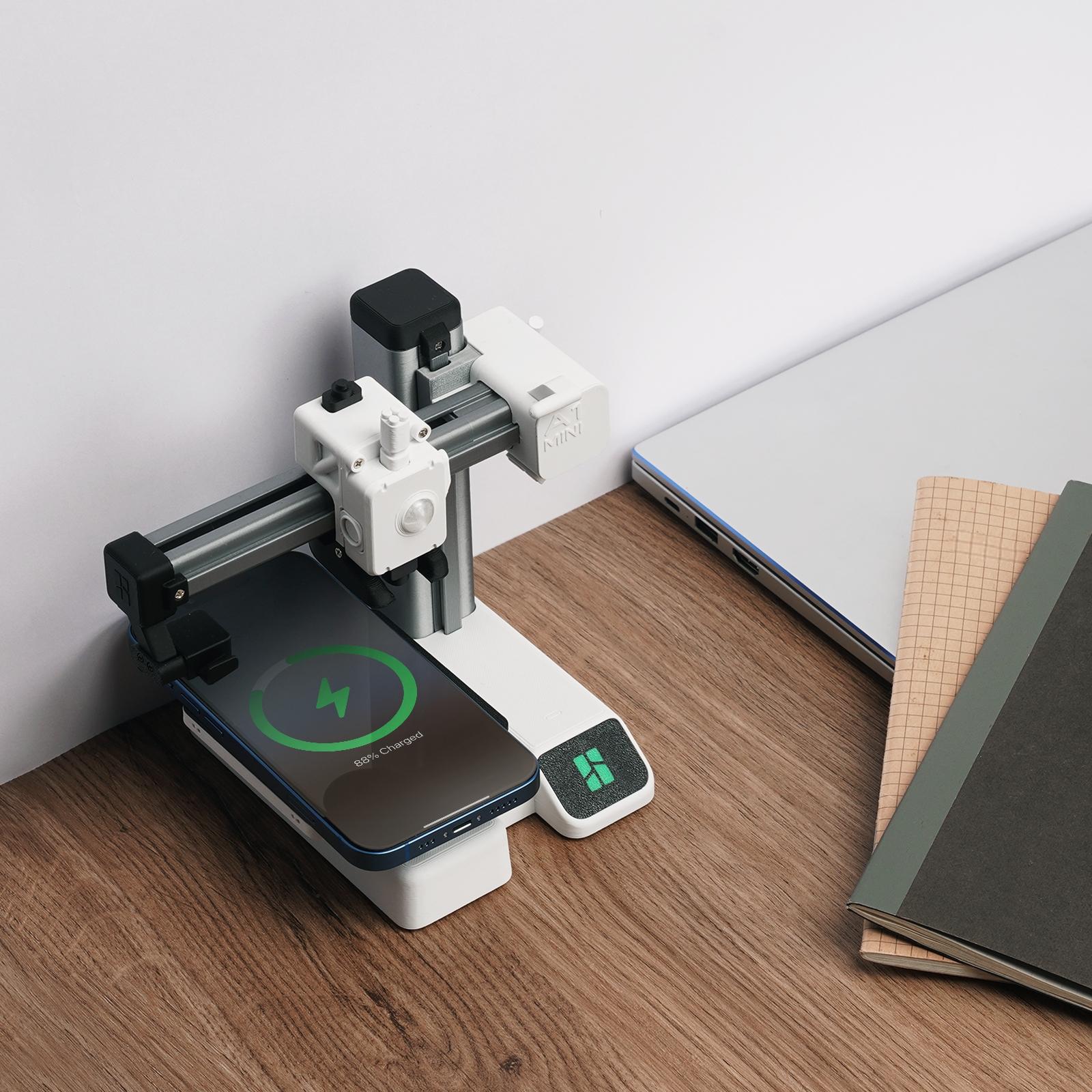
Product description
Overview
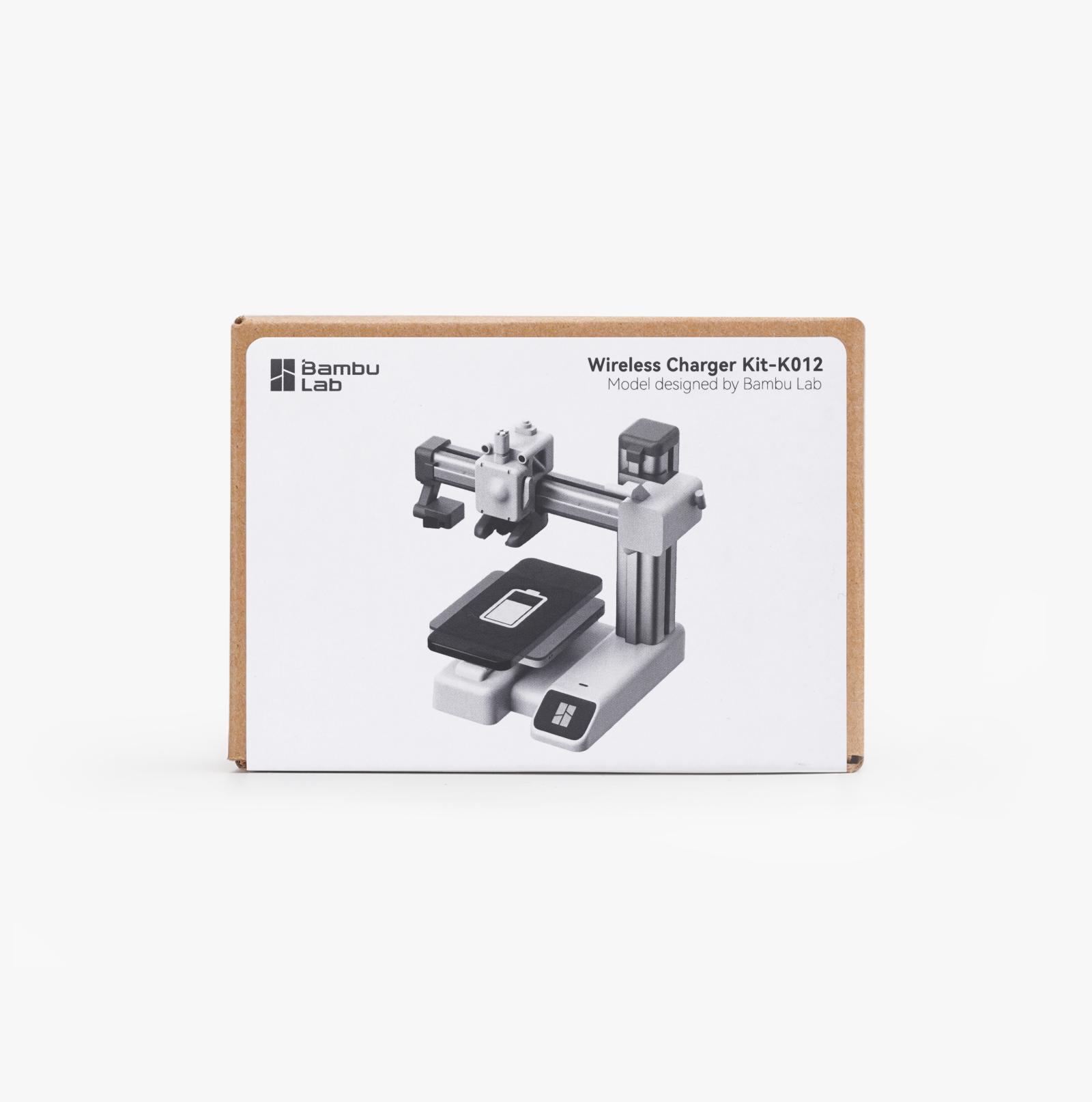
The A1 mini Wireless Charger is here! This is an official design model for the Wireless Charger Kit-K012.
The Wireless Charger Kit contains all the non-3D printed parts for assembling an entirely functional A1 mini Wireless Charger or an Air Force Command Headquarters Wireless Charger. To complete the work, you need to download the model files and 3D print the parts.
To download the model files and obtained detailed information, please visit A1 mini Wireless Charger or Air Force Command Headquarters on Makerworld.
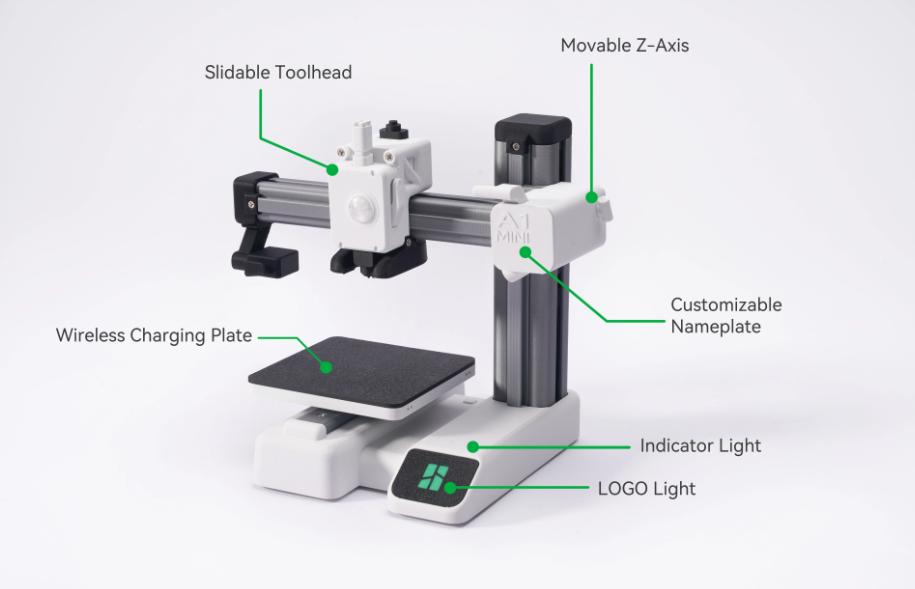
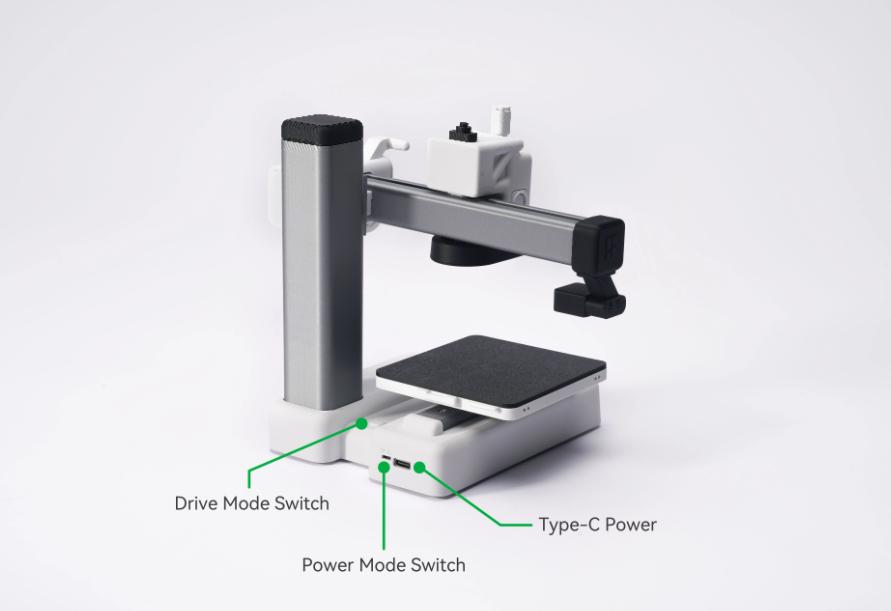
• Simply connect a Type-C cable to the wireless charger to power it on. Then place your phone on the wireless charging plate to start the charging process.
• Once the charging starts, the Z-axis will simulate the printing process by moving up and down for one cycle. During this time, the LOGO light and indicator light will light up.
• You can use the Make My Sign function on Makerworld to customize your own nameplate for your A1 mini wireless charger. To learn more about the nameplate customization, please visit A1 mini Wireless Charger on Makerworld.
• To accommodate different phones and filaments, we have specially designed two power modes (high/low) to avoid phone overheating and heat deflection of printed parts.
• We have also engineered two different drive modes (mode 1 and mode 2) for the A1 mini wireless charger to adapt to varying levels of friction generated during the Z-axis movement. (This friction is caused by differences in filament materials and printing tolerances)
We hope you enjoy it!
Print preparation
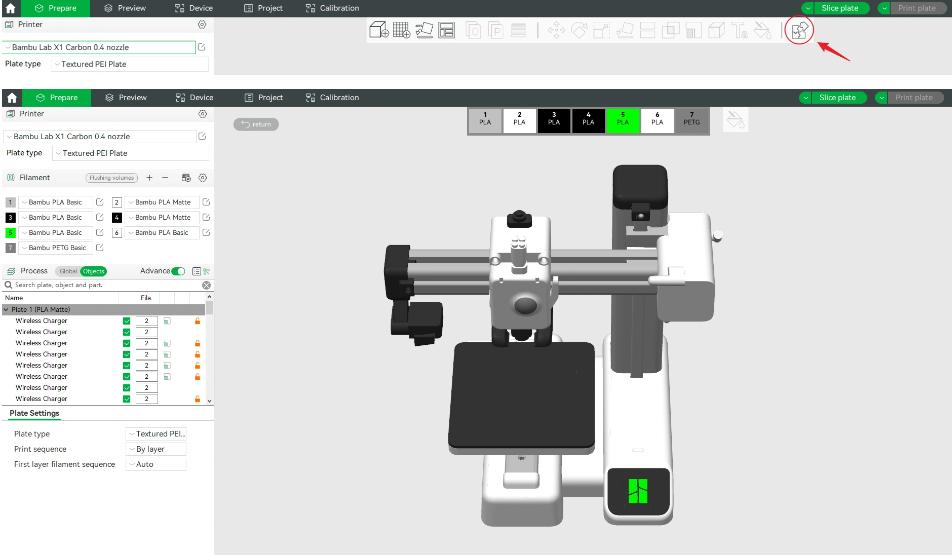
·You can preview the assembly diagram and create your favorite color schemes in Assembly View. Before printing, you can use the Assembly View function in Bambu Studio to access the assembly interface, customize your unique color scheme with the paint function, and preview the fully assembled model. (see the filament recommendation at the end of the article).
The wireless charger offers two different power modes: high power mode and low power mode. Due to the heat generated by the circuit board, charging coil, and phone during charging, the charging pad can become hot while charging the phone. Please adjust the mode according to the heat resistance of the filament used for printing before the first charge
·Low-power mode (5W): Use this mode if the heatbed is printed with filaments that have low heat resistance capabilities (such as PLA, PETG).
·High-power mode (Max 15W): Use this mode if the heatbed is printed with filaments that have high heat resistance capabilities (such as ABS).
View more
$45.00
From $7.00 shipping on this order
Hardware Kits: Wireless Charger Kit-K012, Bambu Lab 3D Printing
5(6)
45 sold
Specification:Default
Default
Quantity:
Buy now
Coupon center
Log in to check your coupons
View and claim any available offers once you're logged in.
Shipping & returns
Shipping & delivery
Many items qualify for free shipping or become eligible once the order threshold is met.
Returns made easy
Most items are eligible for free returns within 30 days of delivery for a refund. Some items, including ingestibles, hygiene products, and pre-owned goods, are non-returnable. Final sale items cannot be returned or replaced.

Bambu Lab

OFFICIAL SHOP
4.7
28.6K Sold
213.4K+ Followers
67%24h response rate
74%Ships within 2 days
94%Positive feedback
Visit
Shop review


Videos for this product
Creator earns commission

Ben Pendergast
5.6K
Creator earns commission

🎮 Grizz 🎮
532
Explore more from Bambu Lab


People also searched for