·PRIVACY DISPLAY: Automatically hide your screen from those beside you. The built-in privacy display can be preset1 to turn on when receiving notifications, typing passwords, or using specific apps
·TYPE IT IN. TRANSFORM IT FAST: Enhance any shot in seconds on your smartphone by using Photo Assist2 with Galaxy AI.3 Add objects, restore details, or apply new styles by simply typing or tapping
·NIGHTS, CAPTURED CLEARLY: From gigs to city lights, record and capture moments after dark with clarity using Nightography so your photos and videos stay crisp and clear on your Samsung Galaxy
·MAKE IT. EDIT IT. SHARE IT: Turn everyday moments into something personal with creative tools built right into your mobile phone, whether it’s a special contact photo, custom wallpaper, an invitation or more4
·HELP THAT KEEPS UP: Stay in the moment while Now Nudge with Galaxy AI helps you respond faster and stay organized with smart suggestions5 that appear exactly when you need them on your phone
·FIT EVERYONE IN THE SHOT: Group selfies are easier on your Samsung phone with a wider front camera6 that captures more of the scene, so no one gets left out of the moment
·Galaxy S26 Ultra automates your life with the power of Galaxy AI.³ Prevent unwanted onlookers with the built-in privacy display. It can be preset to instantly turn on when receiving notifications, typing passwords, or using specific apps.¹ There’s also Photo Assist2, which magically edits photos in seconds. Fill in missing elements and naturally blend objects with existing lighting and shadows with ease.
·SShooting at night is no longer a challenge. Nightography adjusts in real time to illuminate low light videos and photos. The Wider Selfie Capture feature gets the right group shot in one go. Thanks to the wider⁶ front camera and lens, you don’t need to stretch all the way back. It also means less retakes. If you’re looking to quickly generate playful illustrations and 3D cartoons for custom wallpapers, stickers, and more4, the Creative Studio brings your ideas to life.
·Making everything possible is our fastest, smoothest and most powerful processor yet. Speeding up daily tasks, Now Nudge with Galaxy AI works behind the scenes to prioritize apps, reminders, and notifications. You’ll have the most relevant information⁵ right when you need it. Further simplifying your life, Samsung Wallet securely stores payment cards, boarding passes⁹, and more. Leave your bulky wallet at home.
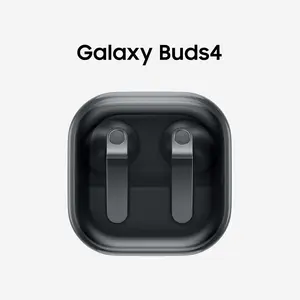
·Helping you keep up with daily demands, Galaxy S26 Ultra is Super-Fast Charging 3.0 ready⁷. You can recharge in a snap to do more. To get the most out of your S26 Ultra, pair with Galaxy Buds4 Pro¹⁰ to hear music like never before with Hi-Res Audio.⁸
¹Must be enabled in settings.
²Requires Samsung account login and internet connection. Editing with Photo Assist results in a resized photo up to 12MP.
³Galaxy AI basic features provided by Samsung are free. Any Samsung enhanced AI features and all third-party AI features are subject to different terms and may be subject to fees. (Galaxy AI basic features are listed under ""Advanced intelligence"" in Samsung Services Terms and Conditions.)
⁴Requires an internet connection / Samsung account login. Edited images may be resized and will have visible AI watermark. The accuracy and reliability of the generated output is not guaranteed.
⁵For location information, Location permission should be allowed.
⁶As compared to S25 Series.
⁷Requires 60W Super Fast Charger (sold separately). Charging speed depends on battery level and other factors; use only Samsung-approved chargers; do not use any worn or damaged chargers or cables; incompatible charger or cable can cause serious injuries or damage to your device.
⁸Requires initial setup via settings or Samsung Wear app on a compatible Galaxy/Android smartphone
⁹Requires a compatible NFC card from a participating bank. Specific requirements and limitations apply to each Samsung Wallet feature.
¹⁰Products sold separately.