- TikTok Shop
- Phones & Electronics
- Audio & Video
- Projectors
- HY300Pro Projector 290ANSI Dual WiFi6 Auto Keystone Correction 8K/4K/1080P Decode BT5.4 Smart Android 14 Native 1280*720P Built-in Speaker Portable Home Cinema Movie


5
2 global reviews
5
2
4
0
3
0
2
0
1
0
Photos from reviews


t**r
Sort by
Recommended
Filter by
All
Displaying 2 of 2 reviews
Reset filters
t**r
·
Verified purchase
US
Amazing, is so bright my room nothing happens with the beam
Item:
HY300Pro(White)2025-12-23

M**k
·
Verified purchase
US
Great for N&C 👍🏼
Item:
HY300Pro+(White)2025-11-25
About this product







Product description
Authentic HY300Pro Portable Projector 【GLOBAL DESIGN PATENT ONWER】 –8K/4K/1080P Decode, Android 14, Dual Band WiFi6, 290ANSI, Bluetooth 5.4, Built-in Speaker & AppStore, 2025 Newly Upgraded Super Mini Version(350g For Device Itself)
Upgrade your home entertainment with HY300Pro, a compact yet powerful portable projector designed for cinema-quality viewing anywhere you go.
Shipped Directly from Our US Local Warehouse
Enjoy fast, reliable, and hassle-free delivery with orders dispatched from our local US warehouse. No long waiting times, no customs delays—just quick shipping and smooth service.
Key Features:
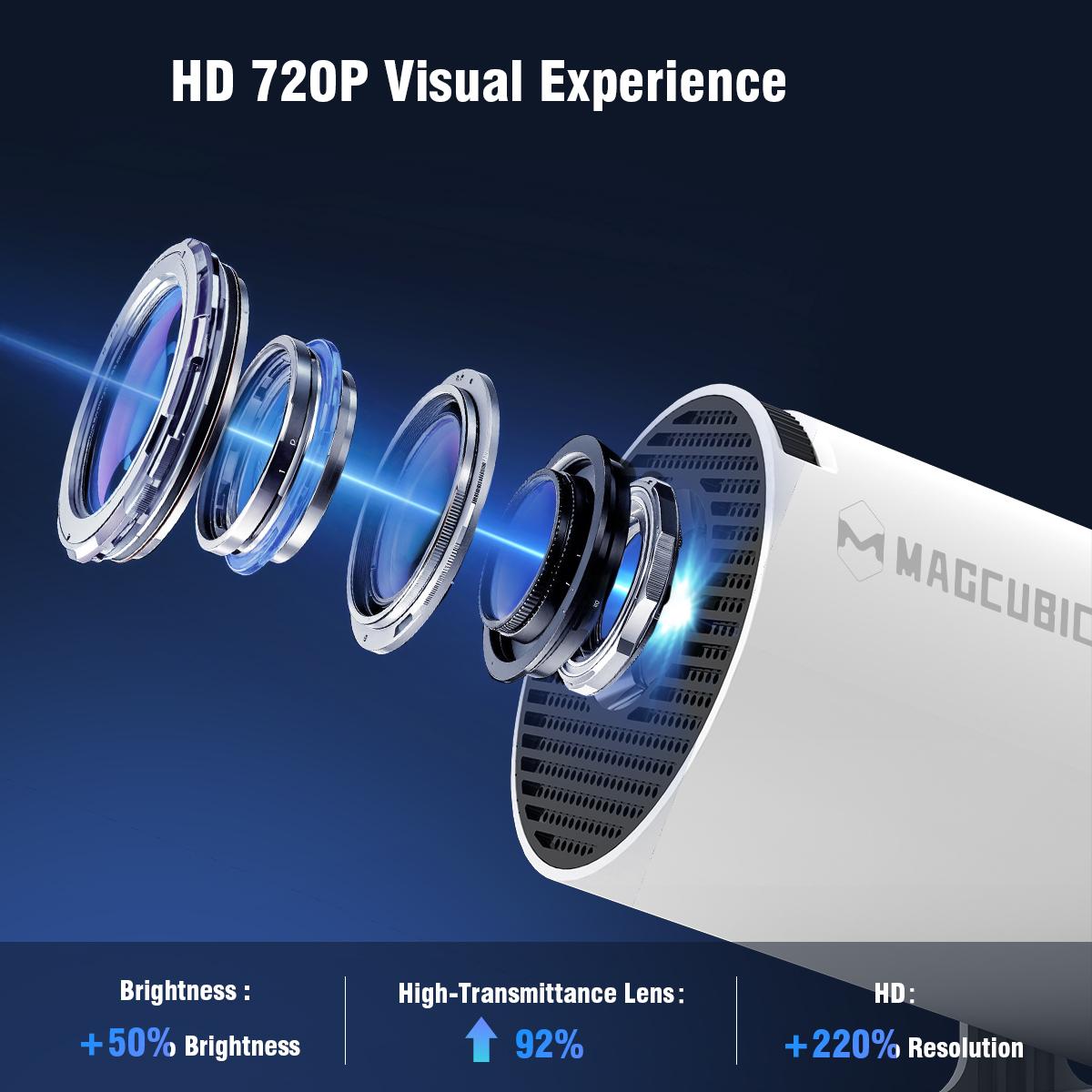
【Native 1280x720P, 8K/4K/1080P Decode】 – Delivers sharp, vibrant visuals with support for 8K input, ensuring a crisp and immersive viewing experience.
【290ANSI Lumens】– Brighter and clearer projection, even in ambient light settings.
【Coated High-transparency Lenses】 – Magcubic product features coated high-transparency lenses for improved image quality and better uniformity.
【Powered by Android 14】 – Access your favorite apps directly from the built-in Appstore or Playstore.
【Allwinner H726 Chipset】 – Smooth performance and faster processing for seamless streaming and app usage.
【Auto Vertical Keystone & Manual 4-Point】– Adjust image Effortlessly
【Dual 2.4G&5.8G WiFi6 Connectivity】 – Faster and more stable wireless performance with ultra-low latency for screen mirroring and streaming.
【Bluetooth 5.4】 – Easily connect to wireless speakers, headphones, and other Blueto*th devices.
【Built-in High-Fidelity Speaker】 – Enjoy rich and powerful audio without external sound systems.
【Compact & Lightweight】 – Ideal for indoor movie nights, outdoor cinema setups, or on-the-go entertainment. Weighs only 0.35kg for ultimate portability.
【Remote Control Included】 – Full control at your fingertips for convenience and ease of use.
【Low noise ≤ 25DB】 - Enjoy your movies without distraction.
【External Power】 – reduced heat, better protection
Kind tips for using the projector:
·The projector is equipped with a focus wheel located on the top. Please adjust it until the image is clear and sharp;
·For certain essential applications, we recommend installing them from the Appstore available on the homepage rather than from the Play Store, as they have been fully tested and verified in the Appstore;
·If you are unable to navigate using the remote control, it may be due to downloading the mobile version of the application. In this case, we recommend enabling mouse mode for testing..
If you encounter any issues with your purchase, please do not hesitate to contact us. Our customer support team and engineers will do their utmost to assist you. Thank you for choosing our product, and we wish you a pleasant day.
View more
$35.99
From $9.99 shipping on this order
HY300Pro Projector 290ANSI Dual WiFi6 Auto Keystone Correction 8K/4K/1080P Decode BT5.4 Smart Android 14 Native 1280*720P Built-in Speaker Portable Home Cinema Movie
5(2)
22 sold
Color:HY300Pro(White)
HY300Pro(White) HY300Pro(Grey)
 HY300Pro+(White)
 HY300Pro+(Grey)
Quantity:
Buy now
Coupon center
Log in to check your coupons
View and claim any available offers once you're logged in.
Shipping & returns
Shipping & delivery
Many items qualify for free shipping or become eligible once the order threshold is met.
Returns made easy
Most items are eligible for free returns within 30 days of delivery for a refund. Some items, including ingestibles, hygiene products, and pre-owned goods, are non-returnable. Final sale items cannot be returned or replaced.
About this shop

HYPERCORE

Gold Star Seller
4.4
29.5K Sold
1.5K+ Followers
98%24h response rate
59%Ships within 2 days
83%Positive feedback
Visit
Shop review


Videos for this product
Creator earns commission

ur idol
53
Creator earns commission

Melissa ❤️ Gen❌️71🤘
27
Creator earns commission

Kailynn ❤️
24
Creator earns commission
Kailynn ❤️
23
Creator earns commission

MamaJuicy 👑 TTS | WFHM 💕
19

HYPERCORE
18
Creator earns commission
Kailynn ❤️
15
HYPERCORE
13
Creator earns commission

QuazerFolk
11
Creator earns commission

CoachJollyV 🫡 G7 finest
11
Creator earns commission

Beauty By Keee
10
Creator earns commission
Melissa ❤️ Gen❌️71🤘
10
HYPERCORE
9
HYPERCORE
9
Creator earns commission

Trish Hdz
8
Creator earns commission

Anxious_mama3
7
Creator earns commission

🫧Riley🫧
6
Explore more from HYPERCORE


You may also like


![[US Warehouse] HYA300Pro Upgraded Projector with Dual Wi-Fi 6, BT5.4 Support, Native 1280*720P, Android 11, Built-in Speaker, Remote Control Included, Home Theater Outdoor,Valentine's Day/Birthday Gifts](https://p16-oec-general-useast5.ttcdn-us.com/tos-useast5-i-omjb5zjo8w-tx/2ba2af33c32c452fb93823b261f5e205~tplv-fhlh96nyum-crop-webp:300:300.webp?dr=12190&t=555f072d&ps=933b5bde&shp=8dbd94bf&shcp=607f11de&idc=useast5&from=2378011839 "[US Warehouse] HYA300Pro Upgraded Projector with Dual Wi-Fi 6, BT5.4 Support, Native 1280*720P, Android 11, Built-in Speaker, Remote Control Included, Home Theater Outdoor,Valentine's Day/Birthday Gifts")

