- TikTok Shop
- Computers & Office Equipment
- Computer Accessories
- Keyboards & Mice
- (Hot)AULA F99 Pro Full Size Wireless Mechanical Keyboard with Knob,Tri-Mode BT5.0/USB-C/2.4GHz Hot Swappable Keyboard,Pre-lubed Switches,Gasket Structure,RGB Backlit Computer Gaming Keyboard (Side Printed Black) Creamy keyboard


4.6
7 global reviews
5
5
4
1
3
1
2
0
1
0
Photos from reviews
Sort by
Recommended
Filter by
All
Displaying 7 of 7 reviews
Reset filters

N**G
·
Verified purchase
US
The keyboard is great. I have 2 of them. The issue was shipping. Company communicated great, but shipping was terrible. It only comes in the keyboard box. No protection. Box was destroyed and wet from the snow. 3 stars for that reason. Keyboard itself was not damaged. Just please package properly

Item:
white-purple2026-01-27

A**n 🐈**️
·
Verified purchase
US
Love, love, love the thocky sound and feel of this keyboard. By far my favorite.
Item:
Black&Grey&White2026-02-26

u**1
·
Verified purchase
US
Got this for my sister and she loves it!!!! Perfect gift.
Item:
Black&Yellow2026-01-07

j**e
·
Verified purchase
US
I got it as a gift and it's a really cute keyboard but could've been shipped more gently, was only shipped in the keyboard box with no extra padding. Outside of some keys coming loose it was fine though it seems
Item:
white-purple2025-12-26

F**e
·
Verified purchase
US
It arrived early, and is great quality. The tipy taps make me smile. only problem is that the keyboard is slightly smaller then my last one so using it is gonna take some getting use to.
Item:
Black Gradient2025-11-01
p**6
·
Verified purchase
US
Item:
Black Gradient2025-12-31

L**a -**H ** K**S 😍**
·
Verified purchase
US
Item:
Black&Grey&White2025-12-19
About this product 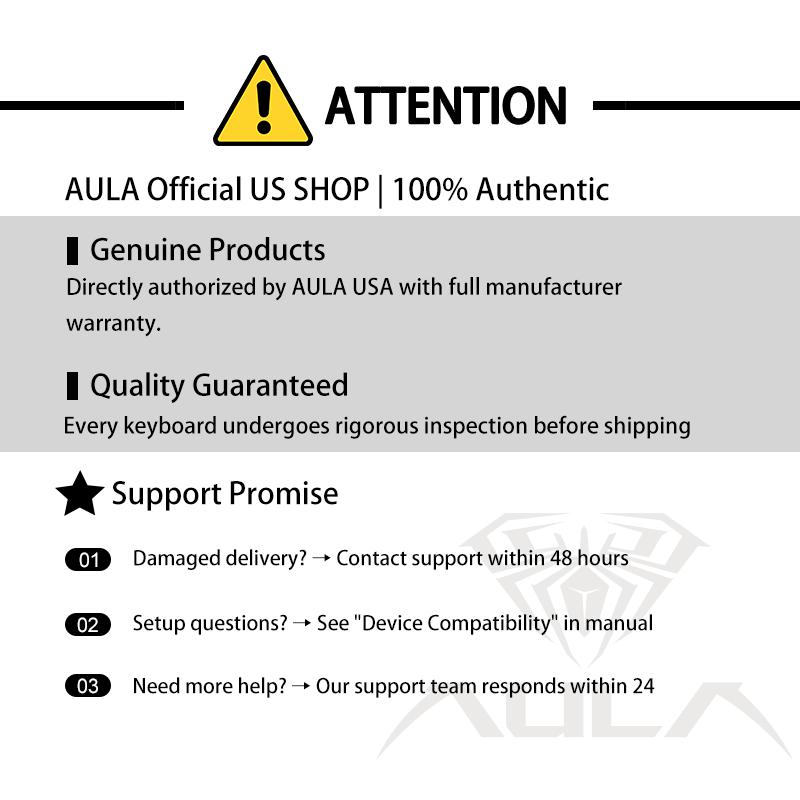






Product description
Welcome to the official AULA shop in the U.S
Fast shipping from our U.S. warehouse—delivery in as fast as 2 days!
Tips on Switch Sound, Connectivity, RGB, Battery & Mode Check
Factory-Lubed Linear Switch
Smooth & Creamy & Thocky
Enjoy the satisfying typing sound with F99 PRO's lubed linear switches. We recommend switches with light force and short travel for gamers and speed seekers; while switches with heavier force and longer travel are better for office and typing accuracy.
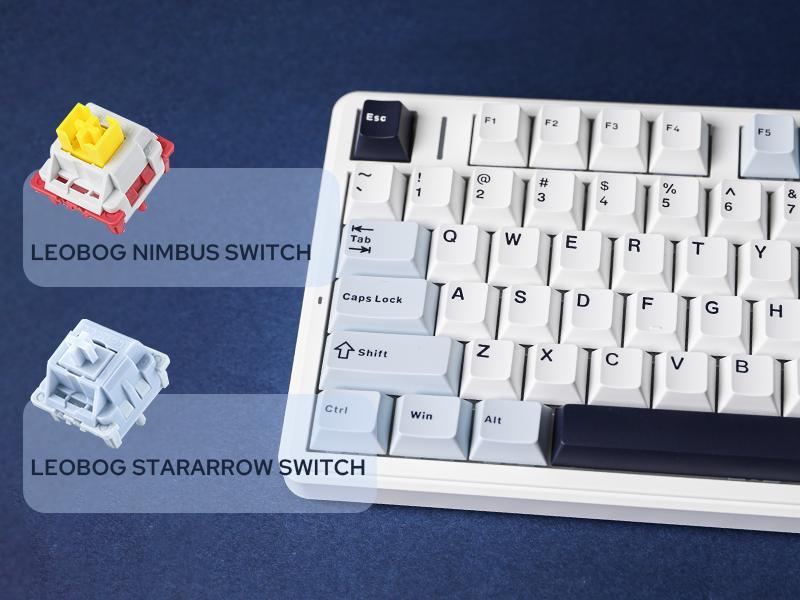
LEOBOG Nimbus Switch: 5-pin Linear. Force: 34/45±3gf. Travel: 1.3/3.7±0.3mm.
LEOBOG StarArrow Switch: 5-pin Linear. Force: 40/55±3gf. Travel: 1.8/3.5±0.3mm.
Bluetooth 3.0/5.0 & 2.4Ghz & USB Cable
Convenient Connectivity Hub
Whether you prefer the simplicity of a plug-in cable, the versatile Bluetooth mode, or the reliable 2.4 GHz wireless, the F99 PRO has you covered.
·Use BT 3.0 if you want stability and have multiple wireless devices.
·When pairing F99 PRO to your computer, make sure to hold FN+~/1/2/3 until light's flash quicken from slow to rapid, before plug the receiver or start Bluetooth setting.
RGB or Singular Colors
16.8M Dynamic RGB Backlit
Illuminate your gaming setup with customizable RGB backlight. Choose from a range of 16.8 million colors and dozens of still, dynamic, and rhythm light effects.
·FN+\|= Change Light Effect (on/off/different effects)
·FN+Tab= Change Light Colors
·FN+: Adjust Brightness/Speed
For atmosphere & Battery Level Check
RGB Decor Light
Serve as a battery indicator, this cherry on top brings a splash of bright color to the F99 PRO keyboard as a fun decoration.
·FN+R_Shift= Change Light Effect (on/off/different effects)
·FN+/?= Change Light Colors
·FN+R_Alt / FN+. = Adjust Brightness/Speed
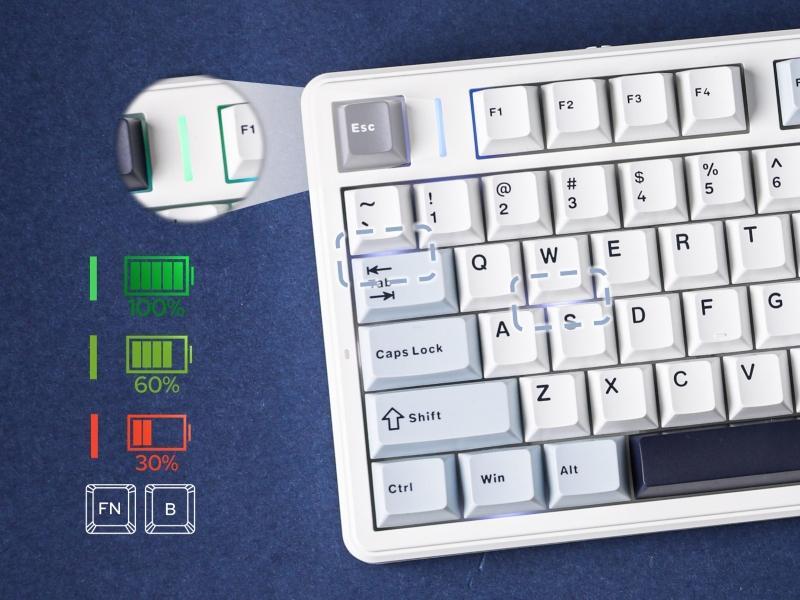
Power Status Indicator
Battery Percentage
Clear and simple-to-understand indicator lights to tell the status of the battery and modes. Pressing FN+B and check the light bar's color, or pressing FN and check which keys light up in white.
·FN+B (hold): Green Bar=100%. Yellow Bar=50%. Red Bar=30%
·FN (hold): ~/1/2/3/4=Wireless/BT1/BT2/BT3/Cable. Q/W/E/R=Android/Windows/Mac/iOS.
F1-F12 & FN+F1-F12
Multimedia Keys & Hotkeys
(FN+Q/W/E/R=Android/Windows/Mac/iOS). Use F1-F12 as multimedia keys in Android modes or as F1-F12 in WIN modes. More information on multimedia keys can be found on pages 6-8 of the product manual.
·FN+ESC= Holding for 3 seconds to reset the keyboard
·FN+WIN= Lock/Unlock WIN key
FN+DEL/Scroll/Calculator/HOME=INS/Prtsc/Pause/END
About this item
·Multi-Device Connection: Custom keyboard supports Bluetooth 5.0, 2.4GHz wireless and Type-C wired connectivity, allowing you to seamlessly switch between 5 devices depending on the scenario with the FN+ key combination. 8000mAh battery ensures efficient multitasking and continuous performance in all three connection modes, making it ideal for work and play
·duces noise without losing tactility, making every keystroke more precise and smooth
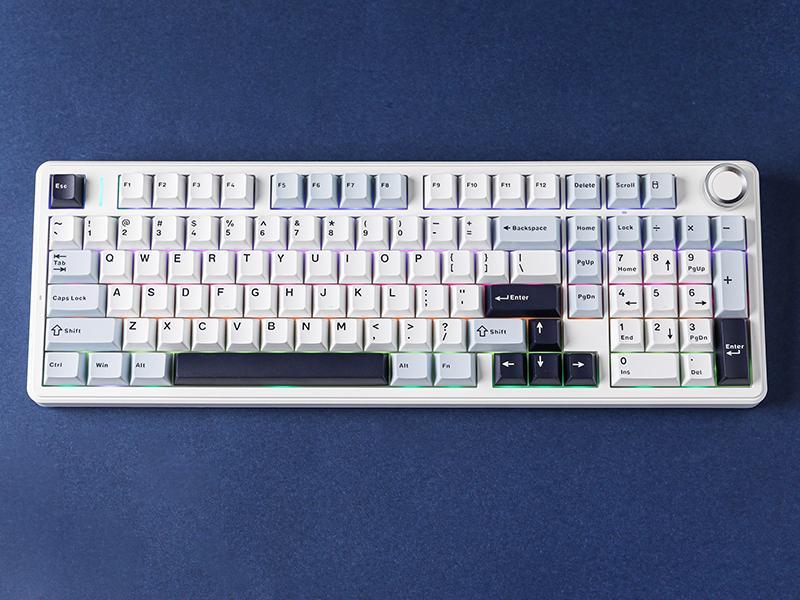
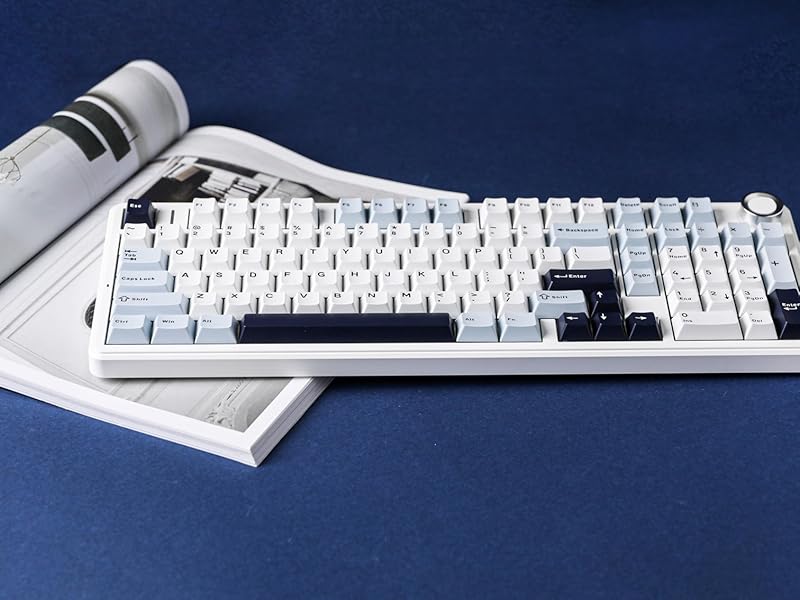
·Multi-functional Knob: Based on the AULA F99, the F99 Pro adds a functional knob with a long press to switch between office/gaming modes, separately adjust the volume and keyboard's backlight. It retains most of the keys of a traditional full size keyboard, with a more compact size that saves space and offers more customization possibilities
·Creamy Keyboard: Equipped with 5-layers of sound deadening material to enhance typing sound. The combination of sandwich foam, IXPE switch pads, PET acoustic membrane, bottom foam, and silicone protector pads help eliminate echoes, providing a pure typing sound and a stable, comfortable typing feel
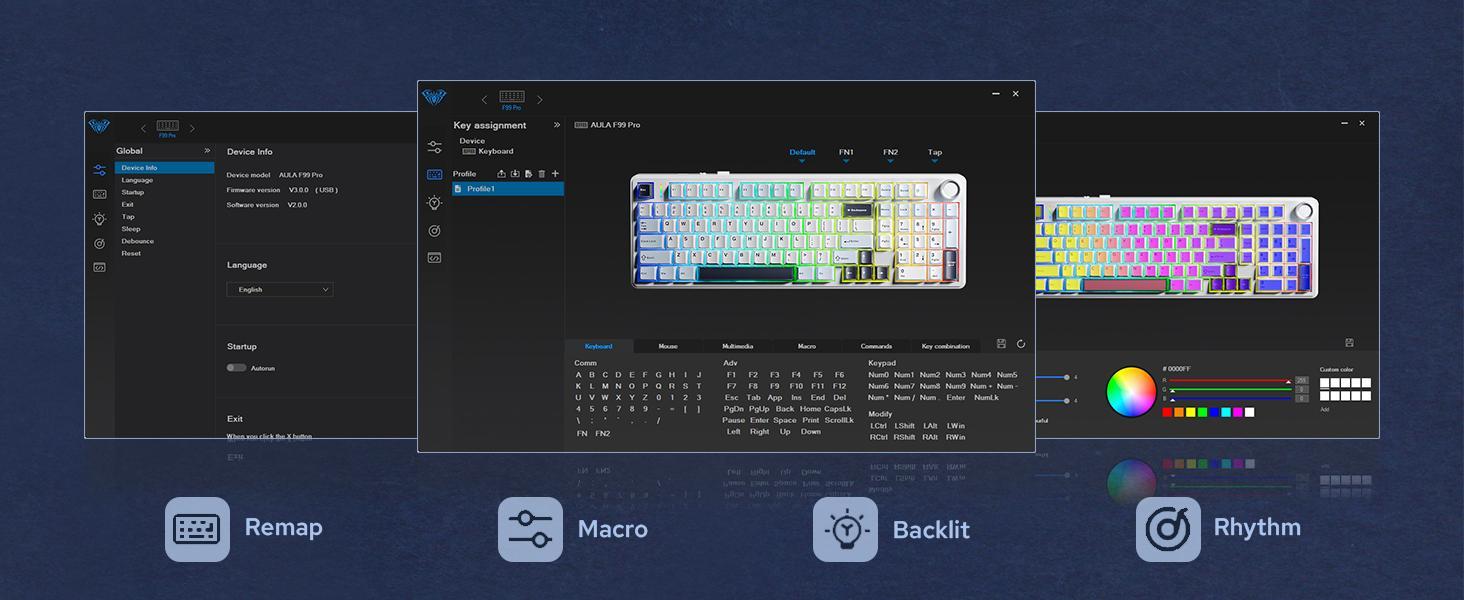
·Comprehensive Sales: LEOBOG provides 48 months after-sales service so you can use the AULA 99-key keyboard without any worries. You can customize your own personalized keyboard with AULA drivers, key remapping, RGB keyboard backlight adjustment, create macros, and many more features for you to explore
View more
-53%$79.99$169.89
Free shipping
(Hot)AULA F99 Pro Full Size Wireless Mechanical Keyboard with Knob,Tri-Mode BT5.0/USB-C/2.4GHz Hot Swappable Keyboard,Pre-lubed Switches,Gasket Structure,RGB Backlit Computer Gaming Keyboard (Side Printed Black) Creamy keyboard
4.8(7)
60 sold
Color:Black Gradient
 GUNDAMBlack Gradient
 Black&White&Green
 Black&Grey&White
 Blue Gradient
 Blue&White
 white-purple
 Black&Yellow
Quantity:
Buy now
Coupon center
Log in to check your coupons
View and claim any available offers once you're logged in.
Shipping & returns
Shipping & delivery
Many items qualify for free shipping or become eligible once the order threshold is met.
Returns made easy
Most items are eligible for free returns within 30 days of delivery for a refund. Some items, including ingestibles, hygiene products, and pre-owned goods, are non-returnable. Final sale items cannot be returned or replaced.
About this shop

Leobog USA

Gold Star Seller
4.6
16.9K Sold
2.7K+ Followers
90%24h response rate
92%Ships within 2 days
88%Positive feedback
Visit
Shop review


![[Restock]AULA S99 Key Keyboard, Tri-Mode Bluetooth/2.4GHz/USB-C Cute Creamy Gaming Keyboard with Number Pad RGB Backlit, Media Knob Custom for MAC Xbox PC Gamer Valentine's Day gift S99 Keyboard Fixed Keycaps & Switches (Non-Replaceable)](https://p16-oec-general-useast5.ttcdn-us.com/tos-useast5-i-omjb5zjo8w-tx/699969f18ee24f4a8919c1372cf3677c~tplv-fhlh96nyum-crop-webp:300:300.webp?dr=12190&t=555f072d&ps=933b5bde&shp=8dbd94bf&shcp=607f11de&idc=useast5&from=2378011839 "[Restock]AULA S99 Key Keyboard, Tri-Mode Bluetooth/2.4GHz/USB-C Cute Creamy Gaming Keyboard with Number Pad RGB Backlit, Media Knob Custom for MAC Xbox PC Gamer Valentine's Day gift S99 Keyboard Fixed Keycaps & Switches (Non-Replaceable)")


Videos for this product
Creator earns commission

keebo1milly
2.7K
Creator earns commission

Christian Perez
2.3K
Creator earns commission
Christian Perez
1.4K

Leobog USA
1.1K
Leobog USA
208
Creator earns commission

𝗨𝗕𝗘𝗥𝗕𝗟𝗔𝗖𝗞 TTS🛍
128
Creator earns commission

HiddenSteals
46
Creator earns commission

tori ⋆˚꩜。
44
Creator earns commission

Rosie T.
44
Leobog USA
35
Leobog USA
34
Creator earns commission

yami.keebs
31
Creator earns commission

😡 𝑲𝑺𝑻_𝑫𝑱𝑨𝒁_𝑳𝑨 😡
29
Creator earns commission

Masterson’s Car Care
25
Creator earns commission

Jake
25
Leobog USA
19
Leobog USA
19
Leobog USA
17
Leobog USA
17
Leobog USA
16
Explore more from Leobog USA


You may also like


