Thought the minis would be too small for bfs big head, but they fit perfect with ample wiggle room. The sound quality is really nice and the sound only begins to leak slightly at 60-75% volume, which should be expected with open ear headphones. I’d recommend!
Item:
Silver Mini
2026-06-21
🏳**🌈 P**L Z**S D**N 🏳**🌈
·
Verified purchase
US
I absolutely love the Shokz Open Run Pro 2 Mini. They fit perfectly on my head. They come in two different sizes. A few different colors as well The sound quality is fantastic, easy to use and set up. Highly recommended for these. Also comes with its own carrying case!
Item:
Orange Mini
2026-05-07
R**2
·
Verified purchase
US
Excellent product keeps getting better!! I have owned three sets of the Shokz headphones starting with the 1st Gen. That pair broke purchased the Pros and they were significantly better. After about 1 year and a half the power/volume up button stopped working properly. Purchased the Pros 2 and they are even better! The audio is superior, clearer and louder! The buttons have a crisper tactile feel! I wear them all day and have no issues with the battery life. The Pro2 having a usbc charger works out better because I only use one cable now. Absolutely ecstatic with this purchase. Worth every penny!!
Item:
Black Mini
2026-08-12
m**0
·
Verified purchase
US
Buenos Buenos
Item:
Blue
2026-08-19
u**5
·
Verified purchase
US
I was happy waiting this shockz... I had before open air fit but it is a little heavy but this open run pro 2 has an excellent sound and I can skate and work without problem . I feel so happy 😁
Item:
Orange
2026-08-13
R**a C**o
US
Muy buen producto, práctico y fácil de usar, el sonido es claro y estuche muy bonito...
Item:
Black
2026-08-07
P**
·
Verified purchase
US
I’m starting my running journey and figured I’d give these a go. Believe the hype. I love everything about these. Can hear my surroundings, lightweight, no more sweaty ears (was using over the ear beats before). Ik some ppl comment on the volume levels but they were fine for me. 10000/10
Item:
Blue Mini
2026-05-25
b**y
·
Verified purchase
US
The Shokz OpenRun Pro 2 has been an awesome upgrade after my old pair finally broke. The sound quality is outstanding. The quality is solid and well made. Battery life is excellent.
Item:
Silver
2026-05-17
P**e S**a **
·
Verified purchase
US
A friend who is an avid runner recommended these. I love how comfortable they are and how you can still hear your surrounding while running/walking/working out. I would highly recommend. I got it on the TikTok for much less than even Shokz was selling with their Mother’s Day sale. I’m very happy!
Item:
Blue Mini
2026-05-03
C**0
·
Verified purchase
US
I love these since I work in a busy shop with grinders and welding machines constantly going. And forklifts. 💯 these are very useful for being aware of surroundings.
Item:
Black
2026-02-05
T**y D**o
·
Verified purchase
US
I doesnt fit me i wish it was a little bigger.
Item:
Black
2026-08-18
M**h
·
Verified purchase
US
Sent the wrong item, now I have to Wait for a refund, print a label, pack the box and drop it off. I end with nothing, except extra work.
Item:
Silver
2026-08-20
M**o
·
Verified purchase
US
Amazing!!! And still able to hear my kids while we’re on our evening walks
Item:
Blue Mini
2026-08-19
c**g
·
Verified purchase
US
Great, sound Very comfortable and won’t fall off during workouts! Noise cancellation works really good on phone calls
Item:
Black
2026-08-18
S**a
·
Verified purchase
US
I love the open ear concept! As someone who never used both earbuds on runs, for safety concerns, I love that I can hear my music out of both ears and hear my surroundings as well. I also have a few ear piercings that would get in the way with regular ear buds. The blue is super cute and the sound is amazing.
Item:
Blue
2026-08-17
E**
·
Verified purchase
US
I use these at work and on my walks and they’re perfect I love that I can still hear my surroundings but still also hear my music very clearly. I definitely think they need come out with a charging case for these so I’m not plugging them in everyday and instead can throw them in a case to charge.
Item:
Black Mini
2026-08-17
M**e G**n R**o
·
Verified purchase
US
Excelentes, de muy buena calidad, durable, cómodos y muy modernos
Item:
Black
2026-08-13
l**p
US
Suenan súper nítido sientes como si lo tuvieras dentro del oído y no se caen con facilidad
Item:
Silver Mini
2026-08-09
A**o
·
Verified purchase
US
Best headphones ever, super comfortable, great audio quality, I loved them
Item:
Silver Mini
2026-08-07
j**q
·
Verified purchase
US
These are awesome, I got the minis and they still had wiggle room if you have a smaller head or neck get the minis maybe you even want it to be tight around your neck. The best part is the app where you could customize the sound and even use the classic vibration, I love these and they don't fall out
Item:
Blue Mini
2026-08-06
About this product
Highlights
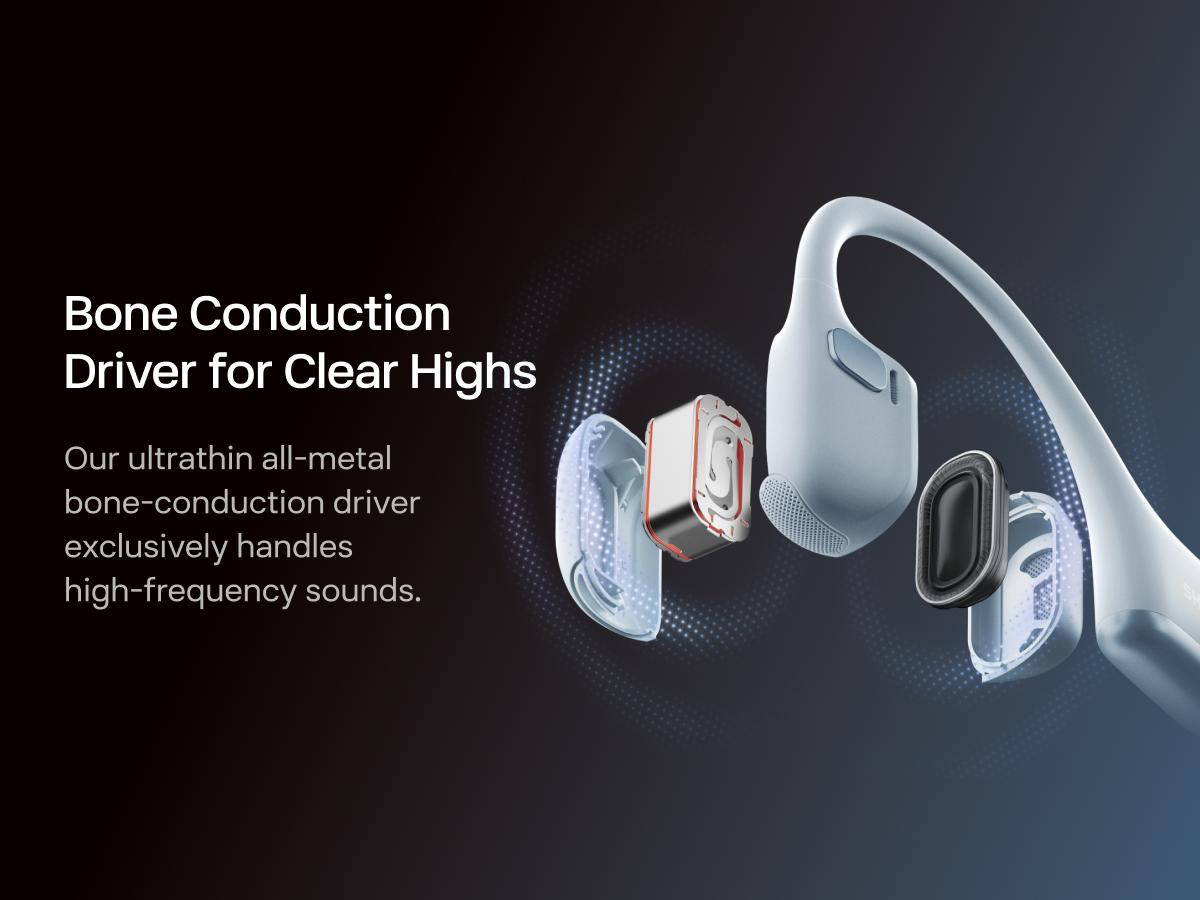
•Dual drivers combine bone conduction and air conduction for 12 hours of sound.
•Open-ear design helps you stay aware of your surroundings during workouts.
•Unibody frame with Ni-Ti alloy memory wire supports a secure, stable fit.
•IP55 water resistance helps handle rain, sweat, and splashes.
•Dual wind-resistant microphones and AI noise reduction support clearer calls.
Details
CA prop 65: repro. chems
No
CA prop 65: carcinogens
No
Contains batteries or cells?
Not sure
Dangerous goods or hazardous materials
Yes
Warranty type
Manufacturer warranty
Battery in the product
Yes
View more
Product description
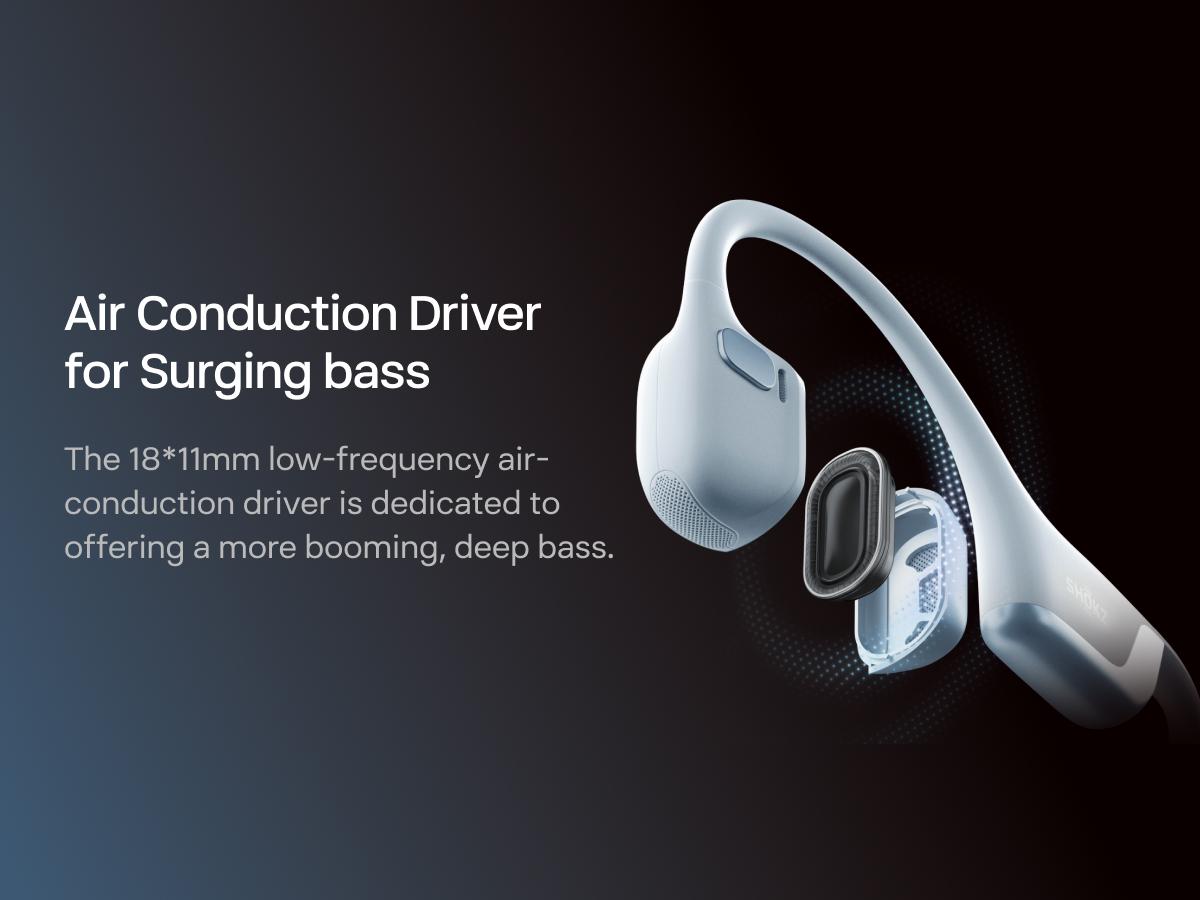
·Unparalleled Audio - Dual drivers combine the clear highs of bone conduction tech with the surging bass of air conduction for 12 hours of superpowered 3D sound. Tailor your listening experience with the SHOKZ App.
·Open-Ear Awareness - SHOKZ's signature open-ear design helps you power through your workouts while keeping you safely aware of your surroundings. Leak-free listening ensures your audio remains for your ears only.
·Secure and Stable Fit - The weight-optimized design of this unibody frame with ergonomic ear hooks integrates a Ni-Ti alloy memory wire to provide a secure, comfortable fit that defies slips and shifts.
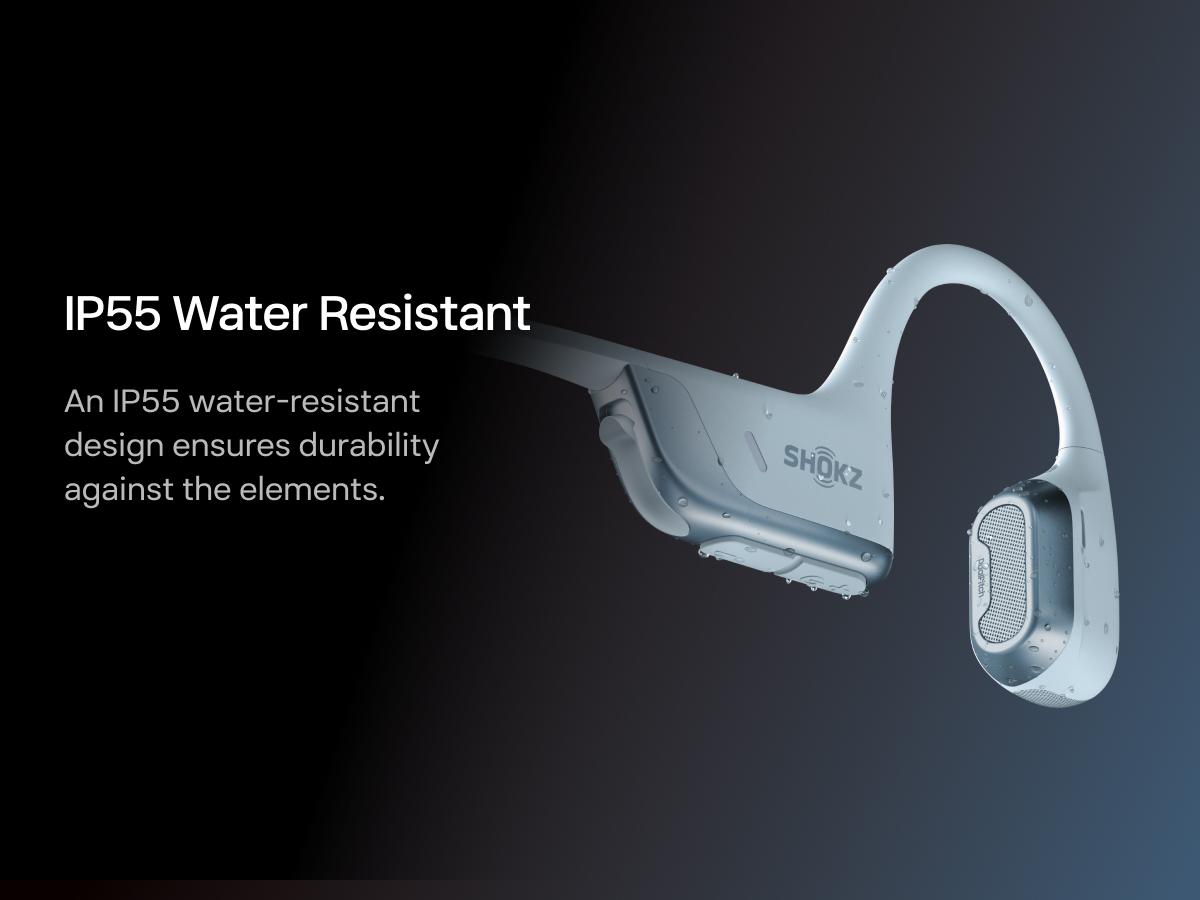
·IP55 Water Resistant - Bring on the rain, sweat, and splashes. OpenRun Pro 2's double-layer mesh structure ensure IP55 water-resistance and durability against the elements.
·Crystal-Clear Calls - Strategically positioned dual wind-resistant microphones and an AI noise reduction algorithm filter out 96.5% of background noise, including wind at speeds of up to 15 miles per hour.
What's in the box
OpenRun Pro 2 Headphone*1
Carrying Bag*1
Charging Cable*1
After-Sales Service Card*1
User Guide*1
FAQ
①Why is the volume on my OpenRun Pro 2 so low?
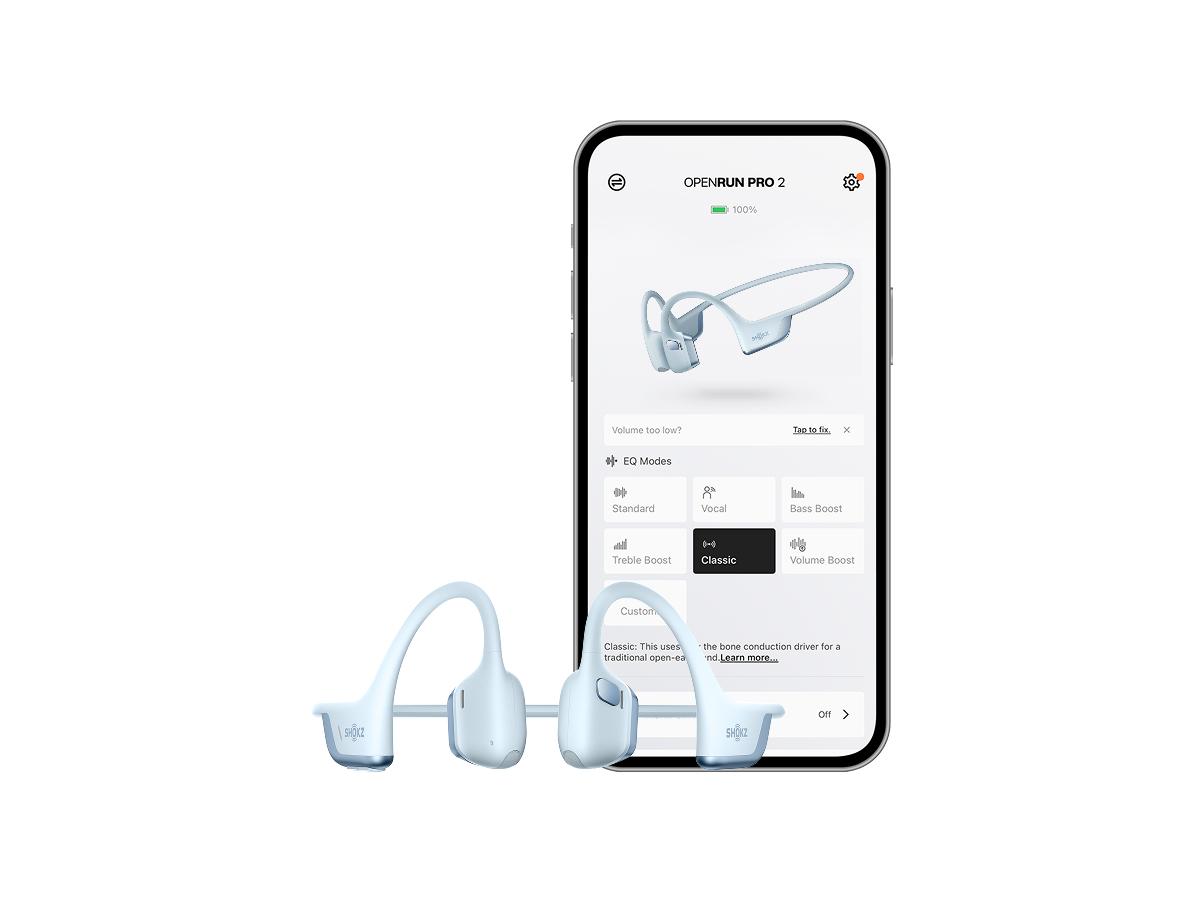
If the volume on your OpenRun Pro 2 feels too low, check your device’s audio settings. On an iPhone, go to Settings > Sound & Haptics > Headphone Safety and turn off Reduce Loud Audio. On Android, go to Bluetooth Settings and enable Absolute Volume. You can also try switching to Classic or Vocal EQ mode in the Shokz App for better audio performance.
②How do I switch EQ modes on OpenRun Pro 2?
You can switch EQ modes via the Shokz App or manually by pressing and holding both the Power/Volume + and Volume - buttons while music is playing until you hear a beep.
③How do I pair OpenRun Pro 2 with multiple devices?
To pair OpenRun Pro 2 with two devices, start with the headphones off, enter pairing mode by holding Volume + until the LED flashes red and blue, then press and hold the Multifunction + Volume + buttons for a prompt sound, connect the first device via Bluetooth, turn off the headphones, repeat pairing mode for the second device, and finally turn them on to connect to both devices automatically.
④What should I do if OpenRun Pro 2 gets wet from rain or sweat?
If OpenRun Pro 2 gets wet from rain or sweat, gently shake off excess moisture from different angles, wipe the speaker mesh with a dry cloth or tissue, and let it air-dry in a ventilated area for a few hours to ensure optimal performance.
⑤Can I use OpenRun Pro 2 in seawater, a sauna, or while showering?
Although OpenRun Pro 2 is IP55-rated for rain and sweat resistance, it is not suitable for use in seawater, saunas, or showers, as prolonged water exposure may clog the speaker mesh and affect sound quality.
View more
Video
Introduction
SHOKZ OpenRun Pro 2 is a wireless open-ear headphone designed for active use, including workouts, gym sessions, and everyday listening. Its dual-driver system combines bone conduction and air conduction to deliver clear highs and enhanced bass, while the open-ear design helps you stay aware of your surroundings.
The lightweight 30g unibody frame uses ergonomic ear hooks and a Ni-Ti alloy memory wire to help keep the headset secure and comfortable in motion. With IP55 water resistance, it is built to handle sweat, rain, and splashes, making it a practical choice for sports-focused use.
For calls, the dual wind-resistant microphones and AI noise reduction are designed to reduce background noise. The headphones also support Bluetooth wireless connection, button controls, volume control, and compatibility with phones, tablets, laptops, desktops, and PCs. The SHOKZ App can be used to tailor the listening experience.
Question and answer
•
What type of headphones is the SHOKZ OpenRun Pro 2?
A:It is an open-ear headphone with bone conduction tech and Bluetooth wireless connectivity.
•
Is the SHOKZ OpenRun Pro 2 suitable for workouts?
A:Yes. The product is sports focused and the open-ear design is intended for active use while staying aware of surroundings.
•
What water resistance does the SHOKZ OpenRun Pro 2 have?
A:It has an IP55 water resistance rating for rain, sweat, and splashes.
•
What is included in the box?
A:The box includes the OpenRun Pro 2 Headphone, a carrying bag, charging cable, after-sales service card, and user guide.
•
Can the SHOKZ OpenRun Pro 2 be used for calls?
A:Yes. It has dual wind-resistant microphones and an AI noise reduction algorithm for clearer calls.
Safety & compliance
Seller info
•Business name: Shokz Technology Inc
•Business address: 3200 Gracie Kiltz Ln Suite 300, Austin, Texas, 78758, United States
$179.95
Free shipping
SHOKZ OpenRun Pro 2 High Quality Headphones - Open Ear Earphones with Bone Conduction Tech, Sweat-Resistant Sports Headset for Workouts, Deep Bass Audio & Smart Mic, Gym,back to school,back to school haul
It feels so comfortable, I’m a trick trivet and I wear for many years big headsets on my ears, this one has a very high quality, battery life is 16 hours talking, and the best part: they don’t go inside my ears, I can use the all day with no problem. Highly recommended.
These open ear buds are amazing! I shook my head, head banged, and they do NOT MOVE! And that is before you get into the quality of sound. Crystal clear with just enough bass. Performance: If I could give more than 5 Stars I would!.
CONNECTED TO BOTH SAMSUNG GALAXY 24 ULTRA AND DELL5430 via usbA, per my organization 's policy. for work, I prioritized pc connection over android by connecting it to pc first and android second: after the app is installed and firmware is updated, you can see both connected in the app; from the app, I choose voice mode to emphasize my voice clarity, but the regular mode is as good, is just more balanced. , I love the comfort and voice quality
Product from Shokz is legitment.They are a one size fit, so I just angle the rim on the top of my hair . Love not having to put ear buds in, can hear my music and then if a person starts a conversation with me. I don't sound silly saying "what?", love them.
This is my second pair of shokz’s best head phones I ever owed. They are comfortable and you can still hear people when they are talking to you. Blue is my new ones and the red ones are my old ones!
Used the opendots one extensively and this is better in every single way! I use these rock climbing and running with zero issues. Even if I fall several feet onto my side they don’t budge. It sounds better than the ones and BT 6 means less cutting out in a busy gym. Highly recommended!






 Blue
Blue Silver
 Orange
 Black Mini
 Blue Mini
 Silver Mini
 Orange Mini