Results for "xbox controller driver"
An Xbox controller driver is a software component that allows the Xbox controller to communicate with a computer or gaming device, enabling users to play games using the controller seamlessly.


5.0
5 sold
-17%$57.28$68.74

![XBox - Surge Microwatt Junior Wired Controller Blue for Xbox Series X|S, Xbox One, and Windows [GAMES ACCESSORIES]](https://p16-oec-general-useast5.ttcdn-us.com/tos-useast5-i-omjb5zjo8w-tx/0278cd35c4254863a9cd2e014943e93b~tplv-fhlh96nyum-crop-webp:300:299.webp?dr=12190&t=555f072d&ps=933b5bde&shp=8dbd94bf&shcp=a6e80448&idc=useast5&from=2378011839 "XBox - Surge Microwatt Junior Wired Controller Blue for Xbox Series X|S, Xbox One, and Windows [GAMES ACCESSORIES]")


![XBox - Microsoft Wireless Controller - Elite V2 COre White for Xbox Series X, Xbox Series S, and Xbox One [GAMES ACCESSORIES]](https://p16-oec-general-useast5.ttcdn-us.com/tos-useast5-i-omjb5zjo8w-tx/e33a1cad487746c89b5daa8a378c3833~tplv-fhlh96nyum-crop-webp:300:300.webp?dr=12190&t=555f072d&ps=933b5bde&shp=8dbd94bf&shcp=a6e80448&idc=useast5&from=2378011839 "XBox - Microsoft Wireless Controller - Elite V2 COre White for Xbox Series X, Xbox Series S, and Xbox One [GAMES ACCESSORIES]")

Razer

4.8
67 sold
-5%$108.84$114.57

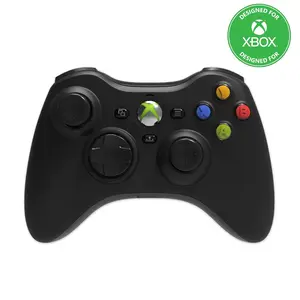
5.0
11 sold
-17%$57.28$68.74
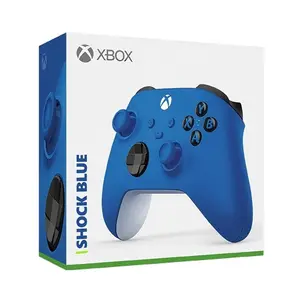


5.0
169 sold
-15%$61.73$72.96


Newegg, Inc.
5.0
28 sold
$83.63
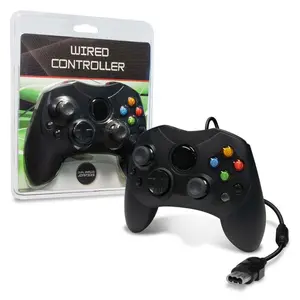


Newegg, Inc.
4.8
22 sold
$77.45

Related Searches
Related Categories
Introduction
If you're looking to enhance your gaming experience, understanding the Xbox controller driver is essential. This driver acts as the bridge between your Xbox controller and your gaming system, ensuring smooth gameplay and responsive controls. Whether you're playing on a PC or an Xbox console, having the correct driver installed is crucial for optimal performance.
Here are some key points to consider:
Here are some key points to consider:
- Compatibility: Ensure that your Xbox controller driver is compatible with your operating system, whether it's Windows, macOS, or Linux.
- Installation: Installing the driver is usually straightforward. Most systems will automatically recognize the controller when connected, but you may need to download the latest drivers from the official Xbox website for full functionality.
- Updates: Regularly check for updates to your Xbox controller driver to improve performance and fix any bugs. Keeping your driver updated ensures that you have the latest features and enhancements.
- Troubleshooting: If you encounter issues, uninstalling and reinstalling the driver can often resolve connectivity problems.