Results for "wireless lavalier microphone how to use"
A wireless lavalier microphone is a small clip-on microphone that transmits audio wirelessly, allowing for hands-free operation and mobility during recordings or performances.

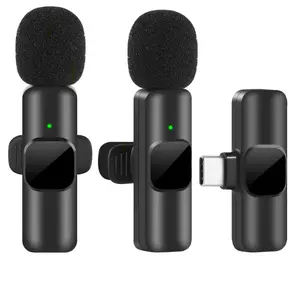
-24%$6.60$8.68


Related Searches
Related Categories
Introduction
Using a wireless lavalier microphone can greatly enhance your audio recording experience, whether you're filming a video, conducting an interview, or performing on stage. These compact microphones are designed to be clipped to clothing, providing high-quality sound capture while allowing the speaker to move freely. To get started with your wireless lavalier microphone, follow these essential steps:
- Set Up the Receiver: Connect the receiver to your recording device, whether it's a camera, smartphone, or audio recorder. Ensure it is powered on and set to the correct channel to match the transmitter.
- Attach the Transmitter: Clip the transmitter to your clothing, preferably near your collar or chest area for optimal sound quality. Make sure the microphone is unobstructed and facing your mouth.
- Adjust Settings: Check the audio levels on both the transmitter and receiver. Adjust the gain settings to avoid distortion while ensuring the sound is clear and audible.
- Test the Audio: Before starting your recording, conduct a quick audio test. Speak at your normal volume and check for clarity and volume levels on your recording device.
- Monitor the Sound: If possible, use headphones to monitor the audio in real-time. This ensures you catch any issues before they become a problem.