Results for "what is a card reader"

A card reader is a device that allows users to access data stored on memory cards, commonly used in cameras, smartphones, and other devices. It connects to a computer or other devices via USB or other interfaces, facilitating data transfer and management.

Featured brands
Authenticated productsVerified shops

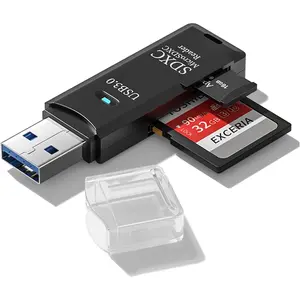
Verbatim Pocket Card Reader, USB 3.0 - Black
Free shipping
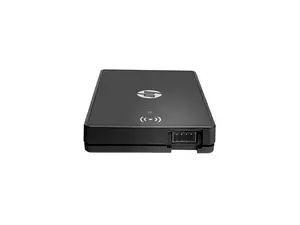
HP Keystroke Card Reader Y7C05B
Free shipping
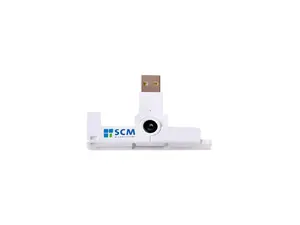
SCM SCR3500 USB 2.0 Portable ID1 Contact smart Card Reader
Free shipping

Introduction

A card reader is an essential tool for anyone who works with digital media, especially photographers and videographers. It provides a simple and efficient way to transfer photos, videos, and files from memory cards to your computer or other devices. With a card reader, you can easily access the contents of your SD, microSD, or other types of memory cards without needing to connect the camera or device directly. This makes it a popular choice among professionals and hobbyists alike.

When selecting a card reader, consider the following features:
  • Compatibility: Ensure the card reader supports the type of memory cards you use.
  • Speed: Look for USB 3.0 or higher for faster data transfer rates.
  • Multi-card support: Some readers can handle various card formats, which is convenient for users with multiple devices.
  • Portability: A compact and lightweight design is ideal for on-the-go use.
By using a card reader, you can enhance your workflow and save time when managing your digital content. Proven quality and customer-approved, a reliable card reader is a must-have for anyone dealing with digital files regularly. Remember to keep your card reader updated and check for compatibility with new card formats to ensure seamless data transfer.

FAQs

How can I choose the best card reader for my needs?

Consider the types of memory cards you use, the speed of data transfer you require, and whether you need a multi-card reader that supports various formats.

What are the key features to look for when selecting products in USB Hubs & Card Readers?

Look for compatibility with your devices, transfer speed (preferably USB 3.0 or higher), and the number of ports available for connecting multiple devices.

Are there any common mistakes people make when purchasing a card reader?

One common mistake is not checking compatibility with their memory cards or devices, which can lead to frustration and wasted time.

Can I use a card reader with my smartphone?

Yes, many card readers are compatible with smartphones, especially those that support USB OTG (On-The-Go) functionality.

How do I safely eject a card reader from my computer?

Always use the 'Safely Remove Hardware' option in your computer's system tray to prevent data loss or corruption before unplugging the card reader.