Results for "verizon fios remote"
The Verizon Fios remote is a versatile device designed to control your Fios TV service, including channel navigation, volume control, and more. It enhances your viewing experience by providing easy access to your favorite shows and features.
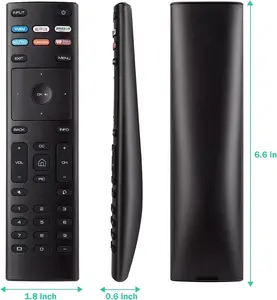
4.4
125 sold
-47%$11.11$21.11


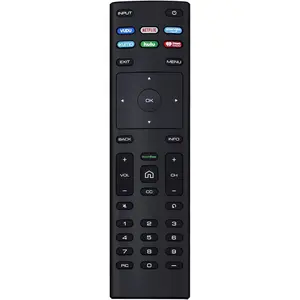




1.0
6 sold
-43%$16.43$28.89


![Replacemt New Remote 289138001 Compatible for Bose 321 Series I Audio/Video AV Receiver [Work with Series I of Bose 321 ONLY] (Instruction Included)](https://p16-oec-general-useast5.ttcdn-us.com/tos-useast5-i-omjb5zjo8w-tx/8df9f9611f554856a9711023e6990e79~tplv-fhlh96nyum-crop-webp:300:299.webp?dr=12190&t=555f072d&ps=933b5bde&shp=8dbd94bf&shcp=a6e80448&idc=useast5&from=2378011839 "Replacemt New Remote 289138001 Compatible for Bose 321 Series I Audio/Video AV Receiver [Work with Series I of Bose 321 ONLY] (Instruction Included)")

5.0
2 sold
-15%$23.62$27.78


![[2 Packs] Universal Vizio Remote XRT260 Replaced IR Fit for All VIZIO Smart TV Smartcast 4K P-Series V-Series D-Series M-Series XRT136 XRT140 with Hbomax,Netflix,PrimeVideo,Plutotv,iHeartRadio,Crackle](https://p19-oec-general-useast5.ttcdn-us.com/tos-useast5-i-omjb5zjo8w-tx/9cb60524bbde49338133f79f7e5be782~tplv-fhlh96nyum-crop-webp:225:300.webp?dr=12190&t=555f072d&ps=933b5bde&shp=8dbd94bf&shcp=a6e80448&idc=useast5&from=2378011839 "[2 Packs] Universal Vizio Remote XRT260 Replaced IR Fit for All VIZIO Smart TV Smartcast 4K P-Series V-Series D-Series M-Series XRT136 XRT140 with Hbomax,Netflix,PrimeVideo,Plutotv,iHeartRadio,Crackle")


![Besia TV Remote for Insignia or Toshiba Fire TV Edition 49LF421U19 50LF621U19 55LF621U19 TF-43A810U21 NS-24DF310NA21 NS-39DF310NA21 NS-39DF510NA19 NS-43DF710NA19 [No Voice Fuction ]](https://p16-oec-general-useast5.ttcdn-us.com/tos-useast5-i-omjb5zjo8w-tx/0e3b9f7f48c64e338f1ea447baaf53ad~tplv-fhlh96nyum-crop-webp:226:300.webp?dr=12190&t=555f072d&ps=933b5bde&shp=8dbd94bf&shcp=a6e80448&idc=useast5&from=2378011839 "Besia TV Remote for Insignia or Toshiba Fire TV Edition 49LF421U19 50LF621U19 55LF621U19 TF-43A810U21 NS-24DF310NA21 NS-39DF310NA21 NS-39DF510NA19 NS-43DF710NA19 [No Voice Fuction ]")


Related Searches
Related Categories
Introduction
If you're a Verizon Fios user, having the right remote can significantly enhance your television experience. The Verizon Fios remote is not just a simple device; it's your gateway to a world of entertainment. With its user-friendly design, you can easily navigate through channels, adjust the volume, and access various features of your Fios TV service. Whether you're watching live sports, binge-watching your favorite series, or enjoying movies on demand, the Verizon Fios remote ensures that you have complete control at your fingertips.
One of the standout features of the Verizon Fios remote is its compatibility with voice commands, allowing you to search for shows and control playback hands-free. This feature is particularly beneficial for those who prefer a seamless viewing experience without the hassle of searching through multiple menus.
Additionally, the remote is equipped with programmable buttons, enabling you to customize your viewing experience to suit your preferences. You can easily switch between devices, access apps, and even record shows with just a few clicks.
If you're looking for accessories to enhance your remote experience, consider investing in protective cases or charging stations to keep your remote in top condition. With the right accessories, your Verizon Fios remote can last longer and perform better, ensuring that you never miss a moment of your favorite content.
In conclusion, the Verizon Fios remote is an essential accessory for any Fios user, combining functionality with convenience to deliver an exceptional viewing experience.
One of the standout features of the Verizon Fios remote is its compatibility with voice commands, allowing you to search for shows and control playback hands-free. This feature is particularly beneficial for those who prefer a seamless viewing experience without the hassle of searching through multiple menus.
Additionally, the remote is equipped with programmable buttons, enabling you to customize your viewing experience to suit your preferences. You can easily switch between devices, access apps, and even record shows with just a few clicks.
If you're looking for accessories to enhance your remote experience, consider investing in protective cases or charging stations to keep your remote in top condition. With the right accessories, your Verizon Fios remote can last longer and perform better, ensuring that you never miss a moment of your favorite content.
In conclusion, the Verizon Fios remote is an essential accessory for any Fios user, combining functionality with convenience to deliver an exceptional viewing experience.