Results for "samsung reprogram remote"
Samsung reprogram remote refers to the process of resetting or reconfiguring a Samsung remote control to work with specific devices, enhancing its functionality and compatibility.


![[Pack of 2] New Universal Remote for All Samsung TV Remote, Replacement Compatible for All Samsung Smart TV, LED, LCD, HDTV, 3D, Series TV](https://p16-oec-general-useast5.ttcdn-us.com/tos-useast5-i-omjb5zjo8w-tx/bd50cd674f294dc28e43d67a5726c86d~tplv-fhlh96nyum-crop-webp:300:300.webp?dr=12190&t=555f072d&ps=933b5bde&shp=8dbd94bf&shcp=a6e80448&idc=useast5&from=2378011839 "[Pack of 2] New Universal Remote for All Samsung TV Remote, Replacement Compatible for All Samsung Smart TV, LED, LCD, HDTV, 3D, Series TV")


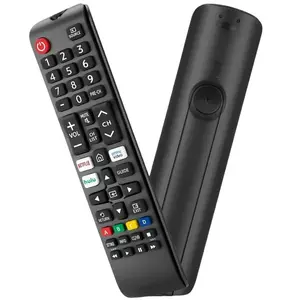
5.0
13 sold
-52%$11.69$24.45


![[Pack of 2] New Universal Remote for All Samsung TV Remote, Replacement Compatible for All Samsung Smart TV, LED, LCD, HDTV, 3D, Series TV-USA](https://p16-oec-general-useast5.ttcdn-us.com/tos-useast5-i-omjb5zjo8w-tx/63857d7e01d1451f8e8f6b9866c046ea~tplv-fhlh96nyum-crop-webp:300:300.webp?dr=12190&t=555f072d&ps=933b5bde&shp=8dbd94bf&shcp=a6e80448&idc=useast5&from=2378011839 "[Pack of 2] New Universal Remote for All Samsung TV Remote, Replacement Compatible for All Samsung Smart TV, LED, LCD, HDTV, 3D, Series TV-USA")


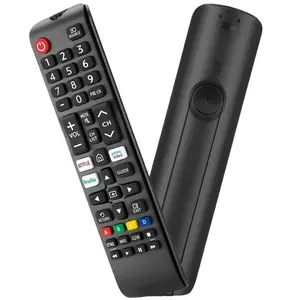
3.6
38 sold
-50%$11.69$23.39


Related Searches
Related Categories
Introduction
If you're looking to enhance your home entertainment experience, knowing how to Samsung reprogram remote is essential. This process allows you to reset or reconfigure your Samsung remote control, ensuring it works seamlessly with your television or other devices. Whether you've lost the original remote or simply want to pair a new one, understanding how to reprogram can save you time and frustration.
Here are some common scenarios where reprogramming your Samsung remote may be necessary:
To successfully reprogram your Samsung remote, follow these steps:
Mastering the Samsung reprogram remote process not only enhances your control over your devices but also ensures that you can easily switch between functions without hassle. Proven quality and customer-approved, this knowledge empowers you to make the most out of your Samsung products, trusted by thousands worldwide. Regularly revisiting these steps can keep your home entertainment setup running smoothly.
Here are some common scenarios where reprogramming your Samsung remote may be necessary:
- Switching between multiple devices such as TVs, Blu-ray players, or sound systems.
- Replacing a lost or broken remote.
- Updating settings after a software upgrade.
- Resolving pairing issues with your Samsung devices.
To successfully reprogram your Samsung remote, follow these steps:
- Identify the device you want to control.
- Locate the setup button on your remote.
- Follow the specific programming instructions for your device model.
Mastering the Samsung reprogram remote process not only enhances your control over your devices but also ensures that you can easily switch between functions without hassle. Proven quality and customer-approved, this knowledge empowers you to make the most out of your Samsung products, trusted by thousands worldwide. Regularly revisiting these steps can keep your home entertainment setup running smoothly.