Results for "roku tv update"
A Roku TV update refers to the software enhancements and improvements made to Roku-enabled televisions, aimed at providing users with new features, performance improvements, and bug fixes.


4.7
263 sold
-53%$8.99$18.99

5.0
2 sold
-50%$22.97$45.94


4.9
57 sold
-20%$35.99$45.00

4.7
713 sold
-32%$33.98$49.99


4.3
82 sold
-14%$25.90$29.99
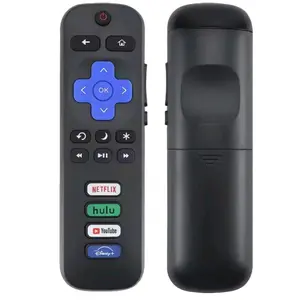
![New Universal Remote fit for All Roku TV(JVC/RCA/Philips/Element/LG/TCL and More), Roku Box/Player/Express, Bose Wave I/II/III/IV and Apple 1/2/3 Generations [NOT for Roku Stick]](https://p16-oec-general-useast5.ttcdn-us.com/tos-useast5-i-omjb5zjo8w-tx/0a4ef380c2ba464d8b4012d387478710~tplv-fhlh96nyum-crop-webp:280:300.webp?dr=12190&t=555f072d&ps=933b5bde&shp=8dbd94bf&shcp=a6e80448&idc=useast5&from=2378011839 "New Universal Remote fit for All Roku TV(JVC/RCA/Philips/Element/LG/TCL and More), Roku Box/Player/Express, Bose Wave I/II/III/IV and Apple 1/2/3 Generations [NOT for Roku Stick]")






Related Searches
Related Categories
Introduction
Keeping your Roku TV updated is essential for ensuring optimal performance and access to the latest features. A Roku TV update can introduce a variety of enhancements, including improved streaming capabilities, new app support, and user interface improvements that enhance your viewing experience. Regular updates are crucial as they not only add exciting functionalities but also address any security vulnerabilities and bugs that may affect your device.
Users often wonder how to check for these updates or what benefits they bring. Here’s what you need to know about Roku TV updates:
Users often wonder how to check for these updates or what benefits they bring. Here’s what you need to know about Roku TV updates:
- Automatic Updates: Roku TVs are designed to update automatically when connected to the internet, ensuring you always have the latest version.
- Manual Updates: You can manually check for updates by going to the Settings menu, selecting System, and then System Update.
- Benefits: Updates may include new channels, enhanced performance, and fixes for known issues, making your streaming experience smoother.