Results for "replace iphone 8 screen"
Replacing an iPhone 8 screen involves removing the damaged screen and installing a new one, which can restore the device's functionality and appearance.


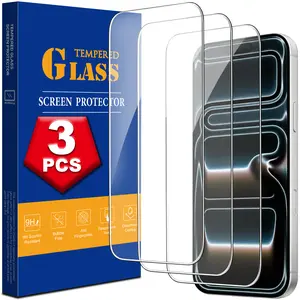
![[3-Pack] Qixxronics IPhone 7 / IPhone 8 Tempered Glass Screen Protector Case-Friendly HD Clear Glass Film Protector Cover for iPhone](https://p16-oec-general-useast5.ttcdn-us.com/tos-useast5-i-omjb5zjo8w-tx/77d6d0d8bfd447df957ecdf31f77f5a7~tplv-fhlh96nyum-crop-webp:300:300.webp?dr=12190&t=555f072d&ps=933b5bde&shp=8dbd94bf&shcp=a6e80448&idc=useast5&from=2378011839 "[3-Pack] Qixxronics IPhone 7 / IPhone 8 Tempered Glass Screen Protector Case-Friendly HD Clear Glass Film Protector Cover for iPhone")


Newegg, Inc.

-26%$33.03$44.83


4.6
685 sold
-30%$5.86$8.36


![[WeeklyDeals]5000mAh Magnetic Power Bank MagSafe Wireless Fast Charger for iPhone 12–17 Pro/Pro Max, Compact Portable Battery Pack](https://p19-oec-general-useast5.ttcdn-us.com/tos-useast5-i-omjb5zjo8w-tx/4913c71ddd7f4e96924bf8164fdaa7c9~tplv-fhlh96nyum-crop-webp:300:300.webp?dr=12190&t=555f072d&ps=933b5bde&shp=8dbd94bf&shcp=a6e80448&idc=useast5&from=2378011839 "[WeeklyDeals]5000mAh Magnetic Power Bank MagSafe Wireless Fast Charger for iPhone 12–17 Pro/Pro Max, Compact Portable Battery Pack")


-25%$17.68$23.60


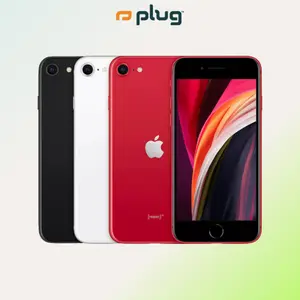
plug - shop tech
5.0
3 sold
-25%$143.16$190.88
![[3PC] For Apple iPhone 17 17e Air 16 16e 15 Pro 14 Plus 13 12 Mini 11 Pro Max X XR Xs Max 8 7 6 SE 2020 2 SE 2023 Tempered Glasses Screen Protector](https://p16-oec-general-useast5.ttcdn-us.com/tos-useast5-i-omjb5zjo8w-tx/a666240a4b83421f99ff73bd9185fbb4~tplv-fhlh96nyum-crop-webp:300:300.webp?dr=12190&t=555f072d&ps=933b5bde&shp=8dbd94bf&shcp=a6e80448&idc=useast5&from=2378011839 "[3PC] For Apple iPhone 17 17e Air 16 16e 15 Pro 14 Plus 13 12 Mini 11 Pro Max X XR Xs Max 8 7 6 SE 2020 2 SE 2023 Tempered Glasses Screen Protector")


Related Searches
Related Categories
Introduction
If you're looking to replace your iPhone 8 screen, you're not alone. Many users face screen damage due to drops or accidents, making screen replacement a common necessity. Replacing the iPhone 8 screen can seem daunting, but with the right tools and guidance, it can be a manageable task.
Here are some important considerations when replacing your iPhone 8 screen:
Replacing the iPhone 8 screen not only enhances the device's look but also improves usability. Remember to handle all components carefully and take your time during the replacement process. With the right approach, you can have your iPhone 8 looking and functioning like new again!
Here are some important considerations when replacing your iPhone 8 screen:
- Proven Quality: Ensure that you source a high-quality replacement screen. There are many options available, but not all are created equal. Look for screens that come with warranties or are customer-approved.
- Tools Required: You will need specific tools, including a pentalobe screwdriver, suction cup, and spudger, to safely remove the old screen and install the new one.
- Step-by-Step Process: Follow a reliable guide or video tutorial to ensure you don’t miss any steps. This can help prevent further damage to your device.
- Testing: After installation, test the new screen thoroughly to ensure touch functionality and display quality.
Replacing the iPhone 8 screen not only enhances the device's look but also improves usability. Remember to handle all components carefully and take your time during the replacement process. With the right approach, you can have your iPhone 8 looking and functioning like new again!