Results for "raspberry pi chromecast"

The Raspberry Pi Chromecast refers to a project that allows users to stream content to their TV using a Raspberry Pi device, mimicking the functionality of a Chromecast.

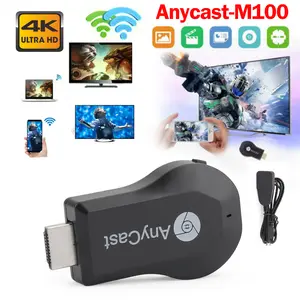
True 4K M100 TV Stick HDM WiFi Wireless Dongle Receiver TV Streamer
Free shipping
Roku Streaming Stick 4K Media Player with Voice Remote
Free shipping
Raspberry Pi Zero 2 W
5.015 sold
$24.79

Introduction

The Raspberry Pi Chromecast is an innovative way to turn your Raspberry Pi into a streaming device, enabling you to cast content directly to your television. This project appeals to tech enthusiasts and DIYers who want to enhance their home entertainment setup without the need for expensive hardware. By utilizing the Raspberry Pi, you can access a variety of streaming services, play local media files, and even mirror your mobile device's screen. The versatility of the Raspberry Pi allows for customization, making it a favorite among hobbyists.

Here are some key features and benefits of using a Raspberry Pi Chromecast:
  • Cost-effective: Transform your existing Raspberry Pi into a powerful streaming device without breaking the bank.
  • Customizable: Tailor your setup according to your preferences, including various software options.
  • Wide compatibility: Supports numerous streaming services, making it a versatile addition to your home entertainment system.
  • Community support: Benefit from a large community of users sharing tips, tricks, and troubleshooting advice.
With proven quality and customer-approved performance, the Raspberry Pi Chromecast project is a fantastic option for those looking to explore the world of streaming technology. Whether you're a seasoned techie or a beginner, this project can provide hours of entertainment and learning opportunities. Regular updates and community involvement ensure that you stay ahead in the ever-evolving landscape of streaming technology.

FAQs

How can I set up my Raspberry Pi as a Chromecast?

To set up your Raspberry Pi as a Chromecast, you will need to install a compatible operating system and software that supports casting. Popular options include Raspbian with the RPiPlay or OpenSource Chromecast software. Follow the installation instructions provided by the software documentation for a smooth setup.

What streaming services can I use with Raspberry Pi Chromecast?

You can use various streaming services with Raspberry Pi Chromecast, including YouTube, Netflix, Spotify, and more, depending on the software you choose to install. Make sure to check compatibility with the specific casting software.

Are there any special requirements for using Raspberry Pi as a Chromecast?

Yes, you will need a Raspberry Pi device, a stable internet connection, and a compatible operating system. Additionally, ensure that your TV has an HDMI port for the Raspberry Pi to connect.

Can I mirror my mobile device to the Raspberry Pi Chromecast?

Yes, if you have the right software installed, you can mirror your mobile device's screen to the Raspberry Pi Chromecast. This feature allows you to share content from your mobile device directly to your TV.

Is the Raspberry Pi Chromecast suitable for beginners?

Yes, the Raspberry Pi Chromecast can be suitable for beginners, especially those interested in learning about technology. There are many online resources and community support available to help you through the setup process.