Results for "pc case fan"
A PC case fan is an essential component in computer systems, designed to enhance airflow and maintain optimal temperatures within the case. These fans help dissipate heat generated by various hardware components, ensuring stable performance and longevity of your PC.


4.3
17 sold
-40%$13.26$22.10


Newegg, Inc.

5.0
28 sold
-33%$69.65$103.95


Newegg, Inc.
3.8
106 sold
-30%$64.45$92.10

Newegg, Inc.
3.0
14 sold
-40%$60.04$100.04


Newegg, Inc.
3.8
9 sold
-44%$73.98$132.98


Newegg, Inc.
4.5
21 sold
-35%$60.58$92.77


Related Searches
Related Categories
Introduction
When it comes to building or upgrading your computer, selecting the right PC case fan is crucial for maintaining efficient cooling and overall system performance. PC case fans come in various sizes and styles, designed to fit different cases and meet specific cooling needs. By promoting airflow, these fans help to keep your components cool, which is essential for preventing overheating during intense gaming sessions or heavy workloads.
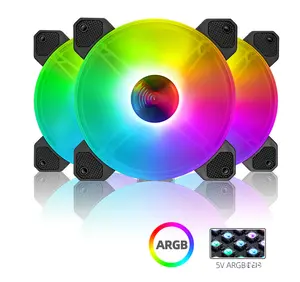
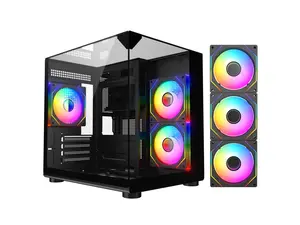
In addition to their primary function of cooling, PC case fans can also contribute to the aesthetics of your setup. Many fans feature LED lighting options that can enhance the visual appeal of your build.
Choosing the right PC case fan involves considering factors such as size (commonly 120mm or 140mm), airflow (measured in CFM), and noise levels (measured in dBA). It's important to strike a balance between performance and noise, especially if you prefer a quieter workspace.
Moreover, utilizing multiple fans can create a positive airflow setup, where cool air is drawn in from the front and warm air is expelled from the back and top of the case. This not only improves cooling efficiency but also contributes to a more stable system overall.
In summary, investing in quality PC case fans is a smart choice for any PC builder or gamer looking to enhance their system's performance and longevity. With the right selection, you can ensure your PC remains cool and operates smoothly, providing you with an exceptional computing experience.
In addition to their primary function of cooling, PC case fans can also contribute to the aesthetics of your setup. Many fans feature LED lighting options that can enhance the visual appeal of your build.
Choosing the right PC case fan involves considering factors such as size (commonly 120mm or 140mm), airflow (measured in CFM), and noise levels (measured in dBA). It's important to strike a balance between performance and noise, especially if you prefer a quieter workspace.
Moreover, utilizing multiple fans can create a positive airflow setup, where cool air is drawn in from the front and warm air is expelled from the back and top of the case. This not only improves cooling efficiency but also contributes to a more stable system overall.
In summary, investing in quality PC case fans is a smart choice for any PC builder or gamer looking to enhance their system's performance and longevity. With the right selection, you can ensure your PC remains cool and operates smoothly, providing you with an exceptional computing experience.