Results for "miniso wireless earphones how to connect"
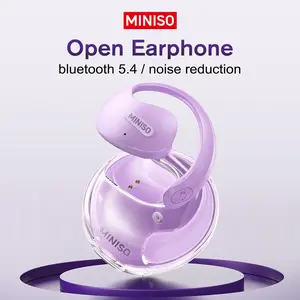
Miniso wireless earphones are Bluetooth-enabled audio devices designed for convenient, cable-free listening experiences.


![[New Year's gift] MINISO X28 Wireless Earbuds Bluetooth 6.0 Earphones, In Ear Earbuds,Waterproof Wireless Earphones, Support 148 Languages Real Time ,Suitable for Office, Sports, Study and Audio Calls, Built in Microphone, Gaming Bluetooth Headphones](https://p16-oec-general-useast5.ttcdn-us.com/tos-useast5-i-omjb5zjo8w-tx/b559082dd4cb4b669d2869b28fefba14~tplv-fhlh96nyum-crop-webp:300:300.webp?dr=12190&t=555f072d&ps=933b5bde&shp=8dbd94bf&shcp=a6e80448&idc=useast5&from=2378011839 "[New Year's gift] MINISO X28 Wireless Earbuds Bluetooth 6.0 Earphones, In Ear Earbuds,Waterproof Wireless Earphones, Support 148 Languages Real Time ,Suitable for Office, Sports, Study and Audio Calls, Built in Microphone, Gaming Bluetooth Headphones")


4.6
1.2K sold
-66%$16.99$49.99


Related Searches
Related Categories
Introduction
Connecting your Miniso wireless earphones is a straightforward process that allows you to enjoy your favorite music without the hassle of tangled wires. To start, ensure that your earphones are charged and . Typically, you can activate pairing mode by holding down the power button until you see a flashing light. Next, navigate to the Bluetooth settings on your device, whether it's a smartphone, tablet, or computer. Look for the name of your Miniso earphones in the list of available devices, and select it to establish a connection. Once paired, you’ll hear a confirmation sound, and your earphones are ready to use.
Here are some quick tips for connecting your Miniso wireless earphones:
With proven quality and customer-approved designs, Miniso wireless earphones offer a seamless audio experience. Regularly check for software updates on your devices for optimal performance. Enjoy the freedom of wireless listening with Miniso earphones, perfect for workouts, commutes, or casual listening. Remember, if you encounter any issues, resetting your earphones often resolves connectivity problems. Happy listening!
Here are some quick tips for connecting your Miniso wireless earphones:
- Ensure Bluetooth is enabled on your device.
- Keep your earphones close to your device during pairing.
- Refer to the user manual for specific instructions related to your model.
With proven quality and customer-approved designs, Miniso wireless earphones offer a seamless audio experience. Regularly check for software updates on your devices for optimal performance. Enjoy the freedom of wireless listening with Miniso earphones, perfect for workouts, commutes, or casual listening. Remember, if you encounter any issues, resetting your earphones often resolves connectivity problems. Happy listening!