Results for "macbook air windows"
The MacBook Air is a lightweight laptop designed by Apple, known for its sleek design and portability. While it runs macOS, some users seek to run Windows on it for compatibility with specific applications.
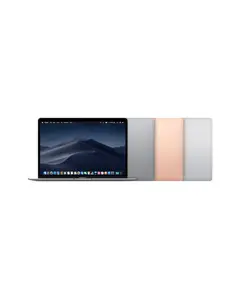
4.8
395 sold
-20%$296.00$369.99


4.8
715 sold
-13%$277.53$319.00


4.9
29 sold
-11%$729.00$819.00


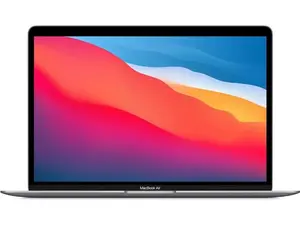
4.8
77 sold
-24%$379.10$499.00


![Tempered Glass Screen Protector for 2025-2022 MacBook Air M4 M3 M2 13.6" (A3240 A3113 A2681), MacBook Air 13 M4 M3 M2 Chip Screen Protector [9H Hardness Tempered Glass] [No bubbles] [Anti Fingerprint]](https://p16-oec-general-useast5.ttcdn-us.com/tos-useast5-i-omjb5zjo8w-tx/72ebdc8ab9654e08b63c18383409f808~tplv-fhlh96nyum-crop-webp:300:300.webp?dr=12190&t=555f072d&ps=933b5bde&shp=8dbd94bf&shcp=a6e80448&idc=useast5&from=2378011839 "Tempered Glass Screen Protector for 2025-2022 MacBook Air M4 M3 M2 13.6\" (A3240 A3113 A2681), MacBook Air 13 M4 M3 M2 Chip Screen Protector [9H Hardness Tempered Glass] [No bubbles] [Anti Fingerprint]")


Related Searches
Related Categories
Introduction
The MacBook Air is a popular choice among users looking for a combination of portability and performance. This laptop is renowned for its ultra-thin design and powerful hardware, making it ideal for students, professionals, and anyone on the go. However, many users wonder if they can run Windows on their MacBook Air. This is particularly important for those who need access to Windows-only applications or prefer the Windows operating system for their daily tasks.
To run Windows on a MacBook Air, users can utilize Boot Camp, a built-in utility that allows you to partition your hard drive and install Windows alongside macOS. This means you can switch between operating systems as needed, providing flexibility for various tasks. Additionally, virtualization software like Parallels Desktop or VMware Fusion can be used to run Windows applications without rebooting.
Here are some key points to consider when running Windows on a MacBook Air:
To run Windows on a MacBook Air, users can utilize Boot Camp, a built-in utility that allows you to partition your hard drive and install Windows alongside macOS. This means you can switch between operating systems as needed, providing flexibility for various tasks. Additionally, virtualization software like Parallels Desktop or VMware Fusion can be used to run Windows applications without rebooting.
Here are some key points to consider when running Windows on a MacBook Air:
- Performance: Running Windows via Boot Camp usually provides better performance than virtualization.
- Compatibility: Ensure your applications are compatible with the version of Windows you choose.
- Storage: Make sure you have enough storage space for both operating systems.
- Backup: Always back up your data before partitioning your drive.
- Support: Apple offers support for Boot Camp, but third-party software may vary in support options.