Results for "iphone screen sensitive"
iPhone screen sensitivity refers to how responsive the touchscreen is to touch input, affecting user experience and interaction with the device.


![Screen Protector Compatible with iPhone 17 /iPhone 17Pro/iPhone 16 Pro/iPhone 13, Tempered Glass [9H+ Hardness] [Military-Grade Drop Protection] [Sensitive Touch] [Easy Installation Frame] [HD Clear]](https://p16-oec-general-useast5.ttcdn-us.com/tos-useast5-i-omjb5zjo8w-tx/4886ad4d57e14256ae2dc2da7ddb4aee~tplv-fhlh96nyum-crop-webp:300:300.webp?dr=12190&t=555f072d&ps=933b5bde&shp=8dbd94bf&shcp=a6e80448&idc=useast5&from=2378011839 "Screen Protector Compatible with iPhone 17 /iPhone 17Pro/iPhone 16 Pro/iPhone 13, Tempered Glass [9H+ Hardness] [Military-Grade Drop Protection] [Sensitive Touch] [Easy Installation Frame] [HD Clear]")
![[8in1] 5-Piece Privacy Screen Protector for iPhone 16E 16 15 14 13 17 Pro Max Plus 17 Air with 3-piece Camera Lens Protector Anti Spy Tempered Glass Film 9H Hardness Case Friendly](https://p16-oec-general-useast5.ttcdn-us.com/tos-useast5-i-omjb5zjo8w-tx/7b26bef5f7e0483194d9503b772b3fda~tplv-fhlh96nyum-crop-webp:300:300.webp?dr=12190&t=555f072d&ps=933b5bde&shp=8dbd94bf&shcp=a6e80448&idc=useast5&from=2378011839 "[8in1] 5-Piece Privacy Screen Protector for iPhone 16E 16 15 14 13 17 Pro Max Plus 17 Air with 3-piece Camera Lens Protector Anti Spy Tempered Glass Film 9H Hardness Case Friendly")

![[Limited-Time Clearance] PuyaTeya 2PCS Phone Screen Protector Unbreak Top 9H+ Glass for iPhone, Screen Protector 12FT Military Armor Shatterproof Longest Durable 1:1 Full-Coverage Tempered Glass Auto-Align Fit Bubble-free](https://p16-oec-general-useast5.ttcdn-us.com/tos-useast5-i-omjb5zjo8w-tx/7a485492a20846b380fe1b03be63b26d~tplv-fhlh96nyum-crop-webp:300:300.webp?dr=12190&t=555f072d&ps=933b5bde&shp=8dbd94bf&shcp=a6e80448&idc=useast5&from=2378011839 "[Limited-Time Clearance] PuyaTeya 2PCS Phone Screen Protector Unbreak Top 9H+ Glass for iPhone, Screen Protector 12FT Military Armor Shatterproof Longest Durable 1:1 Full-Coverage Tempered Glass Auto-Align Fit Bubble-free")

![for iPhone 17 Screen Protector 3 Pack, [9H+ Hardness] [Military-Grade Drop Protection] [Sensitive Touch] [Easy Installation] [HD Clear] Full Edge Coverage Tempered Glass for 6.3 inch](https://p16-oec-general-useast5.ttcdn-us.com/tos-useast5-i-omjb5zjo8w-tx/1837182d97264ab781b8595fa80c0b28~tplv-fhlh96nyum-crop-webp:300:300.webp?dr=12190&t=555f072d&ps=933b5bde&shp=8dbd94bf&shcp=a6e80448&idc=useast5&from=2378011839 "for iPhone 17 Screen Protector 3 Pack, [9H+ Hardness] [Military-Grade Drop Protection] [Sensitive Touch] [Easy Installation] [HD Clear] Full Edge Coverage Tempered Glass for 6.3 inch")


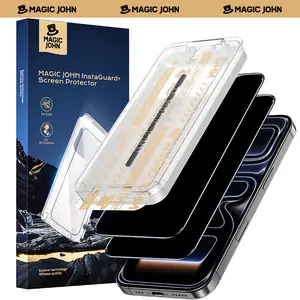
MAGIC JOHN

4.5
4.5K sold
-52%$22.01$45.39


MAGIC JOHN
4.4
30.9K sold
-52%$21.93$45.23


![[2+2Pack] iPhone 17/16/15/14/13/12/11 Privacy Screen & Camera Lens Protector - 28° Anti-Peeping 9H Scratch-Resistant Tempered Glass 2.5D Curved Edges 10-Second Bubble-Free Installation Protect Your Phone with Shock-Resistant Cases for Smartphones](https://p16-oec-general-useast5.ttcdn-us.com/tos-useast5-i-omjb5zjo8w-tx/377fb35c546b49cf80a82b959b916f20~tplv-fhlh96nyum-crop-webp:300:300.webp?dr=12190&t=555f072d&ps=933b5bde&shp=8dbd94bf&shcp=a6e80448&idc=useast5&from=2378011839 "[2+2Pack] iPhone 17/16/15/14/13/12/11 Privacy Screen & Camera Lens Protector - 28° Anti-Peeping 9H Scratch-Resistant Tempered Glass 2.5D Curved Edges 10-Second Bubble-Free Installation Protect Your Phone with Shock-Resistant Cases for Smartphones")

Related Searches
Related Categories
Introduction
The sensitivity of an iPhone screen is a crucial aspect that affects how users interact with their device. A highly sensitive screen allows for quick and accurate touch responses, enhancing the overall user experience. If you find that your iPhone screen is not responding as expected, it could be due to various factors such as software settings, screen protector interference, or even hardware issues.
Here are some important points to consider regarding iPhone screen sensitivity:
Here are some important points to consider regarding iPhone screen sensitivity:
- Software Settings: Ensure that your device is updated to the latest iOS version, as updates often include fixes that can improve screen sensitivity.
- Screen Protectors: Some screen protectors can reduce touch sensitivity. If you notice decreased responsiveness after applying one, consider using a thinner or different type.
- Touch Accommodations: iPhones offer accessibility features that can alter screen sensitivity. Check your settings under Accessibility to ensure they are configured to your preference.
- Hardware Issues: If your screen remains unresponsive even after adjustments, there may be a hardware issue that requires professional assistance.