Results for "iphone 12 mini tricks"
The iPhone 12 Mini is a compact smartphone that packs powerful features into a smaller design, catering to users who prefer a lightweight and easy-to-handle device.


![Lightning Bolt Design Gloss MagSafe Compatible Shockproof Protective Cover with Precision Magnet Ring for [iPhone 12 Mini] 952](https://p16-oec-general-useast5.ttcdn-us.com/tos-useast5-i-omjb5zjo8w-tx/c558ba4c05104f65bb3a213dc711ca7e~tplv-fhlh96nyum-crop-webp:300:300.webp?dr=12190&t=555f072d&ps=933b5bde&shp=8dbd94bf&shcp=a6e80448&idc=useast5&from=2378011839 "Lightning Bolt Design Gloss MagSafe Compatible Shockproof Protective Cover with Precision Magnet Ring for [iPhone 12 Mini] 952")


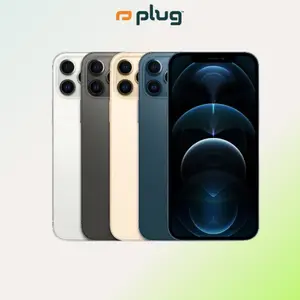
plug - shop tech

4.5
106 sold
-30%$299.99$429.99


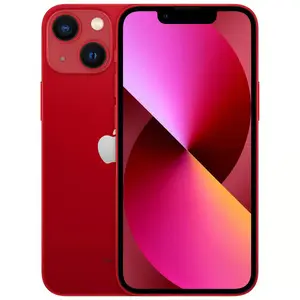
-16%$229.99$274.99


![Crown Floral Art 26 letter Phone Case, Suitable for [iPhone 12 Mini] high-end women's, Lanyard a beautiful four-leaf clover lanyard is included🍀 952](https://p16-oec-general-useast5.ttcdn-us.com/tos-useast5-i-omjb5zjo8w-tx/af569826b50245a297693e0e734efe1f~tplv-fhlh96nyum-crop-webp:300:300.webp?dr=12190&t=555f072d&ps=933b5bde&shp=8dbd94bf&shcp=a6e80448&idc=useast5&from=2378011839 "Crown Floral Art 26 letter Phone Case, Suitable for [iPhone 12 Mini] high-end women's, Lanyard a beautiful four-leaf clover lanyard is included🍀 952")

![[Magsafe Only] Needoh Phonecases, 2D Effect Tough Phone Case, Cool Crush Ice Cube Phone Case, Graphic Hard Phone Cover, Phone Accessories](https://p16-oec-general-useast5.ttcdn-us.com/tos-useast5-i-omjb5zjo8w-tx/8f5497ee3bcc4ec7a4b4c9f73b8b5e5e~tplv-fhlh96nyum-crop-webp:300:300.webp?dr=12190&t=555f072d&ps=933b5bde&shp=8dbd94bf&shcp=a6e80448&idc=useast5&from=2378011839 "[Magsafe Only] Needoh Phonecases, 2D Effect Tough Phone Case, Cool Crush Ice Cube Phone Case, Graphic Hard Phone Cover, Phone Accessories")


$29.95


plug - shop tech
4.2
32 sold
-40%$245.99$409.99
![[Mothersdaygift]5000mAh Magnetic Power Bank MagSafe Wireless Fast Charger for iPhone 12–17 Pro/Pro Max, Compact Portable Battery Pack](https://p16-oec-general-useast5.ttcdn-us.com/tos-useast5-i-omjb5zjo8w-tx/4913c71ddd7f4e96924bf8164fdaa7c9~tplv-fhlh96nyum-crop-webp:300:300.webp?dr=12190&t=555f072d&ps=933b5bde&shp=8dbd94bf&shcp=a6e80448&idc=useast5&from=2378011839 "[Mothersdaygift]5000mAh Magnetic Power Bank MagSafe Wireless Fast Charger for iPhone 12–17 Pro/Pro Max, Compact Portable Battery Pack")


Related Searches
Related Categories
Introduction
The iPhone 12 Mini is not just a smaller version of the iPhone 12; it comes with its own set of unique features and tricks that enhance the user experience. If you're looking to make the most out of your iPhone 12 Mini, understanding these tricks can significantly improve your daily interactions with the device. From customizing your home screen to utilizing hidden features, the iPhone 12 Mini offers a plethora of functionalities that can streamline your tasks and enhance your productivity.
Here are some essential tricks to help you get started with your iPhone 12 Mini:
Here are some essential tricks to help you get started with your iPhone 12 Mini:
- Face ID and Passcode: You can quickly switch between Face ID and passcode for unlocking your device, ensuring ease of access.
- Camera Shortcuts: Access the camera quickly from the lock screen by swiping left, making it easier to capture spontaneous moments.
- Control Center Customization: Personalize your Control Center by adding or removing shortcuts for quick access to features you use most.
- Widgets: Take advantage of widgets to keep important information visible and organized on your home screen.
- Battery Health Management: Monitor your battery health in Settings to ensure optimal performance and longevity.