Results for "insta360 studio app"

The Insta360 Studio app is a powerful editing software designed for users of Insta360 cameras. It allows for seamless editing of 360-degree videos and photos, enabling users to create stunning content with ease.

Featured brands
Authenticated productsVerified shops

Insta360 Dive Buddy
Free shipping
insta360 official
$69.99
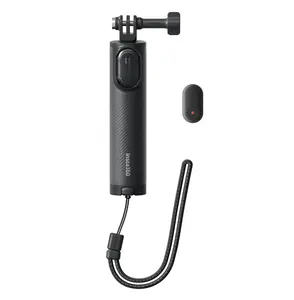
Insta360 Mini Remote
insta360 official
$29.99
Insta360 Throwpod
Free shipping
insta360 official
$49.99
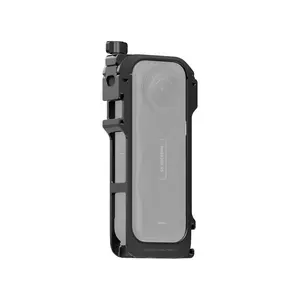
Insta360 X5 Utility Frame
Free shipping
insta360 official
$64.99
Mini 2-in-1 Tripod 2.0 Remote Kit
Free shipping
insta360 official
$54.99
Insta360 Mini 2-in-1 Tripod 2.0
Free shipping
insta360 official
5.014 sold
$34.99
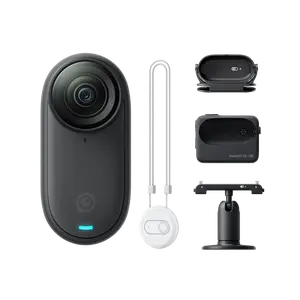
Insta360 GO Ultra Pivot Stand
insta360 official
$29.99
Insta360 X4 Air Utility Frame
Free shipping
insta360 official
$59.99
Insta360 1/4" to 3-Prong Adapter
insta360 official
$4.99
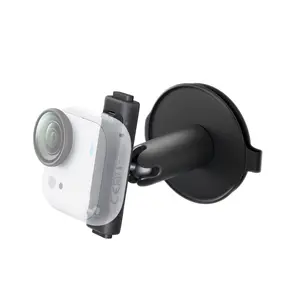
Insta360 Electric Suction Cup Mount
Free shipping
insta360 official
5.05 sold
$89.99
Insta360 Mini 2-in-1 Tripod
insta360 official
5.03 sold
$29.99
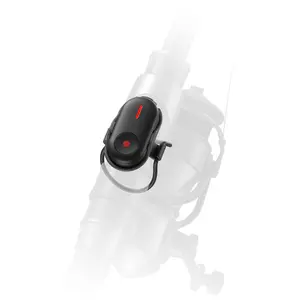
Insta360 Bike Tail Mount Kit
Free shipping
insta360 official
$69.99
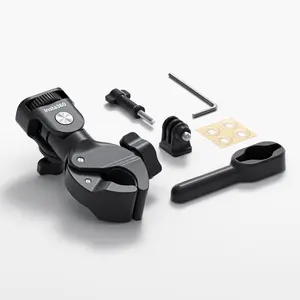
Insta360 Heavy Duty Clamp
Free shipping
insta360 official
3.77 sold
$39.99
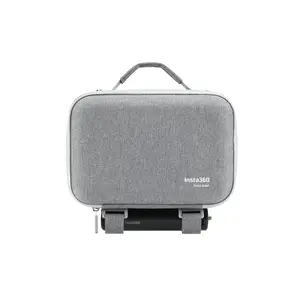
Insta360 Flow 2 Pro Carry Case
insta360 official
$24.99
Insta360  Flip Stick (1/4" Mount)
Free shipping
insta360 official
5.01 sold
$34.99

Introduction

The Insta360 Studio app is an essential tool for anyone looking to enhance their 360-degree video and photo editing experience. With its user-friendly interface, the app empowers users to transform their raw footage into captivating content. Whether you're a professional videographer or an amateur enthusiast, the Insta360 Studio app provides the necessary features to elevate your work.

Key benefits of using the Insta360 Studio app include:
  • Intuitive editing tools that simplify the editing process.
  • Advanced features like keyframe animations and object tracking.
  • Support for high-resolution exports to ensure your content looks its best.
  • Seamless integration with Insta360 cameras for a streamlined workflow.
With proven quality and customer-approved functionality, the Insta360 Studio app is trusted by thousands of users worldwide. Regular updates and improvements ensure that you always have access to the latest features and capabilities. Whether you're looking to create immersive travel videos or engaging virtual tours, the Insta360 Studio app is your go-to solution for all your editing needs.

Don't miss out on the opportunity to elevate your content creation skills. Download the Insta360 Studio app today and start exploring the endless possibilities of 360-degree editing!

FAQs

How can I choose the best settings in the Insta360 Studio app for my video?

To choose the best settings, consider the resolution of your footage, the desired output format, and the platform where you will share your video. Experiment with different settings to find the optimal balance for your specific project.

What are the key features to look for when using the Insta360 Studio app?

Key features include intuitive editing tools, keyframe animations, object tracking, and the ability to export in various resolutions. These features enhance your editing experience and allow for creative flexibility.

Are there any common mistakes people make when using the Insta360 Studio app?

Common mistakes include not utilizing the keyframe features effectively, overlooking the importance of resolution settings, and failing to preview edits before finalizing. Take time to familiarize yourself with the app's tools.

Can I use the Insta360 Studio app without an Insta360 camera?

While the app is designed for Insta360 camera users, you can still use it to edit 360-degree footage from other sources, but some features may be limited.

Is there a tutorial available for beginners using the Insta360 Studio app?

Yes, the Insta360 website offers a variety of tutorials and resources for beginners to help you get started with the app and make the most of its features.