Results for "how to switch xbox controller for keyboard"
Switching from an Xbox controller to a keyboard can enhance your gaming experience, offering more precision and control in gameplay.


Gamesir

4.8
3.6K sold
$109.44

Newegg, Inc.
5.0
45 sold
$81.53

Newegg, Inc.
4.6
73 sold
$75.51


Gamesir
4.8
4.3K sold
$142.28



Turtle Beach Gaming

4.5
939 sold
$32.82

Turtle Beach Gaming
4.6
61 sold
$54.71

Razer
5.0
24 sold
-5%$201.76$212.38

Newegg, Inc.
4.8
22 sold
$75.51

Turtle Beach Gaming
4.8
38 sold
$54.71



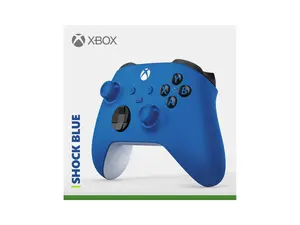
Newegg, Inc.
5.0
28 sold
$79.11


![[Price Drop] Microsoft Xbox Elite Series 2 Wireless Controller - White Accessories Game Console](https://p16-oec-general-useast5.ttcdn-us.com/tos-useast5-i-omjb5zjo8w-tx/26fd9d10f9d447d7a42b12046f863b6d~tplv-fhlh96nyum-crop-webp:300:225.webp?dr=12190&t=555f072d&ps=933b5bde&shp=8dbd94bf&shcp=a6e80448&idc=useast5&from=2378011839 "[Price Drop] Microsoft Xbox Elite Series 2 Wireless Controller - White Accessories Game Console")
Newegg, Inc.
4.4
5.7K sold
$168.84
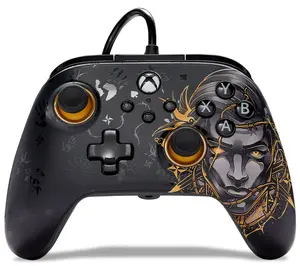


Newegg, Inc.
5.0
24 sold
$79.11

Newegg, Inc.
4.5
10 sold
-14%$132.73$153.97
![[TT Exclusive] GameSir T7 Pro Floral Wired Controller for Xbox](https://p16-oec-general-useast5.ttcdn-us.com/tos-useast5-i-omjb5zjo8w-tx/b9dd058be905452197f81661e20f68bf~tplv-fhlh96nyum-crop-webp:300:300.webp?dr=12190&t=555f072d&ps=933b5bde&shp=8dbd94bf&shcp=a6e80448&idc=useast5&from=2378011839 "[TT Exclusive] GameSir T7 Pro Floral Wired Controller for Xbox")

Gamesir
4.7
23.8K sold
$84.95


Gamesir
4.3
5.9K sold
$31.85
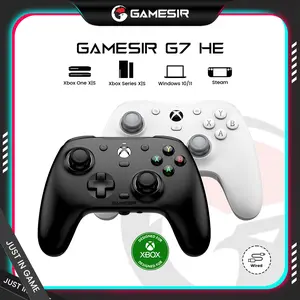
Related Searches
Related Categories
Introduction
Switching from an Xbox controller to a keyboard can significantly improve your gaming performance, especially in competitive scenarios. Many gamers find that using a keyboard allows for quicker reactions and more complex commands than a traditional controller. If you're considering making the switch, here’s what you need to know.
**Why Switch to a Keyboard?**
- **Precision:** A keyboard offers more precise control, especially in fast-paced games.
- **Customization:** You can remap keys to suit your playstyle, giving you an edge in gameplay.
- **Comfort:** For some, typing on a keyboard is more comfortable than using a controller for extended periods.
**How to Make the Switch:**
1. **Connect Your Keyboard:** Ensure your keyboard is connected to your gaming setup. If you’re using a PC, simply plug it in. For consoles, check if your console supports keyboard input.
2. **Adjust Game Settings:** Go into your game settings and look for control options. Most games allow you to switch between controller and keyboard inputs easily.
3. **Practice:** Familiarize yourself with the keyboard layout. It may take some time to adjust, but practice will help improve your skills.
**Tips for Transitioning:**
- Start with games that support both inputs to ease the transition.
- Use online tutorials to learn key bindings and strategies for keyboard play.
- Be patient; transitioning from a controller to a keyboard can take time, but the benefits are worth it.
Switching to a keyboard can be a game-changer, providing you with the tools needed for a better gaming experience. With proven quality and customer-approved designs, keyboards are trusted by thousands of gamers worldwide. Embrace the change and enhance your gameplay today!
**Why Switch to a Keyboard?**
- **Precision:** A keyboard offers more precise control, especially in fast-paced games.
- **Customization:** You can remap keys to suit your playstyle, giving you an edge in gameplay.
- **Comfort:** For some, typing on a keyboard is more comfortable than using a controller for extended periods.
**How to Make the Switch:**
1. **Connect Your Keyboard:** Ensure your keyboard is connected to your gaming setup. If you’re using a PC, simply plug it in. For consoles, check if your console supports keyboard input.
2. **Adjust Game Settings:** Go into your game settings and look for control options. Most games allow you to switch between controller and keyboard inputs easily.
3. **Practice:** Familiarize yourself with the keyboard layout. It may take some time to adjust, but practice will help improve your skills.
**Tips for Transitioning:**
- Start with games that support both inputs to ease the transition.
- Use online tutorials to learn key bindings and strategies for keyboard play.
- Be patient; transitioning from a controller to a keyboard can take time, but the benefits are worth it.
Switching to a keyboard can be a game-changer, providing you with the tools needed for a better gaming experience. With proven quality and customer-approved designs, keyboards are trusted by thousands of gamers worldwide. Embrace the change and enhance your gameplay today!